|
<< Click to Display Table of Contents >> Data Tab |
  
|
|
<< Click to Display Table of Contents >> Data Tab |
|
The Data tab is used to specify the charts that will be included in the report chart.
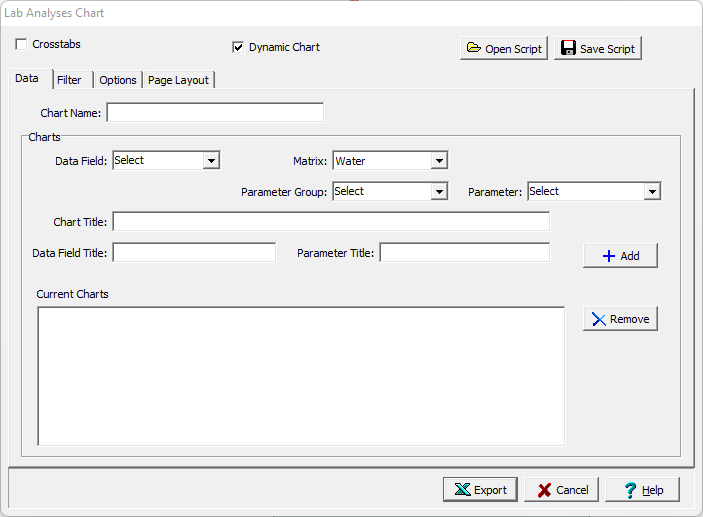
The following can be specified on this tab:
Chart Name: This is name of the chart for the data.
Data Field: This is used to select the data field that will be displayed in the chart.
Matrix: This is used to select the matrix for the chart.
Parameter Group: This is used to select the parameter group of the matrix to be displayed.
Parameter: This is used to select the parameter to be displayed in the chart.
Chart Title: This is the title of the chart. If it is blank it will be filled in when the data field and parameter are specified.
Data Field Title: This is used to specify the title of the data field axis.
Parameter Title: This is used to specify the title of the parameter axis.
Units Title: This is the units title for the chart.
Add: Click on the Add button to add the chart to the list of charts to be included.
Remove: Click the Remove button to remove the selected chart from the list.