|
<< Click to Display Table of Contents >> Creating a Water Levsls Chart |
  
|
|
<< Click to Display Table of Contents >> Creating a Water Levsls Chart |
|
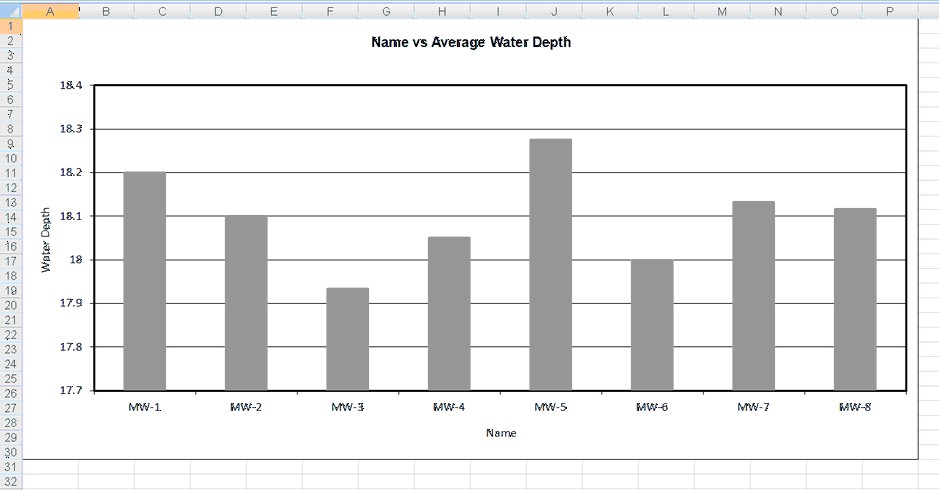
Water level charts can be used to display graphs of well water levels as shown in the spreadsheet below. To create a new water levels chart for a project select File > Export > Excel Charts > Water Levels. The Water Levels Chart form will be displayed. This form has four tabs for Data, Filter, Options, and Page Layout.
At the top of the form there are buttons for opening and saving scripts. Scripts are used to save the settings in a form and can be used to generate charts and crosstabs. Crosstabs are used to generate Excel spreadsheets that contain more then one table using previously stored scripts.
Charts can be either dynamic or non-dynamic. Dynamic charts are created with the latest data every time they are opened. Non-dynamic charts are static and stored in the Datastore, these charts will show the data at the time they were created.
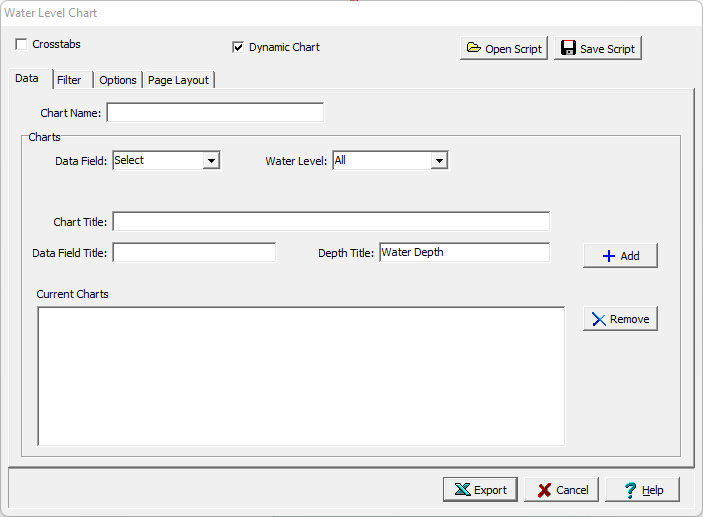
If the Crosstabs is not checked, this form has four tabs for Data, Filter, Options, and Page Layout. The Filter and Page Layout tabs is the same as for a Lab Analysis chart and is described in those sections. The editing of the Data and Options tabs is described on the following sections. If the crosstabs is checked this form will have one tab for Crosstabs described below.