|
<< Click to Display Table of Contents >> Custom Lists |
  
|
|
<< Click to Display Table of Contents >> Custom Lists |
|
Custom lists can be used to create lookup lists for interval text, sample, and lithology data. These lists can be for data such as Rock and Soil Defects, Weathering, Strength, etc. The custom lookup list data can be displayed in Custom List Columns, Lithologic Custom Columns, Sample Custom Columns and Linked Text Interval Columns. On the log the list data can be displayed as a symbol, description or both depending on the settings in the template.
The custom lists can be added and edited by selecting Tools > Lists > Custom. The Custom Lists form will be displayed.
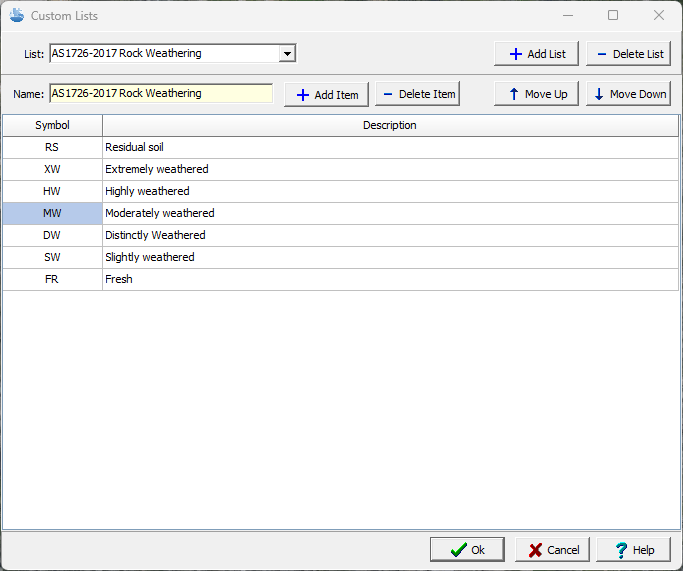
Custom lists can be added and removed using the buttons at the top of the form. And an existing custom list can be selected at the top of the form. When a custom list is added or selected the custom list is displayed and can be edited.
At the top of the list there are buttons to add and delete an item as well as to move the current selected item up or down in the list.
Name: This the name of the custom list and can only be edited when adding a custom list.
Symbol: This is the symbol of the item in the custom list.
Description: This is the description of the item in the custom list.