|
<< Click to Display Table of Contents >> Results Tab |
  
|
|
<< Click to Display Table of Contents >> Results Tab |
|
This tab is used to select the lab analysis results to display.
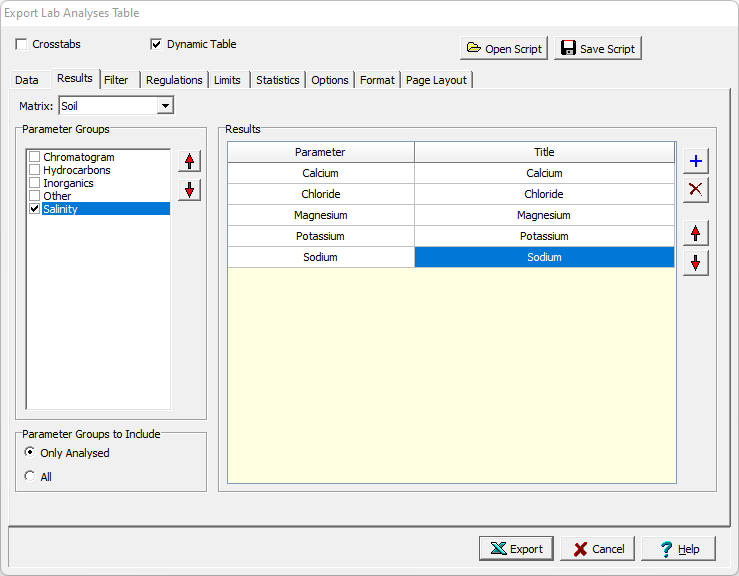
The following can be specified on this tab:
Matrix: This is used to select the matrix (media) for the lab analysis results.
Parameter Groups: This will display a list of the parameter groups that have been analysed for the matrix selected or all parameter groups. If individual parameters instead of parameter groups were analysed, the individual parameters will be displayed in the list. Check the box next to a parameter group to include results for a parameter group.
Parameter Groups to Include: This is used to display only the parameter groups analysed for the selected matrix or all parameter groups.
Results: This is used to select the analytical results to include in the table. The buttons on the right can be used to add, remove, move a result up, and move a result down. When a result is added the parameter can be selected and a title for the parameter can be specified.