|
<< Click to Display Table of Contents >> Options Tab |
  
|
|
<< Click to Display Table of Contents >> Options Tab |
|
The Options tab is used to specify the format and options that will be included in the table.
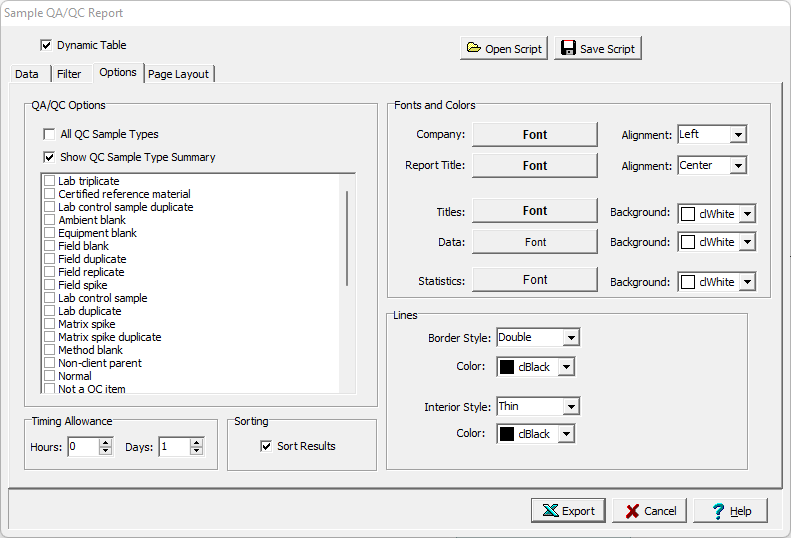
The following can be specified on this tab:
All QC Sample Types: Check to include all QC Sample types for samples collected, otherwise select the QC sample types to include as samples collected.
Show QC Sample Type Summary: Check to show a summary table for the QC Sample Types.
Timing Allowance: This is used to specify the time allowance in hours and days for including a sample as being collected for a task..
Company Font: Click this button to select the font for the company name to be placed on the table specified in the Page Layout tab.
Company Alignment: This is used to select the text alignment for the company name.
Report Title Font: Click this button to select the font for the title.
Report Title Alignment: This is used to select the text alignment for the title.
Titles Font: Click this button to select the font for the data titles.
Titles Background: This is used to select the background color for the data title cells.
Data Font: Click this button to select the font for the data.
Data Background: This is used to select the background color for the data cells.
Statistics Font: Click this button to select the font for the statistics.
Statistics Background: This is used to select the background color for the statistics.
Border Line Style: This is used to select the line style for borders.
Border Line Color: This is used to select the line color for borders.
Interior Line Style: This is used to select the style for interior lines.
Border Line Color: This is used to select the color for interior lines.