|
<< Click to Display Table of Contents >> Purchasing a License |
  
|
|
<< Click to Display Table of Contents >> Purchasing a License |
|
Licenses for a module can be purchased by selecting the module and clicking on the Purchase button on the License Manager form. The Purchase License form will then be displayed.This form shows the selected module and the serial number for the module. These serial numbers are unique for each computer and module. Either perpetual or annual subscription licenses can be purchased.
\
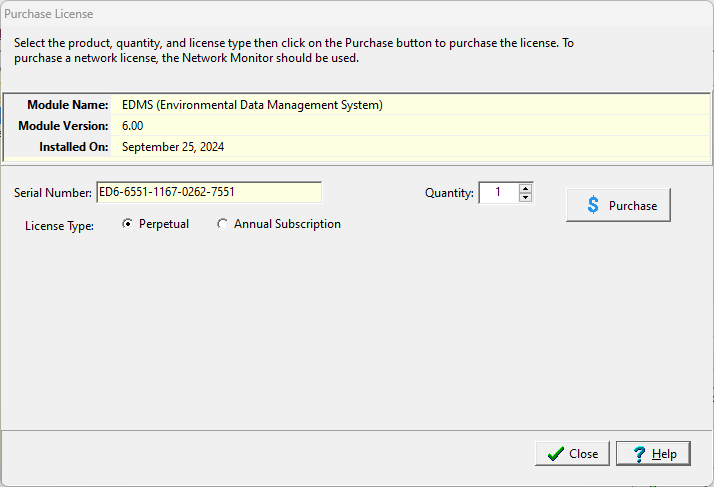
After the license type and quantity have been selected, click on the Purchase button to proceed with the purchase. A secure web page will hen be opened in your browser where you can enter the purchase information.
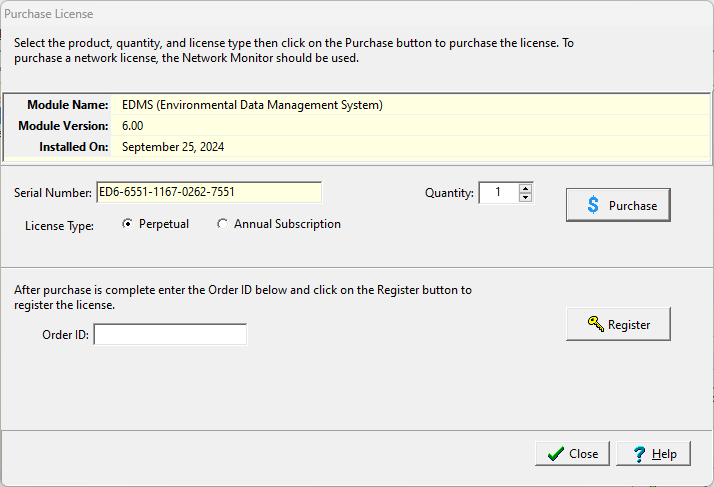
When the purchase has been completed, you will be provided by email with a unique order/purchase ID. Enter this ID on the form and click on the Register button to register the module. If the purchase or email is delayed, the license can later be registered as described in the Registering a License section.
If a subscription is purchased it can be automatically renewed and the renewal information will be sent to GaeaSynergy.