|
<< Click to Display Table of Contents >> Saving a Map Image |
  
|
|
<< Click to Display Table of Contents >> Saving a Map Image |
|

To save the map image either to the project or to a file click the Save button on the GIS toolbar. When saving to the project, the image name and version are specified.
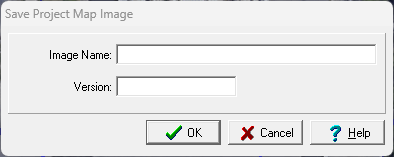
The following can be specified on this form:
Image Name: This is the image name to show in the project.
Version: This is the image version to show in the project.
In addition to the map image, the map scale is also saved. This scale can then be automatically included with the map image is used in a project view that contains both an image element and a map scale element.