|
<< Click to Display Table of Contents >> Saving a Streetview Image |
  
|
|
<< Click to Display Table of Contents >> Saving a Streetview Image |
|

A street view for a point on the GIS can be obtained by clicking on the down arrow of the Street View button and selected either Google or Bing. Then click on the point on the map to display the street view in the Street View form. Additional street views can be displayed by closing the form and clicking on other points on the map. The street view form for Google and Bing are explained in Chapter 2.
To save the street view image to the project click on the Save to Project button on the street view form. The image name and version can then be specified.
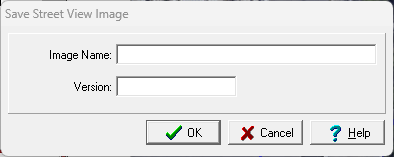
The following can be specified on this form:
Image Name: This is the image name to show in the project.
Version: This is the image version to show in the project.