|
<< Click to Display Table of Contents >> Transferring the Registration |
  
|
|
<< Click to Display Table of Contents >> Transferring the Registration |
|
If you need to transfer the license for a single user installation from one computer to another, select the module on the License Manager form and click on the Relock button. The Relock form will then be displayed.
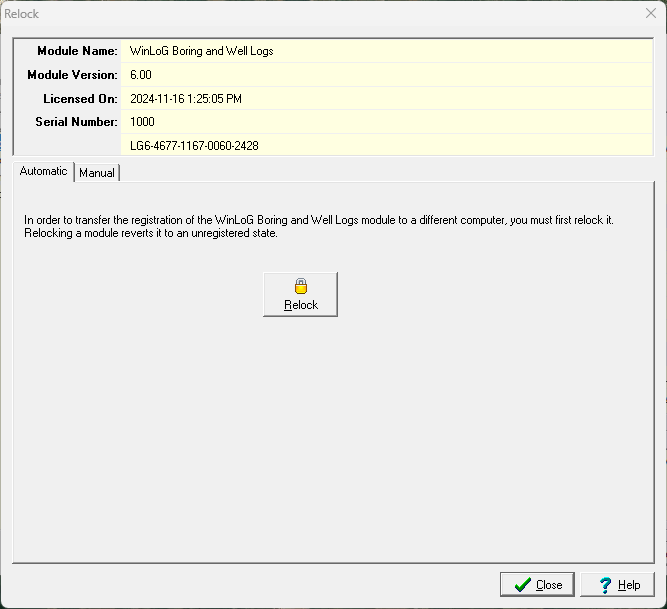
This form has two tabs, one yo automatically transfer the license and the other to manually transfer the license.
Automatic Transfer
To automatically transfer the registration to a new computer click on the Relock button. The module will no longer be registered on this computer and the order/purchase ID can be used to register it on a different computer as described in the Automatic Registration section..
Manual Transfer
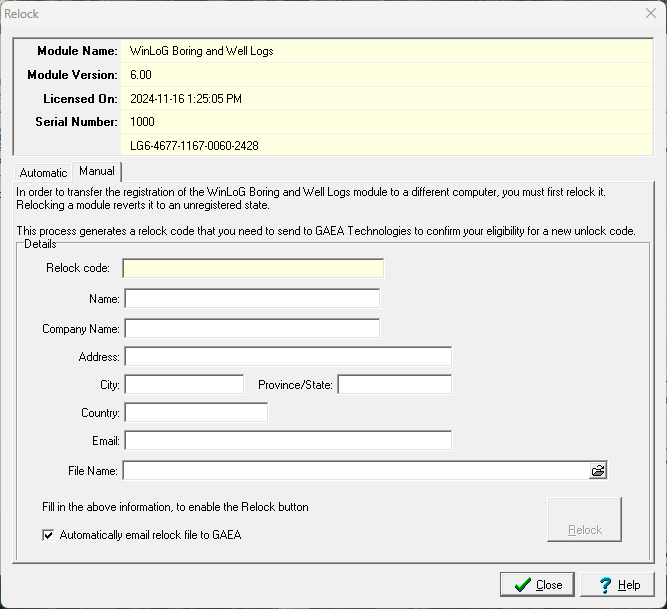
To manually transfer the license fill in all of the information on the form, including the file name. After the information is entered click on the Relock button to email the relock file to GAEA. After the button is clicked the Relock code will be displayed and the module will no longer be licensed on this computer.
After you have sent GAEA the relock file follow the instructions for Manual Registration on the new computer.