


Managing moisture-density relationships is a cornerstone of geotechnical quality control. Whether you are performing a Standard Proctor (ASTM D698) or a Modified Proctor (ASTM D1557), the Geotechnical Data Management System (GDMS) by GAEA Technologies provides a streamlined, automated workflow to move from raw laboratory data to a professional moisture-density curve.
Step-by-Step Guide to Creating a Proctor Test in GDMS
1. Initialize the Test Within Your Project
Start by navigating to your active project within the GaeaSynergy interface.
- Select the specific Sample where the soil was collected.
- Go to the Geotechnical Tests tab and click Add New Test.
- Choose Compaction from the test type dropdown menu.
- The click on the Add button.

2. Select the Template
The geotechnical template determines the format and layout for the test results.
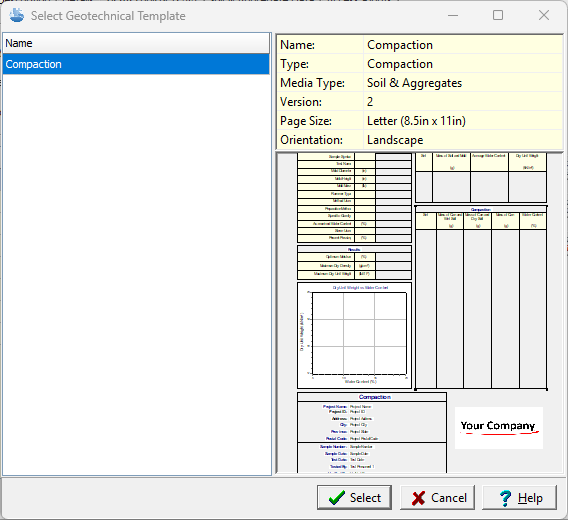
3. Enter the Test Information
Enter critical metadata, including the test personnel, verifier, and links to photos of the test specimens if available.

4: Enter Laboratory Data
Navigate to the Compaction Information tab. Enter the compaction information, specific gravity, and water content. The specific gravity and water content can be extracted from other tests on the sample.

GDMS allows you to input the values directly from your lab bench sheet:
- Mold & Sample Weights: Input the mass of the mold plus the wet soil for each point.
- Moisture Content: You can enter the weights of the wet and dry soil in the moisture cans.
- Specific Gravity: Enter the sample’s specific gravity to allow the software to plot the Zero Air Voids (ZAV) curve.

5. Analyze the Moisture-Density Curve
Once the data points (typically 4 to 5) are entered, GDMS mathematically models the curve:
- Automatic Calculation: The software identifies the Maximum Dry Density (MDD) and Optimum Moisture Content (OMC).
- Oversize Correction: If your sample contained significant gravel, use the ASTM D4718 toggle to apply rock corrections automatically.
- Visual Review: You can selectively omit outlier points to refine the curve’s fit.
6. Generate and Export the Report
Use the Report Template feature to format your output. You can include your corporate logo, link photos of the test specimen, and export the final result as a high-quality PDF for your client.
Summary
Creating a Proctor Compaction test in GAEA Technologies GDMS involves selecting the ASTM D698 or D1557 standard, entering raw mass and moisture data, and allowing the software to automatically model the moisture-density curve. The integration with GaeaSynergy ensures that these results are instantly available for display on well logs and 3D project views.
Related Articles
- Entering, Reporting, and Storing Geotechnical Tests in GDMS: A Complete Workflow Tutorial
- How Can I Use Project Views in GDMS to Display Geotechnical Test Tables and Charts?
- How Do I Create a Constant Head Permeability Test (ASTM D2434) in GDMS?
- How Can I Create an Atterberg Limits (ASTM D2487) Test in GDMS?
- How Can I Perform a Sieve Analysis Using GDMS?