|
<< Click to Display Table of Contents >> Importing Registration Codes |
  
|
|
<< Click to Display Table of Contents >> Importing Registration Codes |
|
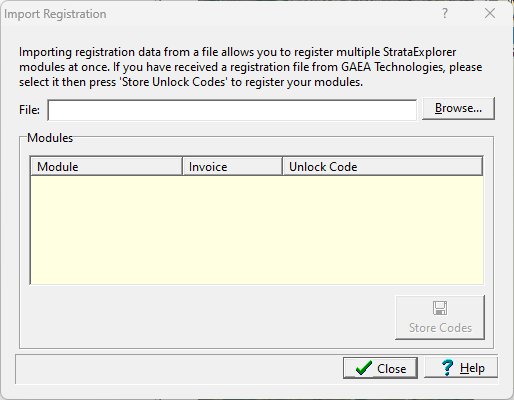
After the file has been received and processed by GAEA you will receive a registration file back by email. When you receive this file save it to your hard drive. To import the file click on the Import button on the License Manager form and the Import Registration Codes form will be displayed. Select the file you saved using the Open button on the form and the registration codes will be imported and saved by the program.