

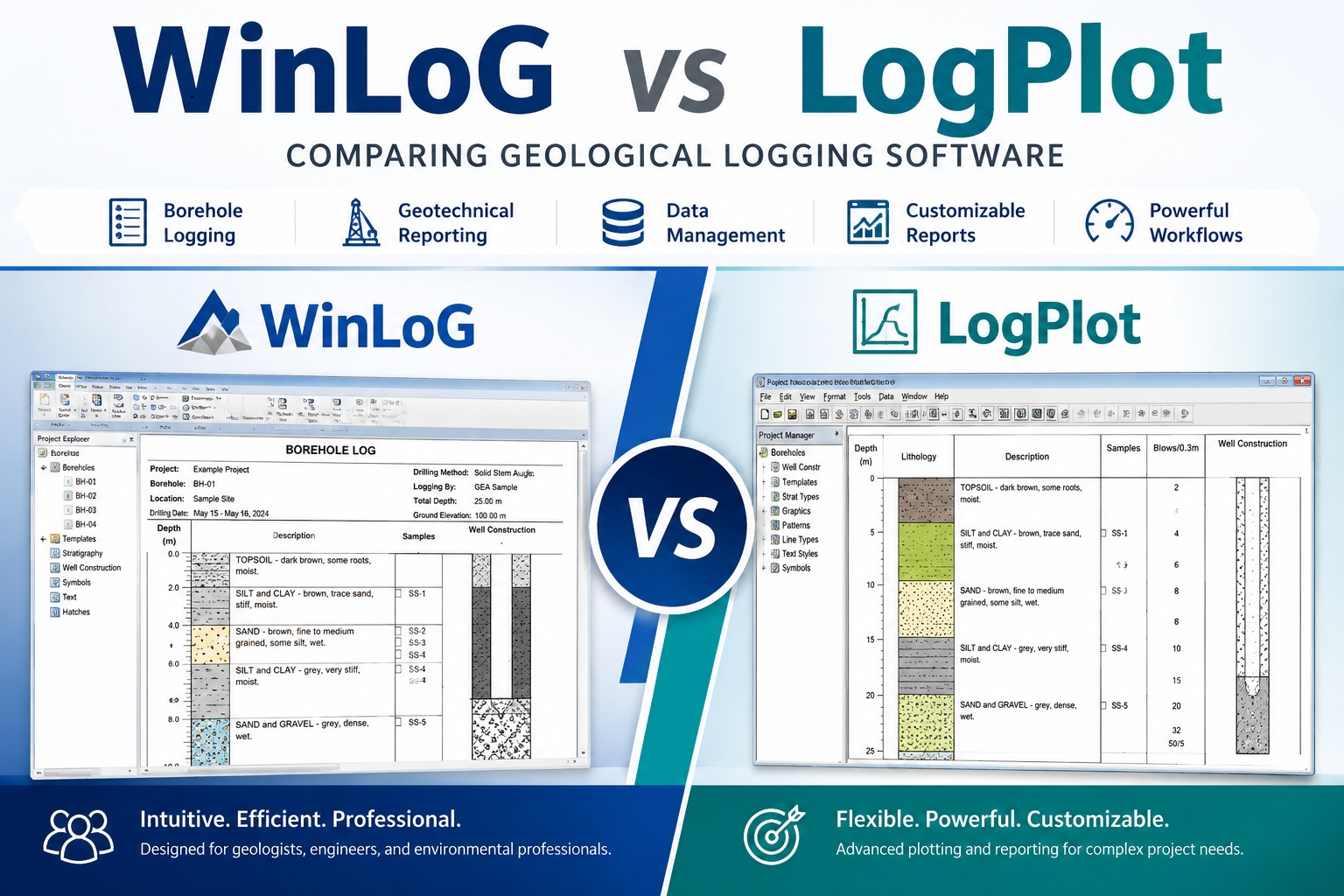
In the fields of geology, geotechnical engineering, environmental consulting, mining, and hydrogeology, borehole and well log presentation software plays a critical role in transforming raw subsurface data into clear, professional, and informative reports.
Two software products frequently discussed in this space are WinLoG and LogPlot. Both applications are designed to create borehole logs and geological reports, but they differ significantly in workflow, flexibility, licensing, usability, customization, and long-term value.
This article compares WinLoG and LogPlot across several important categories to help organizations determine which solution may best fit their operational needs.
Quick Comparison Summary
| Feature | WinLoG | LogPlot |
|---|---|---|
| Primary Focus | Streamlined borehole logging and reporting | Advanced plotting and report customization |
| Ease of Use | User-friendly and efficient | More complex learning curve |
| Learning Curve | Faster onboarding | Moderate to advanced |
| Borehole Log Creation | Fast and workflow-oriented | Flexible but more setup-intensive |
| Report Customization | Strong customization with simpler workflow | Extensive customization capabilities |
| Database Integration | Integrated project data management | Often relies on external workflows |
| Best For | Consultants, engineers, environmental firms | Advanced plotting specialists |
| Technical Support | Direct support from GAEA Technologies | Support through RockWare |
| Workflow Speed | Optimized for productivity | Optimized for plotting flexibility |
| Maintenance and Updates | Annual maintenance options available | Maintenance plans available |
| Typical Users | Geotechnical, environmental, mining professionals | Geological and plotting-focused users |
| Overall Strength | Efficiency and usability | Detailed plotting control |
Overview of WinLoG
WinLoG is a borehole logging and reporting application developed for geologists, geotechnical engineers, environmental professionals, and subsurface data specialists. The software is designed to streamline the creation of:
- Geological borehole logs
- Geotechnical logs
- Monitoring well logs
- Environmental drilling reports
- Soil and rock profiles
- Stratigraphic sections
- Field logging reports
WinLoG emphasizes flexibility, professional output, database integration, and customizable reporting while maintaining an accessible workflow for both small and large organizations.
Overview of LogPlot
LogPlot is a widely recognized borehole and well log plotting application developed by RockWare. It has been used for many years within geological and environmental industries to generate strip logs and related subsurface reports.
LogPlot provides a broad range of plotting capabilities and supports many traditional logging workflows. It is often used by organizations already familiar with the broader RockWare ecosystem.
User Interface and Ease of Use
One of the most important considerations when selecting geological logging software is usability. Engineers and geologists often work under tight deadlines, making efficient workflows essential.
WinLoG Workflow
WinLoG is designed with a modern workflow approach focused on rapid data entry, editing efficiency, and streamlined report generation. Users can typically create professional borehole logs with minimal setup time.
Advantages often associated with WinLoG include:
- Intuitive data entry forms
- Simplified borehole management
- Faster report generation
- Consistent project organization
- Reduced learning curve for new users
Many organizations appreciate that WinLoG allows field and office staff to become productive quickly without extensive customization or scripting.
LogPlot Workflow
LogPlot offers extensive plotting capabilities but may require more configuration and template management depending on the complexity of the project.
Some users appreciate the software’s flexibility, while others may find that setup and customization can become time-consuming for highly specific reporting requirements.
Organizations already familiar with RockWare products may find the interface more familiar, though new users sometimes report a steeper learning curve.
Borehole Log Customization
Customization is critical in geological and geotechnical reporting because clients, regulatory agencies, and engineering firms often require specific report formats.
WinLoG Customization Features
WinLoG provides flexible log design capabilities that allow users to configure:
- Lithology columns
- Sample intervals
- Water level data
- Well construction diagrams
- SPT data
- Recovery and RQD information
- Symbols and patterns
- Custom headers and footers
The software is designed to support both standard and highly customized reporting layouts without requiring advanced programming knowledge.
This can be especially valuable for consultants producing reports for multiple clients with different formatting requirements.
LogPlot Customization Features
LogPlot is known for its plotting flexibility and extensive template options. Advanced users can create highly detailed report layouts and plotting schemes.
However, customization may involve more manual configuration and maintenance. For organizations with dedicated technical staff, this may not be a concern, but smaller firms may prefer a more streamlined approach.
Database and Data Management
Modern geological projects often involve large amounts of borehole and sampling data. Efficient data management becomes increasingly important as projects scale.
WinLoG Database Integration
WinLoG supports centralized data management workflows that help organizations maintain consistency across projects.
Benefits may include:
- Structured project databases
- Easier data retrieval
- Improved consistency
- Reduced duplicate entry
- Better long-term data management
Organizations managing multiple drilling programs or long-term environmental monitoring projects often benefit from integrated data handling.
LogPlot Data Handling
LogPlot traditionally focuses heavily on plotting and presentation. While it supports data import and management features, some organizations may rely on external databases or spreadsheets for primary data storage.
This approach can work effectively but may require additional workflow coordination between applications.
Reporting and Output Quality
Professional presentation quality is essential when delivering reports to clients, regulators, or project stakeholders.
WinLoG Reporting Advantages
WinLoG is designed to produce clear, professional, publication-quality logs suitable for:
- Geotechnical reports
- Environmental site assessments
- Hydrogeological investigations
- Mining exploration programs
- Regulatory submissions
Users often value the consistency and readability of WinLoG-generated reports, especially when producing large numbers of borehole logs.
LogPlot Reporting Advantages
LogPlot also produces professional-quality reports and has long been recognized for detailed plotting capabilities.
Organizations that require highly specialized plotting arrangements may appreciate the software’s extensive formatting controls.
However, generating and maintaining complex templates can sometimes require additional effort.
Learning Curve and Training
Software adoption costs extend beyond licensing fees. Training time and productivity loss during onboarding can significantly impact overall value.
WinLoG Learning Curve
Many users find WinLoG easier to learn due to its streamlined interface and focused workflow design.
Advantages may include:
- Faster staff onboarding
- Reduced training requirements
- Easier day-to-day operation
- Lower support burden for administrators
This can be especially important for firms with rotating project staff or field personnel.
LogPlot Learning Curve
LogPlot’s extensive capabilities can provide powerful functionality, but some organizations may require additional training to fully utilize advanced features.
Users familiar with older geological software systems may adapt more easily, while new users may need additional time to become proficient.
Licensing and Cost Considerations
Software pricing and licensing structure are major considerations for consulting firms, engineering companies, and government agencies.
WinLoG Licensing
WinLoG licensing is often attractive to organizations seeking professional geological logging software with manageable long-term operating costs.
Organizations may benefit from:
- Competitive pricing
- Flexible licensing options
- Annual maintenance availability
- Professional technical support
The overall value proposition is often strongest for firms seeking efficient production workflows combined with customizable reporting.
LogPlot Licensing
LogPlot licensing costs can vary depending on product editions, maintenance plans, and organizational requirements.
Some organizations already invested in the RockWare ecosystem may find value in maintaining consistency across software platforms.
However, firms evaluating standalone borehole logging solutions may compare pricing, support, and workflow efficiency carefully before deciding.
Technical Support and Maintenance
Reliable support is essential when software issues arise during active projects.
WinLoG Support
GAEA Technologies provides technical support, maintenance services, and software updates for WinLoG users with active maintenance agreements.
Many organizations value direct access to knowledgeable support staff familiar with geological and geotechnical workflows.
LogPlot Support
RockWare also provides technical support and maintenance services for LogPlot users.
Support experiences may vary depending on licensing level, maintenance status, and organizational needs.
Which Software Is Better?
The answer depends on your organization’s priorities, workflows, and technical requirements.
WinLoG May Be the Better Choice If You Need:
- Faster borehole log production
- Easier day-to-day workflows
- Reduced training time
- Strong customization without programming
- Integrated data management
- Professional report consistency
- Cost-effective long-term operation
LogPlot May Be the Better Choice If You Need:
- Highly specialized plotting configurations
- Existing integration with RockWare products
- Advanced custom plotting control
- Familiarity with established RockWare workflows
Final Thoughts
Both WinLoG and LogPlot are capable geological logging applications with established user bases.
However, many organizations today prioritize workflow efficiency, usability, integrated data management, and rapid report generation. In these areas, WinLoG offers significant advantages for consultants, engineers, geologists, and environmental professionals seeking a modern and productive borehole logging solution.
Choosing the right software ultimately depends on your reporting requirements, project complexity, staff experience, and long-term operational goals. Evaluating trial versions, reviewing reporting workflows, and comparing support options can help determine which platform is best suited to your organization.
For organizations looking to improve efficiency while maintaining professional-quality geological reporting, WinLoG remains a strong and competitive alternative to traditional borehole plotting solutions like LogPlot.