

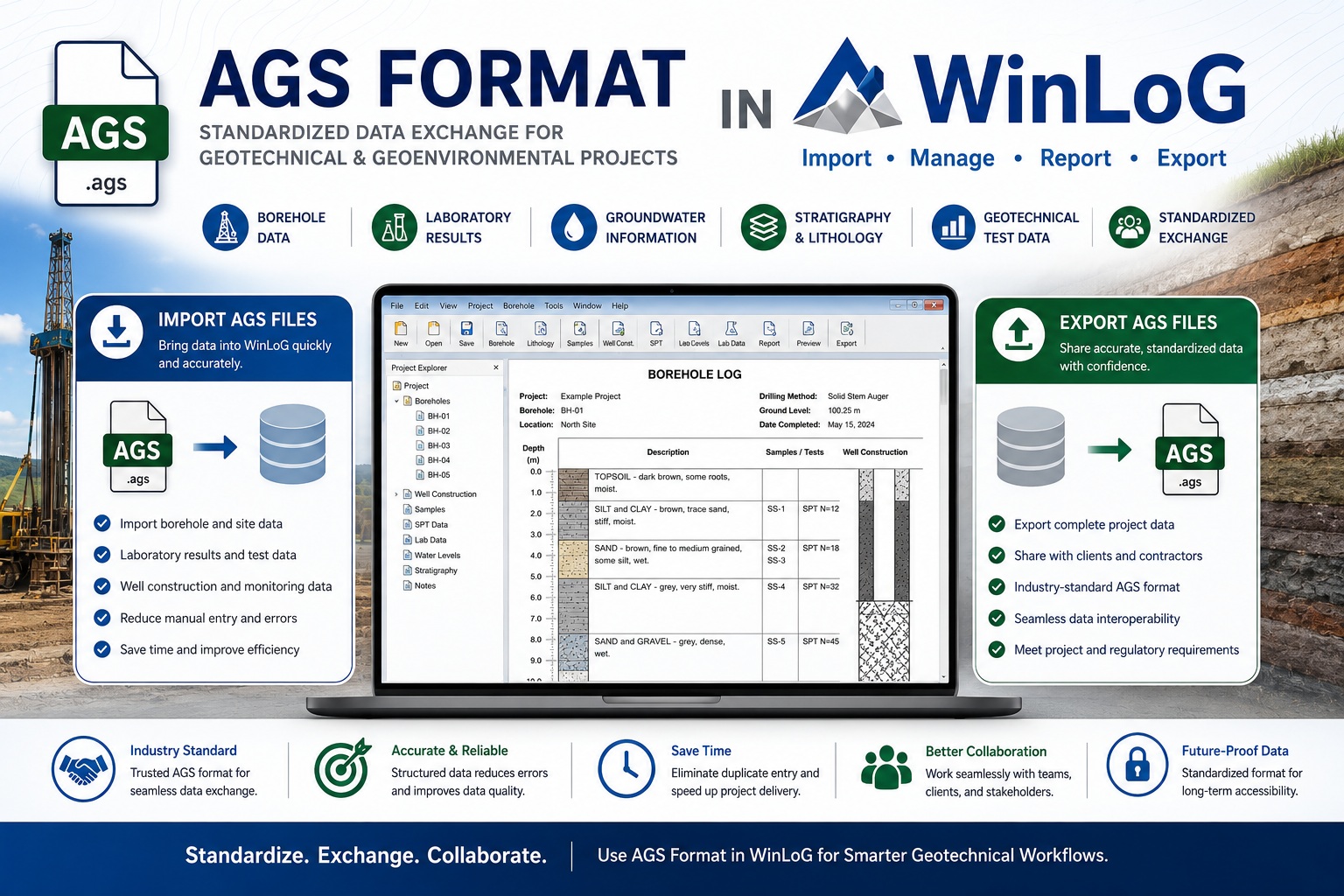
In modern geotechnical, geological, and environmental projects, efficient data exchange is essential. Engineering firms, drilling contractors, laboratories, consultants, and clients often use different software systems, making standardized data formats increasingly important.
One of the most widely recognized standards for geotechnical and ground investigation data exchange is the Association of Geotechnical and Geoenvironmental Specialists AGS format.
For organizations using WinLoG, AGS support can streamline workflows by allowing users to import and export standardized borehole, laboratory, and geotechnical investigation data efficiently.
This article explains what AGS format is, why it is important, and how AGS files can be imported and exported using WinLoG.
What Is AGS Format?
AGS stands for the Association of Geotechnical and Geoenvironmental Specialists, which developed a standardized digital format for transferring geotechnical and geoenvironmental data between organizations and software systems.
The AGS format was created to solve a major industry problem: inconsistent data exchange.
Before AGS, borehole and laboratory data were commonly transferred using:
- Paper logs
- PDFs
- Spreadsheets
- Proprietary software formats
- Manual data entry
These methods often resulted in:
- Duplicate work
- Data entry errors
- Inconsistent formatting
- Loss of information
- Increased project costs
- Delayed reporting
AGS introduced a standardized text-based data format that allows information to move more reliably between software applications.
What Type of Data Can AGS Files Store?
AGS files can contain a wide variety of geological, geotechnical, and environmental investigation data, including:
- Borehole locations
- Drilling information
- Lithology descriptions
- Sample intervals
- Groundwater data
- Laboratory test results
- SPT results
- Well construction information
- Stratigraphy
- Geotechnical measurements
- Monitoring data
Because AGS files use a standardized structure, multiple organizations can share and process data more efficiently.
Why AGS Format Is Important
AGS has become an industry-standard format in many regions, especially within geotechnical and environmental consulting industries.
Improved Data Exchange
AGS enables seamless transfer of information between:
- Drilling contractors
- Engineering consultants
- Laboratories
- Government agencies
- Asset owners
- Geological software platforms
This reduces the need for manual data re-entry and improves project efficiency.
Reduced Errors
Manual transcription of borehole and laboratory data increases the risk of mistakes.
Using AGS files helps reduce:
- Typographical errors
- Unit conversion problems
- Missing intervals
- Inconsistent coding
- Data duplication
Better Collaboration
Large infrastructure and environmental projects often involve multiple companies using different software systems.
AGS provides a common language for exchanging subsurface information.
Long-Term Data Preservation
Because AGS is a structured and standardized format, it improves long-term accessibility and consistency of geotechnical records.
How WinLoG Uses AGS Files
WinLoG supports AGS workflows to help organizations efficiently exchange geological and geotechnical data with clients, contractors, and external systems.
Using AGS within WinLoG can simplify:
- Data import
- Borehole creation
- Laboratory data integration
- Project collaboration
- Report generation
- Data export to clients or regulators
This allows WinLoG to function as part of a larger geotechnical data ecosystem.
Importing AGS Files into WinLoG
One of the major advantages of AGS support is the ability to quickly import existing project data into WinLoG.
Benefits of AGS Importing
Importing AGS files into WinLoG can help organizations:
- Eliminate duplicate data entry
- Speed up project setup
- Reduce transcription errors
- Standardize incoming data
- Improve collaboration with drilling contractors and labs
Instead of manually entering borehole information, users can import structured AGS datasets directly into the software.
Typical AGS Import Workflow
Although workflows may vary depending on software configuration and AGS version, the general import process usually involves:
- Receiving an AGS file from a contractor, consultant, or laboratory
- Opening the AGS import function within WinLoG
- Selecting the AGS file
- Mapping or validating data fields if necessary
- Importing borehole and associated project data
- Reviewing imported records
- Generating borehole logs and reports
Once imported, the data can be edited, reviewed, and incorporated into customized WinLoG reporting templates.
Types of Data Commonly Imported
WinLoG AGS imports may include:
- Borehole coordinates
- Elevations
- Lithology intervals
- Sampling records
- Drilling methods
- Well construction details
- Groundwater observations
- SPT information
- Laboratory test data
This significantly reduces project preparation time.
Exporting AGS Files from WinLoG
In addition to importing AGS files, WinLoG can also export project data into AGS-compatible formats.
This is especially useful when sharing information with:
- Engineering firms
- Government agencies
- Clients
- External consultants
- Laboratory systems
- Infrastructure project teams
Benefits of AGS Exporting
Exporting AGS files from WinLoG provides several advantages:
Standardized Deliverables
Many organizations and public agencies require AGS deliverables as part of project submissions.
Using WinLoG to export AGS files helps ensure data is provided in an accepted industry-standard format.
Easier Client Integration
Clients often import AGS files into their own geological or asset management systems.
Providing AGS exports simplifies downstream workflows and improves interoperability.
Reduced Manual Processing
Instead of manually converting data into spreadsheets or custom formats, users can generate AGS exports directly from project databases.
Improved Data Consistency
Structured exports help maintain consistency across large projects involving multiple boreholes and data sources.
Typical AGS Export Workflow in WinLoG
A typical AGS export process may include:
- Opening the project database in WinLoG
- Selecting boreholes or project records for export
- Choosing the AGS export option
- Selecting required AGS groups or fields
- Validating the dataset
- Generating the AGS output file
- Delivering the file to the client or consultant
Depending on project requirements, users may export:
- Entire project datasets
- Selected boreholes
- Laboratory data
- Monitoring well information
- Geotechnical investigation records
AGS and Geotechnical Reporting Workflows
AGS compatibility is particularly valuable for geotechnical consulting firms and infrastructure projects.
Common AGS Use Cases
Organizations commonly use AGS workflows for:
- Transportation projects
- Infrastructure development
- Environmental investigations
- Mining projects
- Hydrogeological studies
- Geotechnical site investigations
- Monitoring well programs
The ability to exchange data electronically improves project coordination and reduces administrative overhead.
Integration with Professional Reporting
After importing AGS data into WinLoG, users can generate:
- Geological borehole logs
- Geotechnical reports
- Monitoring well logs
- Environmental investigation reports
- Stratigraphic profiles
- Laboratory summary reports
This creates a streamlined workflow from field data collection to final report delivery.
Advantages of Using AGS with WinLoG
Organizations using AGS within WinLoG often benefit from:
- Faster project startup
- Reduced manual data entry
- Improved data accuracy
- Better collaboration with external teams
- Standardized deliverables
- Easier data exchange
- Professional reporting workflows
- Improved long-term data management
These advantages become even more important on large or multi-phase projects involving numerous stakeholders.
AGS Version Compatibility Considerations
Different organizations may use different AGS versions depending on regional standards and project requirements.
Before importing or exporting AGS data, it is important to confirm:
- Required AGS version
- Mandatory data groups
- Client-specific formatting requirements
- Coding standards
- Validation procedures
Establishing clear data exchange requirements early in a project can help avoid compatibility issues later.
Final Thoughts
The AGS format has become one of the most important standards for geotechnical and geological data exchange. By providing a structured and consistent method for transferring borehole and laboratory information, AGS improves collaboration, reduces errors, and increases project efficiency.
For organizations using WinLoG, AGS support offers significant advantages through streamlined importing and exporting workflows, improved data management, and professional reporting capabilities.
Whether you are managing environmental investigations, geotechnical studies, mining exploration programs, or infrastructure projects, integrating AGS workflows into WinLoG can help improve efficiency while supporting industry-standard data exchange practices.
As geotechnical and geological projects continue to become more data-driven, AGS compatibility will remain an increasingly valuable feature for organizations seeking reliable, scalable, and collaborative subsurface data management solutions.