

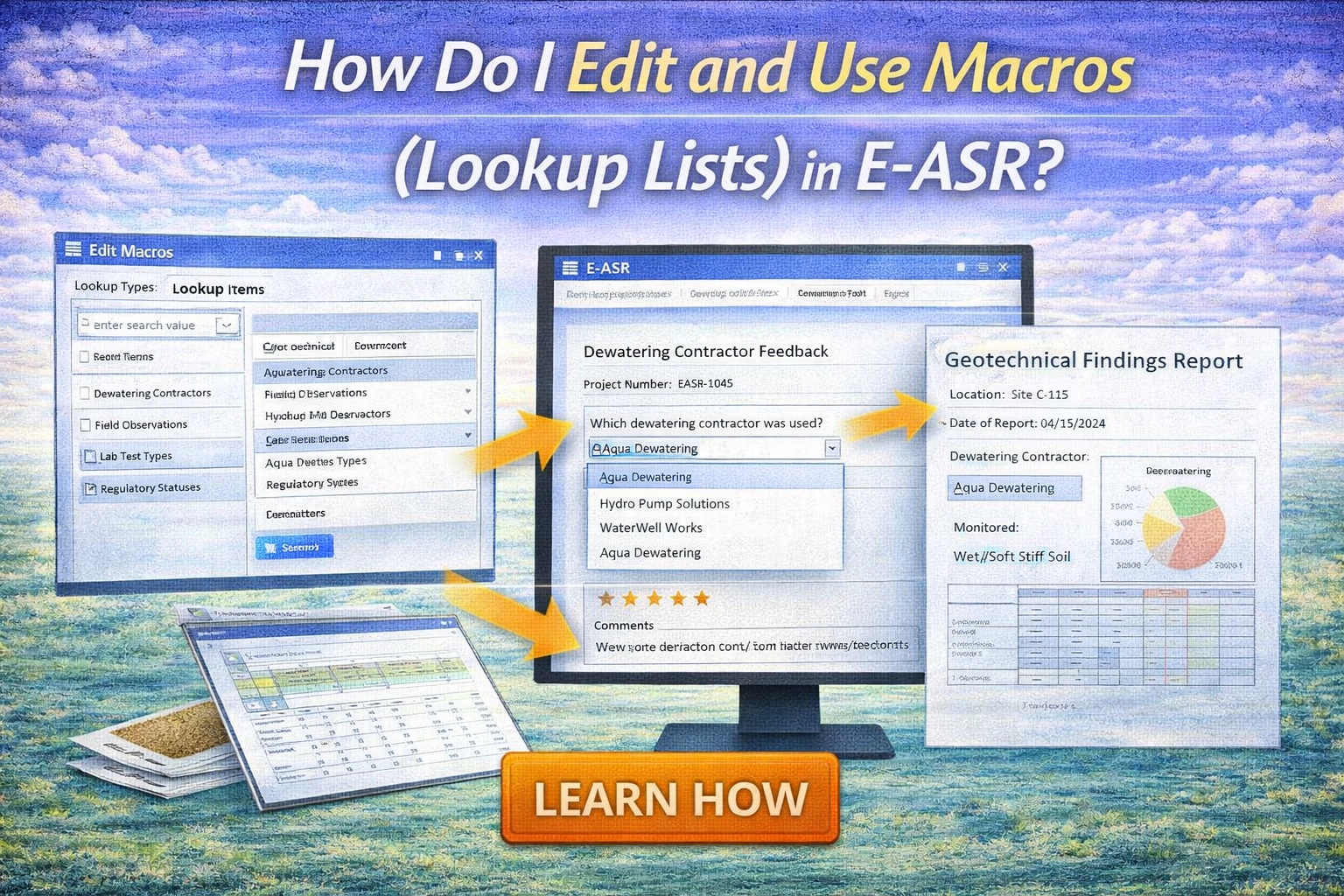
In environmental data management, consistency is the difference between a compliant report and a costly error. The E-ASR (Environmental Automated Standardized Reporting) utilizes Macros (Lookup Lists) to ensure that every responses to questions in an environmental questionnaire is standardized across your entire organization. By restricting data entry to predefined values, you eliminate typos and standardize reporting.
The Three Pillars of Data Integrity: Define, Apply, Enforce
1. DEFINE: The Macro (Lookup List) Editor
The first step is establishing your “source of truth.” In the E-ASR configuration, you use the Macro (Lookup List) Editor to build your master tables by going to Tools > Macros > Edit.
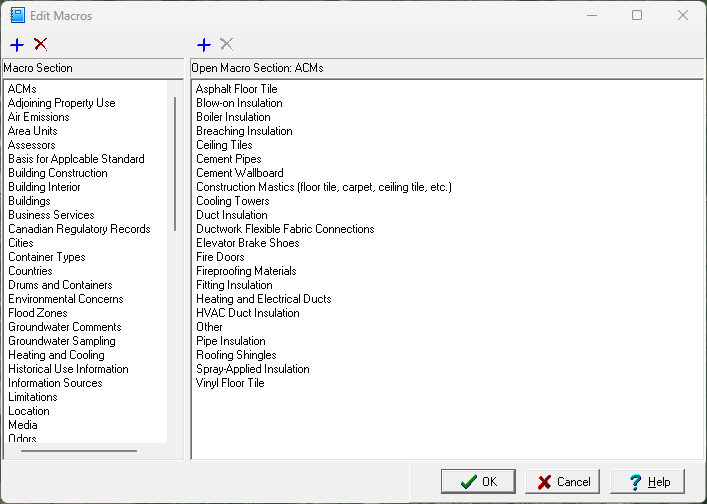
- Macro Sections: Click the [+] icon to add a new macro section or select a section on the left.
- Macro Items: After a macro section has been added or selected the items (lookup list) can be added and edited on the right.
- Bulk Import: For massive lists, you can import CSV files to populate your editor instantly.
2. APPLY: Connecting Lists to Templates
Once your macros are defined, you must tell E-ASR where to use them.
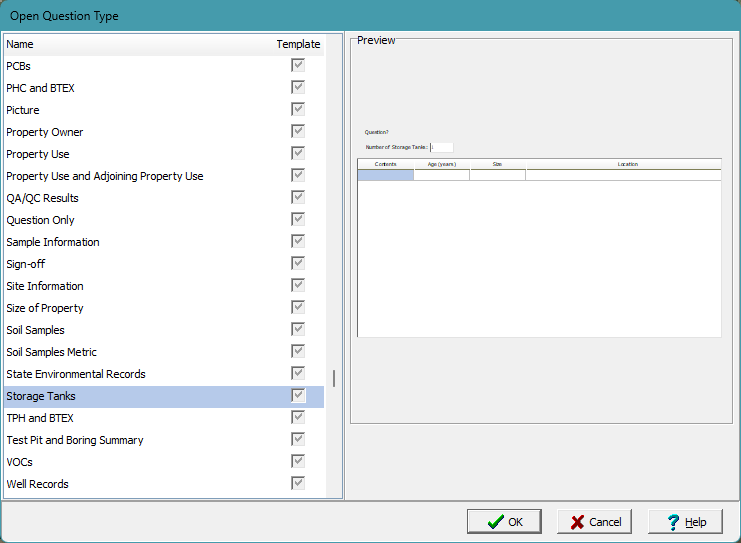
- Open a question type by going to Tools > Question Types > Open.
- Select the question type to use the macros in.
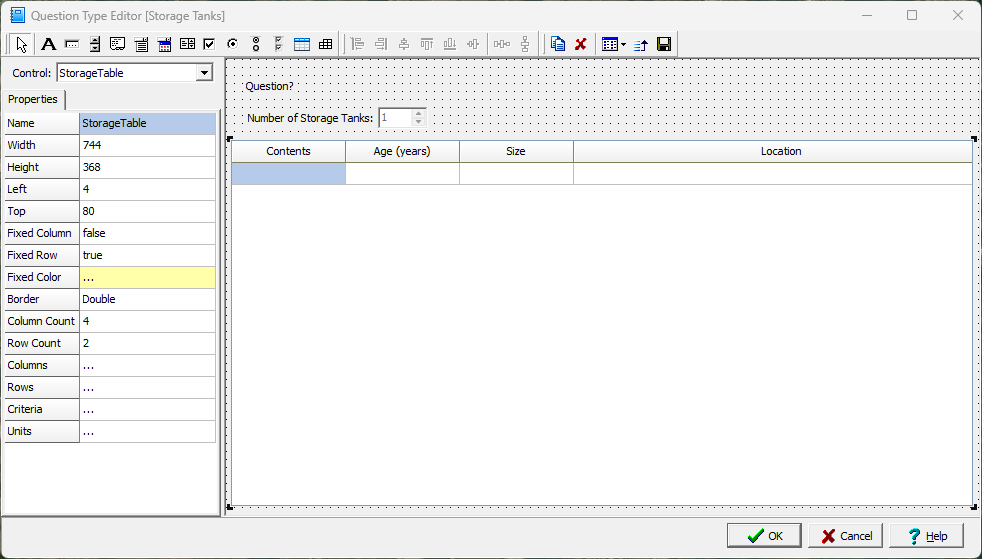
- Select a control(object) such as “StorageTable.”
- Link one of the columns to a specific macro section using Combo Items. This transforms a standard input field into a smart, searchable dropdown menu.
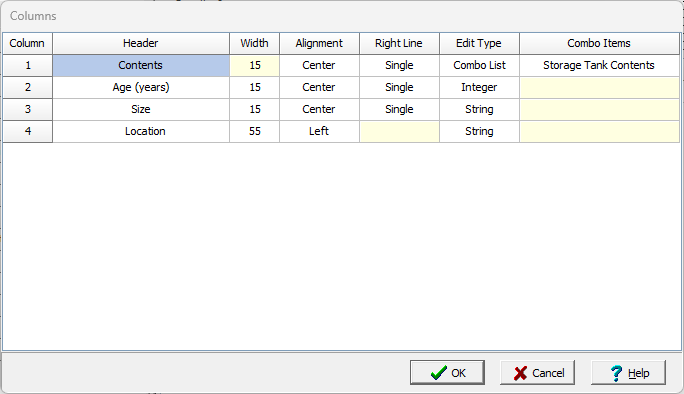
3. ENFORCE: Standardized Data Entry
With macros (lookup lists) applied to a question type, whenever that question type is used in a questionnaire the system enforces the selection from that macro during the reporting phase.
- Prevent Errors: Users can only select from the items in the macro section you provided. For example, “Diesel”, “Gasoline”, or “Oil”.
- Uniform Reporting: This ensures that “Gasoline” is never accidentally entered as “Gas” or “gas”, which is critical for standardized reporting.
Summary
Editing and using Macros (Lookup Lists) in E-ASR involves a three-step workflow: Defining your master data in the Macro Editor, Applying those macro sections to your question types, and Enforcing standardized selection during data entry. This process ensures absolute data integrity and professional, compliant environmental reports every time.