

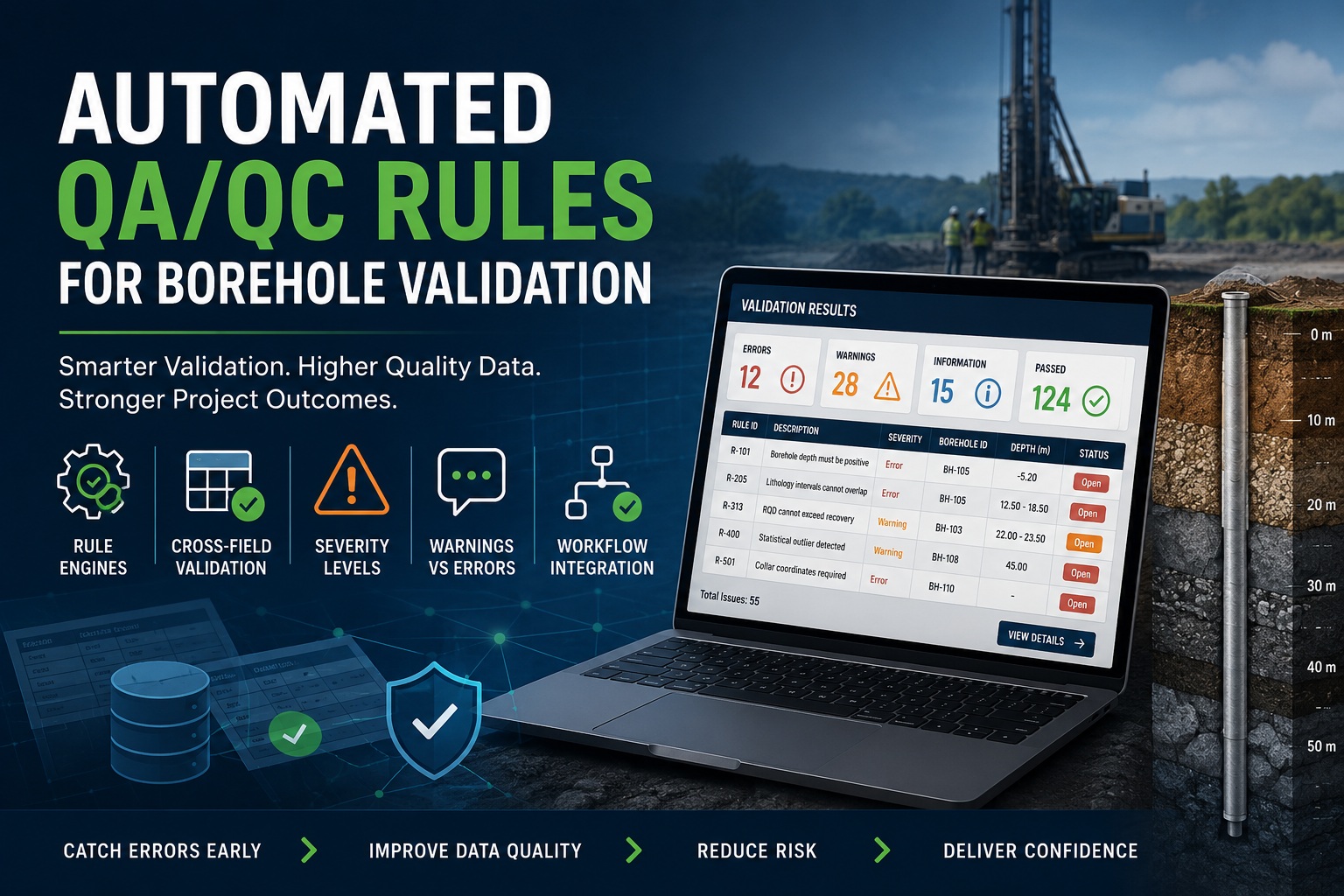
Why Rule-Based Validation Is Essential for Modern Borehole Data Management
As geological, geotechnical, environmental, and mining projects continue to generate larger volumes of borehole data, manual quality checks are becoming increasingly difficult to maintain. Hundreds of fields, multiple data tables, numerous users, and complex reporting requirements create significant opportunities for errors to enter the database.
Automated Quality Assurance and Quality Control (QA/QC) rules provide a systematic way to validate borehole data as it is entered, reviewed, and approved. By applying predefined validation rules consistently across all records, organizations can dramatically improve data quality, reduce review time, and increase confidence in project deliverables.
This article explores how automated QA/QC rule engines work, the importance of cross-field validation, the use of severity levels, the distinction between warnings and errors, and how validation integrates into modern borehole workflows.
The Challenge of Manual Data Validation
Traditional borehole validation often relies on experienced geologists, engineers, or database managers manually reviewing logs before reports are produced.
While experienced reviewers are invaluable, manual processes have several limitations:
- Time-consuming reviews
- Inconsistent validation between reviewers
- Human oversight and fatigue
- Delayed discovery of errors
- Difficulty enforcing standards across projects
- Limited scalability as datasets grow
A single borehole may contain:
- Collar information
- Survey measurements
- Lithology intervals
- Sampling data
- Recovery records
- RQD values
- Laboratory results
- Water level measurements
- Instrumentation data
Each table contains relationships and dependencies that are difficult to verify manually.
Automated validation addresses these challenges by checking data continuously and consistently.
What Is a Borehole Validation Rule Engine?
A validation rule engine is a framework that automatically evaluates data against predefined business rules.
Rather than requiring users to manually inspect every record, the system applies rules whenever data is entered, imported, modified, reviewed, or approved.
Examples include:
- Depth intervals must not overlap.
- Recovery cannot exceed run length.
- Borehole coordinates must fall within project boundaries.
- RQD cannot exceed core recovery.
- Sample intervals must remain within borehole depth.
The rule engine evaluates these conditions automatically and reports any violations.
This approach transforms validation from a periodic activity into a continuous quality control process.
Components of a Validation Rule Engine
Most modern borehole validation systems contain several key components.
Rule Definitions
Rules describe the validation logic.
Examples:
| Rule ID | Description |
|---|---|
| R-101 | Borehole depth must be positive |
| R-205 | Lithology intervals cannot overlap |
| R-313 | RQD cannot exceed recovery |
| R-400 | Statistical outlier detected |
| R-501 | Collar coordinates required |
Each rule should have:
- Unique identifier
- Description
- Category
- Severity
- Validation logic
- Scope
Validation Engine
The validation engine executes rules against borehole data.
Responsibilities include:
- Loading rules
- Evaluating records
- Generating validation messages
- Tracking results
- Producing validation summaries
A well-designed engine allows new rules to be added without modifying core application code.
Result Management
Validation results are typically stored for review.
Each result may contain:
- Rule ID
- Borehole ID
- Record identifier
- Severity
- Message
- Timestamp
- Resolution status
This creates a complete audit trail of data quality issues.
Cross-Field Validation
Many of the most valuable QA/QC checks involve relationships between multiple fields.
These are known as cross-field validation rules.
Single-field checks are useful, but cross-field validation catches logical inconsistencies that often go unnoticed.
Example: RQD vs Recovery
Rock Quality Designation (RQD) represents the percentage of intact core pieces longer than a specified length.
Since RQD is derived from recovered core, it cannot exceed total recovery.
Rule:
RQD <= RecoveryExamples:
| Recovery | RQD | Result |
| 95 | 80 | Valid |
| 75 | 72 | Valid |
| 60 | 85 | Error |
This rule catches impossible geological values immediately.
Example: Interval Consistency
A lithology interval must have:
From < ToValid:
10.0 - 15.0Invalid:
15.0 - 10.0Such errors may seem obvious but frequently occur during manual data entry.
Example: Recovery Validation
Recovery should never exceed the drilled run length.
Rule:
Recovery <= RunLengthIf:
- Run Length = 1.50 m
- Recovery = 1.75 m
The record is invalid.
Example: Sample Depth Validation
Sample intervals must remain within the borehole limits.
Rule:
SampleTo <= BoreholeDepthThis prevents intervals extending beyond the actual drilled depth.
Severity Levels
Not all validation issues are equally important.
Modern QA/QC systems classify issues using severity levels.
Typical levels include:
Information
Used for informational observations.
Examples:
- Recommended field missing
- Optional metadata absent
- Non-standard code used
Informational messages do not require correction.
Warning
Warnings indicate potentially suspicious data that may still be valid.
Examples:
- Unusually high recovery
- Rare lithology sequence
- Statistical outlier
- Missing optional comments
Warnings encourage investigation but generally allow work to continue.
Error
Errors indicate data that violates established rules.
Examples:
- Negative depths
- Overlapping intervals
- Missing required coordinates
- RQD exceeding recovery
Errors usually require correction before review or approval.
Critical
Critical issues represent severe data integrity problems.
Examples:
- Duplicate borehole IDs
- Missing collar records
- Corrupted survey data
- Broken parent-child relationships
Critical issues often prevent the borehole from progressing through workflow stages.
Warnings vs Errors
One of the most important design decisions in a validation system is determining whether a rule should generate a warning or an error.
When to Use Warnings
Warnings are appropriate when data appears unusual but may be legitimate.
Examples:
- Recovery > 98%
- RQD > 95%
- Extremely high SPT values
- Uncommon lithology transitions
The system should flag the condition while allowing users to proceed.
Warnings help reviewers focus attention without creating unnecessary workflow barriers.
When to Use Errors
Errors should be reserved for situations where the data is objectively invalid.
Examples:
- Negative depth
- Missing required values
- Invalid coordinates
- Recovery greater than run length
- Overlapping intervals
Errors should require correction before the record can move forward.
Avoid Excessive Errors
An overly strict system can frustrate users and encourage workarounds.
A good rule of thumb is:
If the value could be correct under real-world conditions, consider a warning.
If the value cannot possibly be correct, use an error.
This approach balances data quality with operational efficiency.
Workflow Integration
The greatest value of automated QA/QC comes when validation is integrated directly into the borehole workflow.
Instead of running validation only at project completion, rules should execute continuously.
During Data Entry
As users enter data:
- Required fields are checked
- Interval consistency is verified
- Value ranges are validated
Immediate feedback prevents errors from accumulating.
During Import
Imported datasets should be validated automatically.
Checks may include:
- Missing columns
- Invalid codes
- Duplicate records
- Depth inconsistencies
Import validation catches issues before they enter the database.
Before Review
Organizations often require validation before review.
The system can verify:
- No unresolved errors
- Required datasets completed
- Mandatory fields populated
Only then can the borehole enter review status.
Before Approval
Approval represents the final quality gate.
Common approval requirements include:
- Validation completed
- No unresolved critical issues
- No unresolved errors
- Review completed
- Required documentation attached
This ensures only high-quality data becomes part of the final project record.
Dashboard and Reporting Benefits
Automated QA/QC systems also provide valuable management insights.
Dashboards can display:
- Total validation issues
- Errors by category
- Open warnings
- Validation trends
- Most common rule violations
- Boreholes passing validation
Managers gain immediate visibility into overall project quality.
Instead of discovering issues during report preparation, teams can monitor quality throughout the project lifecycle.
Best Practices for Implementing Validation Rules
Organizations should follow several best practices when building automated QA/QC systems:
Keep Rules Transparent
Users should understand:
- What triggered the issue
- Why it occurred
- How to fix it
Assign Stable Rule IDs
Use identifiers such as:
- R-101
- R-205
- R-313
- R-400
This simplifies support, documentation, and auditing.
Allow Configuration
Projects often have unique requirements.
Rule engines should allow:
- Rule enable/disable
- Severity adjustments
- Threshold customization
Without requiring software changes.
Maintain an Audit Trail
Record:
- Validation date
- User
- Rule triggered
- Resolution status
This supports regulatory compliance and project accountability.
Conclusion
Automated QA/QC rules are becoming an essential component of modern borehole data management systems. By using rule engines to perform continuous validation, organizations can identify errors earlier, improve consistency, reduce manual review effort, and ensure higher-quality geological and geotechnical datasets.
The most effective systems combine robust cross-field validation, well-defined severity levels, clear distinctions between warnings and errors, and seamless workflow integration. When implemented correctly, automated validation transforms QA/QC from a reactive process into a proactive quality management strategy, helping organizations deliver more reliable data, better decisions, and more successful projects.