

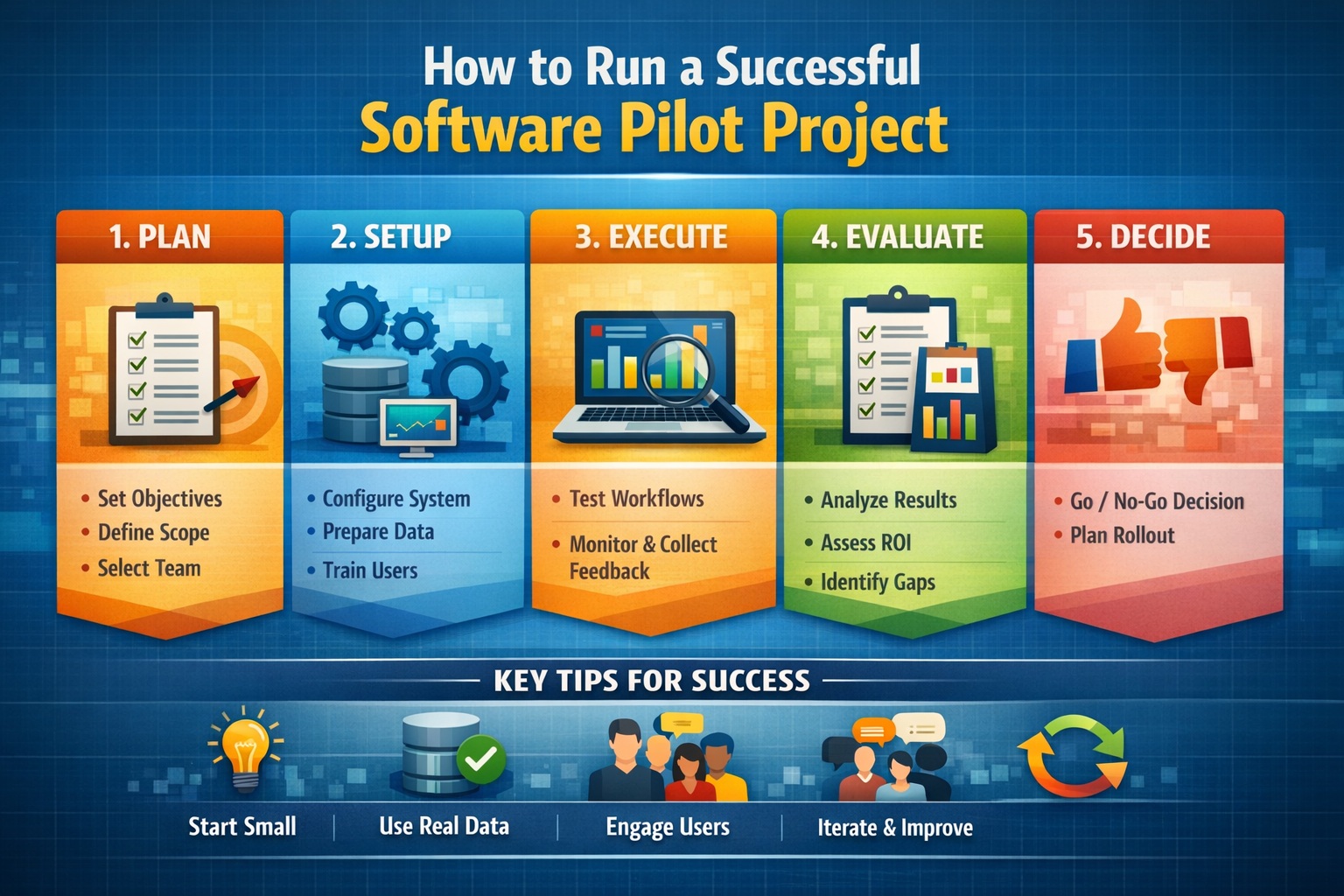
A software evaluation is most useful when it answers a practical question: can your team complete its work reliably with the proposed tools and configuration? A polished demonstration can introduce an application, but your decision may also depend on project data, reporting requirements, review procedures, and the people who will use it. Preparing those questions makes the evaluation more productive.
GAEA’s Guided Demo and Pilot Program describes three evaluation paths: independent exploration, a focused demonstration, and a structured pilot. The appropriate choice depends on the decision you need to make. This article explains how to prepare, what to look for, and how to turn observations into a clear next step.
Choose the evaluation that matches your question
A self-guided evaluation helps you become familiar with a product and develop informed questions. GAEA’s demo download page provides a product-specific route to evaluation instructions. Availability, feature restrictions, licensing, and duration can differ between products, so check the instructions supplied for your selection rather than assuming every demo works the same way.
A guided session is useful when you have a defined workflow to discuss. A pilot goes further by testing an agreed scope with representative data and users. Confirm the engagement details with GAEA, including any preparation, assistance, configuration, or commercial terms. The planning suggestions below are a framework for a useful evaluation, not a promise that every session includes every activity.
Begin with a decision statement
Write down the decision the evaluation should support. “We want to see the software” is a reasonable starting interest, but it does not establish what evidence will be useful. A more specific statement might be: “We need to determine whether our team can prepare and review our standard borehole log using a representative project.”
Keep the initial question narrow enough to test. If you also need historical migration, regional visualization, and integration with another system, list those as related questions with their own priorities. This helps the presenter focus the session and prevents a demonstration from becoming a tour of features that do not affect your decision.
Bring the right people and examples
Include someone who performs the routine work and someone who reviews its output. Their questions will differ: the first may focus on repeated entry and usability, while the second may focus on consistency and correction. Bring an IT representative when deployment or integration questions are central, and identify who can approve the next stage.
Prepare a short description of the current process, a representative output, and a list of recurring difficulties. A blank template, anonymized example, or schematic data structure may be enough for an initial discussion. Agree what material is appropriate for the session and how any project data will be handled before sharing it.
Choose examples that reveal decisions, not just volume. One record with an unusual unit, missing value, or corrected result may generate more useful discussion than hundreds of identical records. Explain why the example matters and what your team currently does when it encounters that situation.
Follow a complete workflow during the demo
Ask to follow a small example from its starting information to the output your organization needs. Watch where data is entered or imported, how it is reviewed, and how the final deliverable is produced. A connected sequence makes it easier to understand what the application does and which steps depend on preparation or configuration.
When a result appears, ask what created it. Was it a standard option, a configured template, a calculated field, or a manually prepared example? Each may be appropriate, but the distinction affects implementation effort. Record the answer while the example is visible rather than trying to reconstruct it after the meeting.
Include a correction in the walkthrough if time allows. For example, ask how an authorized user would fix an input value and check the resulting output. This reveals a different aspect of workflow fit from producing a clean report once. It also provides an opening to discuss review responsibilities and available controls.
Separate demonstrated capability from future work
Keep four categories in your notes: shown in the session, described but not tested, requiring configuration, and requiring further investigation. This prevents an unanswered question from becoming an assumed feature. If something is planned or upcoming, record it that way and evaluate the current workflow on what is available now.
Ask which product, module, version, and licence configuration supports the demonstrated task. Where a workflow crosses several tools, identify the handover points. A demonstration can show that a sequence is possible without establishing that your organization already has every component or has completed the setup needed to repeat it.
Use a pilot when the answer depends on your conditions
A pilot is particularly helpful when the decision turns on an organization-specific template, a legacy data structure, or the way several people share work. Its purpose is to reduce a defined uncertainty. It does not need to reproduce the entire organization before it can provide useful evidence.
Select a bounded dataset and a small set of tasks. Include ordinary cases and known exceptions, then document why they represent the proposed use. Avoid expanding the pilot every time a new idea appears. Put additional ideas in a follow-up list and change the scope only when the new requirement is necessary to answer the original decision.
Write acceptance criteria before testing
An acceptance criterion describes an observable result. For a reporting workflow, it might require that agreed fields, units, and remarks appear correctly in a selected output. For an import, it might require reconciliation of records and explanation of rejected values. For user readiness, it might require that a named user complete a routine task using the agreed instructions.
- Define the starting data and the task to be performed.
- Identify the expected output and the evidence used for comparison.
- Name the reviewer and explain what would prevent acceptance.
- Record acceptable limitations separately from unresolved problems.
- Specify what happens when a test cannot be completed.
Keep the criteria proportionate. A short list of meaningful checks is more useful than a long list of vague preferences. Establish which requirements are essential and which are desirable, so a minor presentation preference does not obscure a material issue with data meaning or output completeness.
A hypothetical borehole-log pilot
Consider a team evaluating its log-production workflow. It selects one routine project and one containing unusual descriptions and missing observations. It preserves the original data, identifies the approved comparison logs, and lists the fields and symbols that must appear in the destination output. The team also records how long preparation and review take in its current process.
During the pilot, the team loads or enters the agreed data, applies the proposed template, reviews the logs, and corrects a selected record. It tracks questions and manual steps rather than hiding them to make the exercise look successful. A reviewer then checks whether differences reflect a defect, an intended improvement, or an unresolved source issue.
The useful conclusion is specific: the tested workflow met certain requirements, required certain adjustments, and left named questions open. It is not a universal claim about all historical projects. That distinction lets the organization plan the next batch realistically and decide which additional examples would provide the most useful evidence.
Measure the whole task, including review
If time savings matter, measure a consistent task from preparation through accepted output. Include data cleanup, exception handling, review, and rework. Timing only the final report-generation step can miss the activities that determine the total effort. Use comparable starting conditions when contrasting the proposed process with the existing one.
Record assistance and learning effects. A specialist completing a familiar task and a new user attempting it for the first time are different observations. Both can be useful, but neither should be presented as the other. Repeat a small number of representative tasks after initial familiarization if that helps distinguish training needs from persistent workflow friction.
Also note qualitative findings: whether users can locate source information, understand a warning, or recognize an incomplete record. These observations can explain why a workflow needs adjustment even when its measured time looks promising.
Resolve implementation questions before rollout
Use the evaluation to build a realistic list of what remains. This may include approved templates, field mappings, access arrangements, installation preparation, training, or a staged migration. Assign each item an owner and identify whether it must be completed before production use or can follow later.
Discuss the intended operating environment with the relevant technical contacts. Confirm applicable system requirements and licensing, and identify any dependencies that the pilot did not test. If the evaluation used a small local dataset but production involves larger or shared projects, make that difference explicit in the rollout plan.
Ask how your team should raise technical questions and where it can find product documentation and learning resources. GAEA’s tutorial and demonstration library can help with product familiarization. Agree any additional training or implementation assistance needed for your particular workflow.
Finish with a documented decision
Summarize the tested scope, results, limitations, and remaining work in a short evaluation record. Link conclusions to examples or outputs so another stakeholder can understand the evidence. The next step may be adoption, a revised configuration, further testing, or a decision that the proposed approach does not fit the requirement.
Avoid leaving the evaluation open indefinitely. Agree a review date and identify the specific evidence still needed. If a problem remains, describe it precisely enough that the next session can address it. A focused follow-up is more useful than repeating the original demonstration without resolving the uncertainty.
To begin, explore GAEA’s guided demonstration and pilot options or contact GAEA with your products of interest and the workflow decision you need to make. A clear question, a representative example, and an agreed way to judge the result provide a practical foundation for an informed software evaluation.