

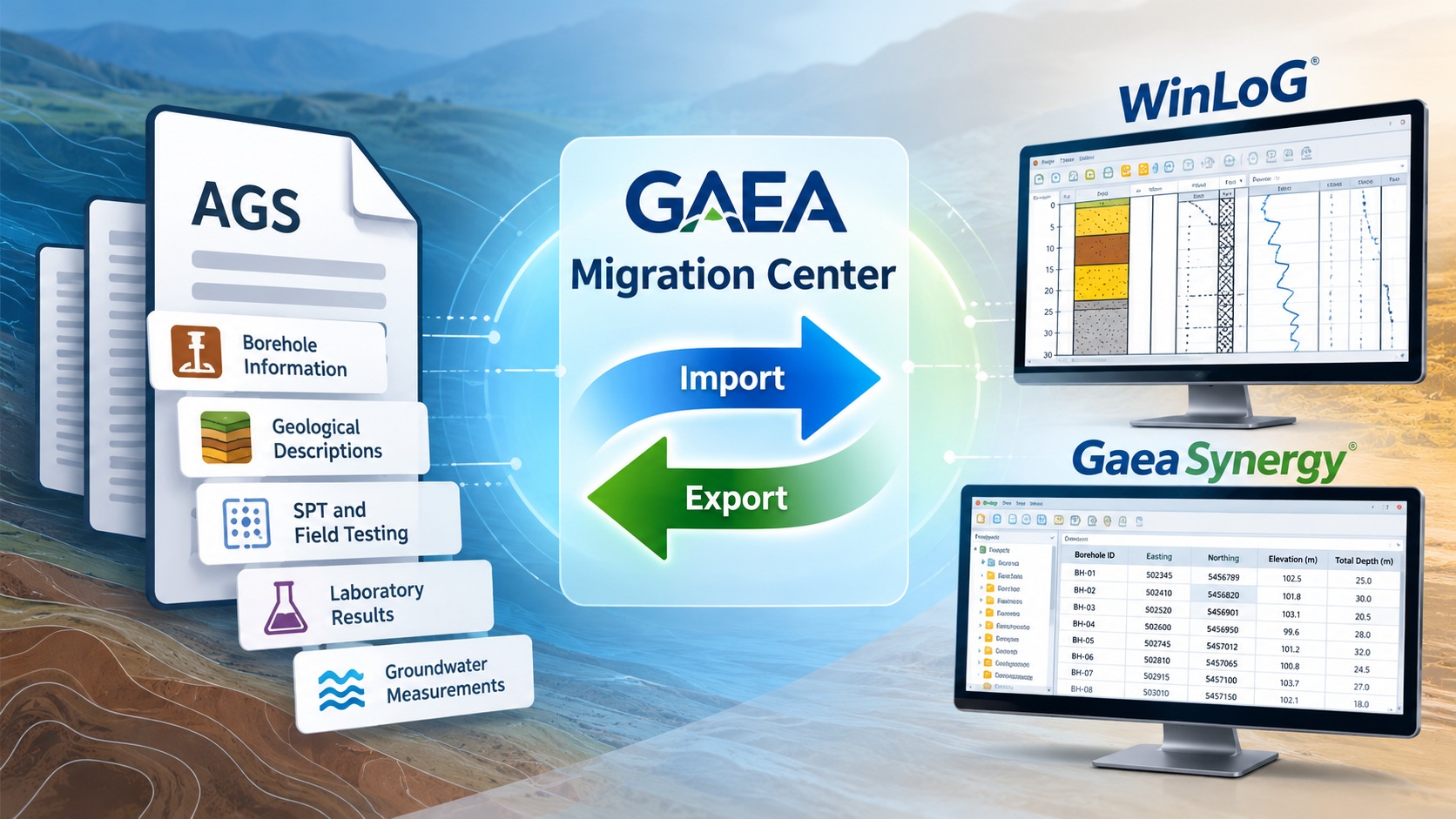
Simplify geotechnical data exchange, preserve borehole and laboratory information, and improve collaboration between engineering organizations using WinLoG and GaeaSynergy.
Simplifying the exchange of geotechnical data
Geotechnical and environmental investigations generate substantial amounts of valuable subsurface information.
Borehole logs, geological descriptions, field testing results, groundwater measurements, and laboratory analyses are routinely collected by drilling contractors, testing laboratories, engineering consultants, and government agencies.
However, these organizations do not always use the same software.
Transferring data between different systems can therefore become a significant challenge, particularly on large infrastructure projects where multiple organizations are responsible for collecting, analyzing, and reporting subsurface information.
Manually transferring this information is time-consuming and introduces opportunities for transcription errors, incomplete records, and inconsistent data interpretation.
The Association of Geotechnical and Geoenvironmental Specialists (AGS) developed the AGS data transfer format to address these challenges.
With the release of the new GAEA Migration Center, engineers can import and export supported AGS data, simplifying the exchange of geotechnical and geoenvironmental information between different software systems.
By bringing AGS data exchange into a centralized migration environment, GAEA Technologies helps organizations make better use of existing information while improving the consistency of project data management.
What is the AGS data format?
The AGS data format is an established standard for exchanging factual geotechnical and geoenvironmental investigation information.
Developed by the Association of Geotechnical and Geoenvironmental Specialists in the United Kingdom, the format provides a structured approach to representing site investigation data independently of the software used to create it.
Unlike proprietary project databases, AGS files are text-based data exchange files, typically using the .ags extension.
These files organize information into defined data groups containing related fields.
For example, one group may describe exploratory holes, while another contains geological strata information or testing results.
Relationships between groups allow software applications to associate geological intervals, samples, tests, and other observations with the appropriate boreholes.
Common categories of information represented by AGS data include:
- Project identification and location information.
- Borehole and exploratory hole details.
- Geological and lithological descriptions.
- Soil and rock sampling information.
- Standard Penetration Test results.
- Groundwater observations and monitoring information.
- Laboratory testing results.
- Drilling and field investigation information.
The AGS format uses defined field names, data structures, and conventions to improve consistency between participating organizations.
Although the format originated in the United Kingdom, its underlying approach is relevant to engineering organizations internationally.
Why AGS data exchange matters
On a typical infrastructure project, several organizations may be responsible for different stages of a ground investigation.
A drilling contractor may collect borehole information, a laboratory may perform soil testing, and an engineering consultant may evaluate the results.
The project owner may then require the completed investigation data in a prescribed electronic format.
Without a common data exchange standard, transferring information between these organizations may require manually recreating records or developing specialized conversion procedures.
AGS provides an alternative.
By using structured, standardized files, organizations can exchange supported information without requiring everyone to use identical software.
This provides several important benefits.
Reduced manual data entry: Information collected by one organization can be transferred electronically to another.
Improved consistency: Standardized groups and fields help reduce ambiguity during data exchange.
Better collaboration: Contractors, laboratories, consultants, and project owners can exchange information through defined data structures.
Long-term accessibility: Data can be archived in a documented format rather than remaining accessible only through a particular application.
Regulatory and contractual compliance: AGS deliverables can help organizations meet project requirements where a specified AGS version is required.
For engineering companies operating internationally, the ability to work with AGS files can be particularly valuable when collaborating with clients and contractors that use different geotechnical software platforms.
Introducing AGS import and export in the GAEA Migration Center
GAEA Technologies has supported AGS data exchange in earlier versions of WinLoG and GaeaSynergy.
The new Migration Center builds on these capabilities by providing a centralized environment for transferring supported engineering information between external formats and GAEA software.
For AGS data, the Migration Center supports importing and exporting information using the appropriate data conversion workflows.
This allows engineers to incorporate information received from other organizations into GAEA projects and prepare supported AGS deliverables for external use.
The objective is to simplify data exchange while preserving important relationships between boreholes, geological intervals, samples, and test results.
The Migration Center also supports GAEA’s broader strategy of improving interoperability between geological, geotechnical, and environmental data management systems.
Importing AGS data into GaeaSynergy and WinLoG
Importing AGS files enables engineers to reuse investigation data that was originally collected or prepared using other software.
This is especially useful when receiving information from drilling contractors, laboratories, external consultants, or project owners.
Step 1: Select the AGS import option
Begin by opening the GAEA Migration Center and selecting the appropriate AGS import workflow.
Choose the source AGS file containing the information to be transferred.
Because AGS files can contain multiple data groups, the software must interpret the available records according to the supported AGS format and data dictionary.
The selected AGS version and the contents of the file determine which information can be transferred.
Step 2: Review project and borehole information
AGS files may contain information describing a project, its exploratory holes, sampling locations, and associated investigation records.
During import, users should verify that borehole identifiers, location information, ground elevations, and other important details are interpreted correctly.
Borehole identifiers are particularly important because other AGS data groups use them to associate geological intervals, samples, and testing information with the appropriate locations.
Step 3: Import geological and lithological data
Geological and lithological descriptions are among the most important elements of a borehole investigation.
Where supported by the source data and import configuration, the Migration Center transfers geological intervals and associated descriptions into the corresponding GAEA project records.
For example, a borehole may contain intervals describing topsoil, clay, sand, gravel, and underlying bedrock.
Preserving their original depth relationships is essential for accurately representing the subsurface conditions.
Units, missing intervals, and inconsistent depth references should be reviewed during the process.
Step 4: Transfer field and laboratory testing information
AGS files may contain results from field investigations and laboratory testing.
Depending on the supported data groups, this can include SPT measurements, sample information, groundwater observations, water content, strength testing, and other engineering measurements.
When this information is imported, it should be associated with the appropriate borehole, sample, and testing interval.
Some specialized or custom fields may not have direct equivalents in the destination software and may require additional configuration or separate handling.
Step 5: Review the imported information
Following import, engineers should review representative records to verify that the transferred information is complete and correctly organized.
Particular attention should be given to borehole identifiers, geological depths, test results, units, coordinates, and sample relationships.
The imported information can then be used in appropriate GAEA project workflows.
Exporting project information to AGS format
Importing external data is only part of an effective interoperability strategy.
Engineering organizations also need to deliver investigation information to clients, contractors, and government agencies.
The GAEA Migration Center’s AGS export capabilities help users prepare supported project information for exchange in AGS format.
A typical export workflow involves selecting the project information, boreholes, and supported data groups to include in the output file.
The software then organizes the relevant information according to the selected supported AGS format.
For example, a geotechnical investigation may include numerous boreholes containing geological descriptions, sampling information, and SPT results.
Rather than manually entering these records into a separate AGS preparation tool, the organization can use its existing GAEA project information to generate the supported AGS data.
The exported file can then be reviewed before being supplied to the receiving organization.
Why exporting AGS data is important
AGS export capabilities are especially valuable when working on projects with formal data-delivery requirements.
These may include highway construction, rail infrastructure, bridges, tunnels, foundations, environmental investigations, and other major engineering projects.
In these environments, a project owner may require both conventional engineering reports and a structured electronic dataset.
A borehole log provides a useful visual presentation of subsurface conditions, but a structured AGS file allows the underlying information to be incorporated into another data management or analysis system.
By supporting both conventional reporting and structured electronic exchange, GAEA helps organizations meet a broader range of project requirements.
Example: A transportation infrastructure investigation
Consider a hypothetical highway improvement project involving several organizations.
A drilling contractor completes 60 geotechnical boreholes along a proposed highway alignment.
A testing laboratory performs soil classification, water content, Atterberg limits, and strength tests on selected samples.
The contractor and laboratory supply investigation information in AGS files.
The engineering consultant is responsible for reviewing the information and preparing the project’s geotechnical interpretation.
Using the GAEA Migration Center, the consultant imports the supported AGS data into the GAEA project environment.
The imported borehole information can then be reviewed in WinLoG, together with available geological descriptions and test results.
Where appropriate, GaeaSynergy can be used to organize the information alongside other project records.
During the investigation, additional boreholes may be completed and new testing information may become available.
The consultant can update the project data and prepare revised logs and reports.
At project completion, the client requires an electronic AGS deliverable.
The consultant can export the supported project information to the appropriate AGS format and verify the generated file before submission.
This workflow reduces repeated manual data entry and provides a more consistent method of moving information between organizations.
AGS data quality and validation
A structured exchange format helps standardize information, but it does not guarantee that the underlying engineering data is correct.
An AGS file may conform to the required file structure while still containing incomplete or questionable field observations.
Conversely, a file containing valid engineering measurements may fail a format check because of missing mandatory fields or incorrect record relationships.
It is therefore important to distinguish two types of validation.
AGS format validation
Format validation checks whether the file follows the applicable AGS data dictionary and structural requirements.
Examples include:
- Correct group and field definitions.
- Required identifiers and key fields.
- Appropriate field types and units.
- Consistent relationships between records.
- Valid file formatting.
- Duplicate or missing mandatory values.
These checks help determine whether another AGS-compatible system can process the file correctly.
Engineering data validation
Engineering validation examines the quality and consistency of the actual investigation information.
Examples include:
- Geological intervals that overlap or contain unexplained gaps.
- Samples recorded below the reported borehole depth.
- Missing or inconsistent groundwater measurements.
- Implausible testing values.
- Inconsistent soil and rock descriptions.
- Incorrect depth or unit conversions.
GAEA’s Validation and QA/QC capabilities provide additional tools for reviewing applicable borehole and testing data after import.
These capabilities complement, rather than replace, AGS format validation.
For projects requiring strict AGS compliance, files should also be checked against the applicable AGS specification and client requirements.
Understanding AGS versions and compatibility
The AGS data format has evolved over time.
Earlier AGS versions use different data dictionaries and conventions from later releases.
This matters because a receiving organization may require a specific version rather than simply accepting any file with an .ags extension.
For example, an engineering contract may specify AGS4 requirements and identify a particular dictionary revision.
GAEA’s existing software has supported both AGS Version 3 and AGS Version 4 data exchange.
The exact versions, groups, and fields supported by the Migration Center should be checked against the current software documentation.
Users should also distinguish AGS from AGSi, the related format intended for interpreted ground models and associated information.
AGS is primarily concerned with factual investigation data, while AGSi complements it by providing a framework for interpreted ground model exchange.
They serve related but different purposes and should not be treated as interchangeable.
Benefits for geotechnical engineering firms
Importing and exporting AGS files can provide substantial operational benefits for firms working with multiple clients and contractors.
For smaller firms, AGS support can reduce the need to purchase additional conversion software or manually transfer large amounts of information.
For larger organizations, structured exchange capabilities can help standardize data delivery across offices, departments, and projects.
The benefits are particularly relevant when project information originates from multiple sources.
Instead of maintaining separate copies of borehole records in different formats, engineering teams can import supported information into a consistent working environment.
This can improve access to historical records and reduce inconsistencies between reporting and data management systems.
Benefits for government agencies and infrastructure owners
Government organizations and infrastructure owners often require electronic investigation data that can be archived and reused.
A transportation agency, for example, may collect subsurface information from numerous contractors over many years.
If every contractor provides information in a different proprietary database, maintaining a consistent long-term archive becomes difficult.
Structured formats such as AGS provide a foundation for more consistent information exchange.
For engineering consultants using GAEA software, the ability to export appropriate AGS deliverables can help satisfy these requirements.
The imported and exported information can also support broader data management initiatives where historical investigations need to remain accessible beyond the lifecycle of an individual project.
Combining AGS with other migration capabilities
AGS is one component of the GAEA Migration Center.
The broader Migration Center initiative also supports workflows for transferring information from supported gINT project databases, legacy GAEA data, government water well databases, and other industry exchange formats such as DIGGS.
Each format serves a different purpose.
gINT project databases are often used to preserve historical company investigation records.
Government well databases provide valuable regional subsurface information collected through water well drilling and related activities.
AGS provides a structured mechanism for exchanging factual geotechnical and geoenvironmental investigation data between organizations.
DIGGS provides another structured approach to geotechnical and geoenvironmental information exchange.
By bringing these capabilities into a centralized migration environment, GAEA helps engineers manage information originating from different software systems and project participants.
Best practices for AGS data exchange
Organizations can improve the reliability of their AGS workflows by adopting several practical procedures.
Confirm the required AGS version. Before exporting, determine which version and data dictionary the receiving organization expects.
Retain the original files. Keep unchanged copies of all received and exported AGS files for reference and audit purposes.
Review units and coordinate systems. Ensure that imported elevations, depths, and coordinates are interpreted correctly.
Validate record relationships. Confirm that samples, tests, and geological intervals are associated with the correct boreholes.
Test representative records. Review several boreholes containing different investigation and testing types.
Check exported files independently. Where contractual compliance is required, use an appropriate AGS validator and apply any client-specific checks before submission.
Document any conversion limitations. Record fields that were not transferred or that required additional interpretation.
These practices help maintain the integrity of subsurface information as it moves between systems.
Moving toward more connected subsurface data
Engineering organizations are increasingly expected to deliver subsurface information in forms that support both traditional reporting and digital data management.
A printed borehole log remains an important engineering document, but the underlying information can also have substantial value for future investigations, infrastructure management, and long-term data archives.
Structured exchange formats such as AGS help make this possible.
GAEA’s new Migration Center provides a practical approach to importing and exporting supported AGS investigation data while integrating it with WinLoG and GaeaSynergy workflows.
By reducing repetitive data entry and supporting more consistent information exchange, the Migration Center helps engineers focus more of their time on investigation, interpretation, and engineering decisions.
For organizations working with clients and contractors that require AGS deliverables, this capability provides an important connection between established industry data standards and modern subsurface data management.
Get started with AGS import and export
Whether receiving borehole information from a drilling contractor, exchanging laboratory results, or preparing structured data for a major infrastructure client, the GAEA Migration Center helps simplify the transfer of supported AGS information.
Explore the following resources:
- GAEA Migration Center
- WinLoG Borehole and Well Logging Software
- GaeaSynergy Data Management
- GaeaSynergy Import and Export
Import with confidence. Exchange data efficiently. Make more of your geotechnical information with GAEA’s Migration Center.
Simplify geotechnical data exchange, preserve borehole and laboratory information, and improve collaboration between engineering organizations using WinLoG and GaeaSynergy.
Simplifying the exchange of geotechnical data
Geotechnical and environmental investigations generate substantial amounts of valuable subsurface information.
Borehole logs, geological descriptions, field testing results, groundwater measurements, and laboratory analyses are routinely collected by drilling contractors, testing laboratories, engineering consultants, and government agencies.
However, these organizations do not always use the same software.
Transferring data between different systems can therefore become a significant challenge, particularly on large infrastructure projects where multiple organizations are responsible for collecting, analyzing, and reporting subsurface information.
Manually transferring this information is time-consuming and introduces opportunities for transcription errors, incomplete records, and inconsistent data interpretation.
The Association of Geotechnical and Geoenvironmental Specialists (AGS) developed the AGS data transfer format to address these challenges.
With the release of the new GAEA Migration Center, engineers can import and export supported AGS data, simplifying the exchange of geotechnical and geoenvironmental information between different software systems.
By bringing AGS data exchange into a centralized migration environment, GAEA Technologies helps organizations make better use of existing information while improving the consistency of project data management.
What is the AGS data format?
The AGS data format is an established standard for exchanging factual geotechnical and geoenvironmental investigation information.
Developed by the Association of Geotechnical and Geoenvironmental Specialists in the United Kingdom, the format provides a structured approach to representing site investigation data independently of the software used to create it.
Unlike proprietary project databases, AGS files are text-based data exchange files, typically using the .ags extension.
These files organize information into defined data groups containing related fields.
For example, one group may describe exploratory holes, while another contains geological strata information or testing results.
Relationships between groups allow software applications to associate geological intervals, samples, tests, and other observations with the appropriate boreholes.
Common categories of information represented by AGS data include:
- Project identification and location information.
- Borehole and exploratory hole details.
- Geological and lithological descriptions.
- Soil and rock sampling information.
- Standard Penetration Test results.
- Groundwater observations and monitoring information.
- Laboratory testing results.
- Drilling and field investigation information.
The AGS format uses defined field names, data structures, and conventions to improve consistency between participating organizations.
Although the format originated in the United Kingdom, its underlying approach is relevant to engineering organizations internationally.
Why AGS data exchange matters
On a typical infrastructure project, several organizations may be responsible for different stages of a ground investigation.
A drilling contractor may collect borehole information, a laboratory may perform soil testing, and an engineering consultant may evaluate the results.
The project owner may then require the completed investigation data in a prescribed electronic format.
Without a common data exchange standard, transferring information between these organizations may require manually recreating records or developing specialized conversion procedures.
AGS provides an alternative.
By using structured, standardized files, organizations can exchange supported information without requiring everyone to use identical software.
This provides several important benefits.
Reduced manual data entry: Information collected by one organization can be transferred electronically to another.
Improved consistency: Standardized groups and fields help reduce ambiguity during data exchange.
Better collaboration: Contractors, laboratories, consultants, and project owners can exchange information through defined data structures.
Long-term accessibility: Data can be archived in a documented format rather than remaining accessible only through a particular application.
Regulatory and contractual compliance: AGS deliverables can help organizations meet project requirements where a specified AGS version is required.
For engineering companies operating internationally, the ability to work with AGS files can be particularly valuable when collaborating with clients and contractors that use different geotechnical software platforms.
Introducing AGS import and export in the GAEA Migration Center
GAEA Technologies has supported AGS data exchange in earlier versions of WinLoG and GaeaSynergy.
The new Migration Center builds on these capabilities by providing a centralized environment for transferring supported engineering information between external formats and GAEA software.
For AGS data, the Migration Center supports importing and exporting information using the appropriate data conversion workflows.
This allows engineers to incorporate information received from other organizations into GAEA projects and prepare supported AGS deliverables for external use.
The objective is to simplify data exchange while preserving important relationships between boreholes, geological intervals, samples, and test results.
The Migration Center also supports GAEA’s broader strategy of improving interoperability between geological, geotechnical, and environmental data management systems.
Importing AGS data into GaeaSynergy and WinLoG
Importing AGS files enables engineers to reuse investigation data that was originally collected or prepared using other software.
This is especially useful when receiving information from drilling contractors, laboratories, external consultants, or project owners.
Step 1: Select the AGS import option
Begin by opening the GAEA Migration Center and selecting the appropriate AGS import workflow.
Choose the source AGS file containing the information to be transferred.
Because AGS files can contain multiple data groups, the software must interpret the available records according to the supported AGS format and data dictionary.
The selected AGS version and the contents of the file determine which information can be transferred.
Step 2: Review project and borehole information
AGS files may contain information describing a project, its exploratory holes, sampling locations, and associated investigation records.
During import, users should verify that borehole identifiers, location information, ground elevations, and other important details are interpreted correctly.
Borehole identifiers are particularly important because other AGS data groups use them to associate geological intervals, samples, and testing information with the appropriate locations.
Step 3: Import geological and lithological data
Geological and lithological descriptions are among the most important elements of a borehole investigation.
Where supported by the source data and import configuration, the Migration Center transfers geological intervals and associated descriptions into the corresponding GAEA project records.
For example, a borehole may contain intervals describing topsoil, clay, sand, gravel, and underlying bedrock.
Preserving their original depth relationships is essential for accurately representing the subsurface conditions.
Units, missing intervals, and inconsistent depth references should be reviewed during the process.
Step 4: Transfer field and laboratory testing information
AGS files may contain results from field investigations and laboratory testing.
Depending on the supported data groups, this can include SPT measurements, sample information, groundwater observations, water content, strength testing, and other engineering measurements.
When this information is imported, it should be associated with the appropriate borehole, sample, and testing interval.
Some specialized or custom fields may not have direct equivalents in the destination software and may require additional configuration or separate handling.
Step 5: Review the imported information
Following import, engineers should review representative records to verify that the transferred information is complete and correctly organized.
Particular attention should be given to borehole identifiers, geological depths, test results, units, coordinates, and sample relationships.
The imported information can then be used in appropriate GAEA project workflows.
Exporting project information to AGS format
Importing external data is only part of an effective interoperability strategy.
Engineering organizations also need to deliver investigation information to clients, contractors, and government agencies.
The GAEA Migration Center’s AGS export capabilities help users prepare supported project information for exchange in AGS format.
A typical export workflow involves selecting the project information, boreholes, and supported data groups to include in the output file.
The software then organizes the relevant information according to the selected supported AGS format.
For example, a geotechnical investigation may include numerous boreholes containing geological descriptions, sampling information, and SPT results.
Rather than manually entering these records into a separate AGS preparation tool, the organization can use its existing GAEA project information to generate the supported AGS data.
The exported file can then be reviewed before being supplied to the receiving organization.
Why exporting AGS data is important
AGS export capabilities are especially valuable when working on projects with formal data-delivery requirements.
These may include highway construction, rail infrastructure, bridges, tunnels, foundations, environmental investigations, and other major engineering projects.
In these environments, a project owner may require both conventional engineering reports and a structured electronic dataset.
A borehole log provides a useful visual presentation of subsurface conditions, but a structured AGS file allows the underlying information to be incorporated into another data management or analysis system.
By supporting both conventional reporting and structured electronic exchange, GAEA helps organizations meet a broader range of project requirements.
Example: A transportation infrastructure investigation
Consider a hypothetical highway improvement project involving several organizations.
A drilling contractor completes 60 geotechnical boreholes along a proposed highway alignment.
A testing laboratory performs soil classification, water content, Atterberg limits, and strength tests on selected samples.
The contractor and laboratory supply investigation information in AGS files.
The engineering consultant is responsible for reviewing the information and preparing the project’s geotechnical interpretation.
Using the GAEA Migration Center, the consultant imports the supported AGS data into the GAEA project environment.
The imported borehole information can then be reviewed in WinLoG, together with available geological descriptions and test results.
Where appropriate, GaeaSynergy can be used to organize the information alongside other project records.
During the investigation, additional boreholes may be completed and new testing information may become available.
The consultant can update the project data and prepare revised logs and reports.
At project completion, the client requires an electronic AGS deliverable.
The consultant can export the supported project information to the appropriate AGS format and verify the generated file before submission.
This workflow reduces repeated manual data entry and provides a more consistent method of moving information between organizations.
AGS data quality and validation
A structured exchange format helps standardize information, but it does not guarantee that the underlying engineering data is correct.
An AGS file may conform to the required file structure while still containing incomplete or questionable field observations.
Conversely, a file containing valid engineering measurements may fail a format check because of missing mandatory fields or incorrect record relationships.
It is therefore important to distinguish two types of validation.
AGS format validation
Format validation checks whether the file follows the applicable AGS data dictionary and structural requirements.
Examples include:
- Correct group and field definitions.
- Required identifiers and key fields.
- Appropriate field types and units.
- Consistent relationships between records.
- Valid file formatting.
- Duplicate or missing mandatory values.
These checks help determine whether another AGS-compatible system can process the file correctly.
Engineering data validation
Engineering validation examines the quality and consistency of the actual investigation information.
Examples include:
- Geological intervals that overlap or contain unexplained gaps.
- Samples recorded below the reported borehole depth.
- Missing or inconsistent groundwater measurements.
- Implausible testing values.
- Inconsistent soil and rock descriptions.
- Incorrect depth or unit conversions.
GAEA’s Validation and QA/QC capabilities provide additional tools for reviewing applicable borehole and testing data after import.
These capabilities complement, rather than replace, AGS format validation.
For projects requiring strict AGS compliance, files should also be checked against the applicable AGS specification and client requirements.
Understanding AGS versions and compatibility
The AGS data format has evolved over time.
Earlier AGS versions use different data dictionaries and conventions from later releases.
This matters because a receiving organization may require a specific version rather than simply accepting any file with an .ags extension.
For example, an engineering contract may specify AGS4 requirements and identify a particular dictionary revision.
GAEA’s existing software has supported both AGS Version 3 and AGS Version 4 data exchange.
The exact versions, groups, and fields supported by the Migration Center should be checked against the current software documentation.
Users should also distinguish AGS from AGSi, the related format intended for interpreted ground models and associated information.
AGS is primarily concerned with factual investigation data, while AGSi complements it by providing a framework for interpreted ground model exchange.
They serve related but different purposes and should not be treated as interchangeable.
Benefits for geotechnical engineering firms
Importing and exporting AGS files can provide substantial operational benefits for firms working with multiple clients and contractors.
For smaller firms, AGS support can reduce the need to purchase additional conversion software or manually transfer large amounts of information.
For larger organizations, structured exchange capabilities can help standardize data delivery across offices, departments, and projects.
The benefits are particularly relevant when project information originates from multiple sources.
Instead of maintaining separate copies of borehole records in different formats, engineering teams can import supported information into a consistent working environment.
This can improve access to historical records and reduce inconsistencies between reporting and data management systems.
Benefits for government agencies and infrastructure owners
Government organizations and infrastructure owners often require electronic investigation data that can be archived and reused.
A transportation agency, for example, may collect subsurface information from numerous contractors over many years.
If every contractor provides information in a different proprietary database, maintaining a consistent long-term archive becomes difficult.
Structured formats such as AGS provide a foundation for more consistent information exchange.
For engineering consultants using GAEA software, the ability to export appropriate AGS deliverables can help satisfy these requirements.
The imported and exported information can also support broader data management initiatives where historical investigations need to remain accessible beyond the lifecycle of an individual project.
Combining AGS with other migration capabilities
AGS is one component of the GAEA Migration Center.
The broader Migration Center initiative also supports workflows for transferring information from supported gINT project databases, legacy GAEA data, government water well databases, and other industry exchange formats such as DIGGS.
Each format serves a different purpose.
gINT project databases are often used to preserve historical company investigation records.
Government well databases provide valuable regional subsurface information collected through water well drilling and related activities.
AGS provides a structured mechanism for exchanging factual geotechnical and geoenvironmental investigation data between organizations.
DIGGS provides another structured approach to geotechnical and geoenvironmental information exchange.
By bringing these capabilities into a centralized migration environment, GAEA helps engineers manage information originating from different software systems and project participants.
Best practices for AGS data exchange
Organizations can improve the reliability of their AGS workflows by adopting several practical procedures.
Confirm the required AGS version. Before exporting, determine which version and data dictionary the receiving organization expects.
Retain the original files. Keep unchanged copies of all received and exported AGS files for reference and audit purposes.
Review units and coordinate systems. Ensure that imported elevations, depths, and coordinates are interpreted correctly.
Validate record relationships. Confirm that samples, tests, and geological intervals are associated with the correct boreholes.
Test representative records. Review several boreholes containing different investigation and testing types.
Check exported files independently. Where contractual compliance is required, use an appropriate AGS validator and apply any client-specific checks before submission.
Document any conversion limitations. Record fields that were not transferred or that required additional interpretation.
These practices help maintain the integrity of subsurface information as it moves between systems.
Moving toward more connected subsurface data
Engineering organizations are increasingly expected to deliver subsurface information in forms that support both traditional reporting and digital data management.
A printed borehole log remains an important engineering document, but the underlying information can also have substantial value for future investigations, infrastructure management, and long-term data archives.
Structured exchange formats such as AGS help make this possible.
GAEA’s new Migration Center provides a practical approach to importing and exporting supported AGS investigation data while integrating it with WinLoG and GaeaSynergy workflows.
By reducing repetitive data entry and supporting more consistent information exchange, the Migration Center helps engineers focus more of their time on investigation, interpretation, and engineering decisions.
For organizations working with clients and contractors that require AGS deliverables, this capability provides an important connection between established industry data standards and modern subsurface data management.
Get started with AGS import and export
Whether receiving borehole information from a drilling contractor, exchanging laboratory results, or preparing structured data for a major infrastructure client, the GAEA Migration Center helps simplify the transfer of supported AGS information.
Explore the following resources:
- GAEA Migration Center
- WinLoG Borehole and Well Logging Software
- GaeaSynergy Data Management
- GaeaSynergy Import and Export
Import with confidence. Exchange data efficiently. Make more of your geotechnical information with GAEA’s Migration Center.