

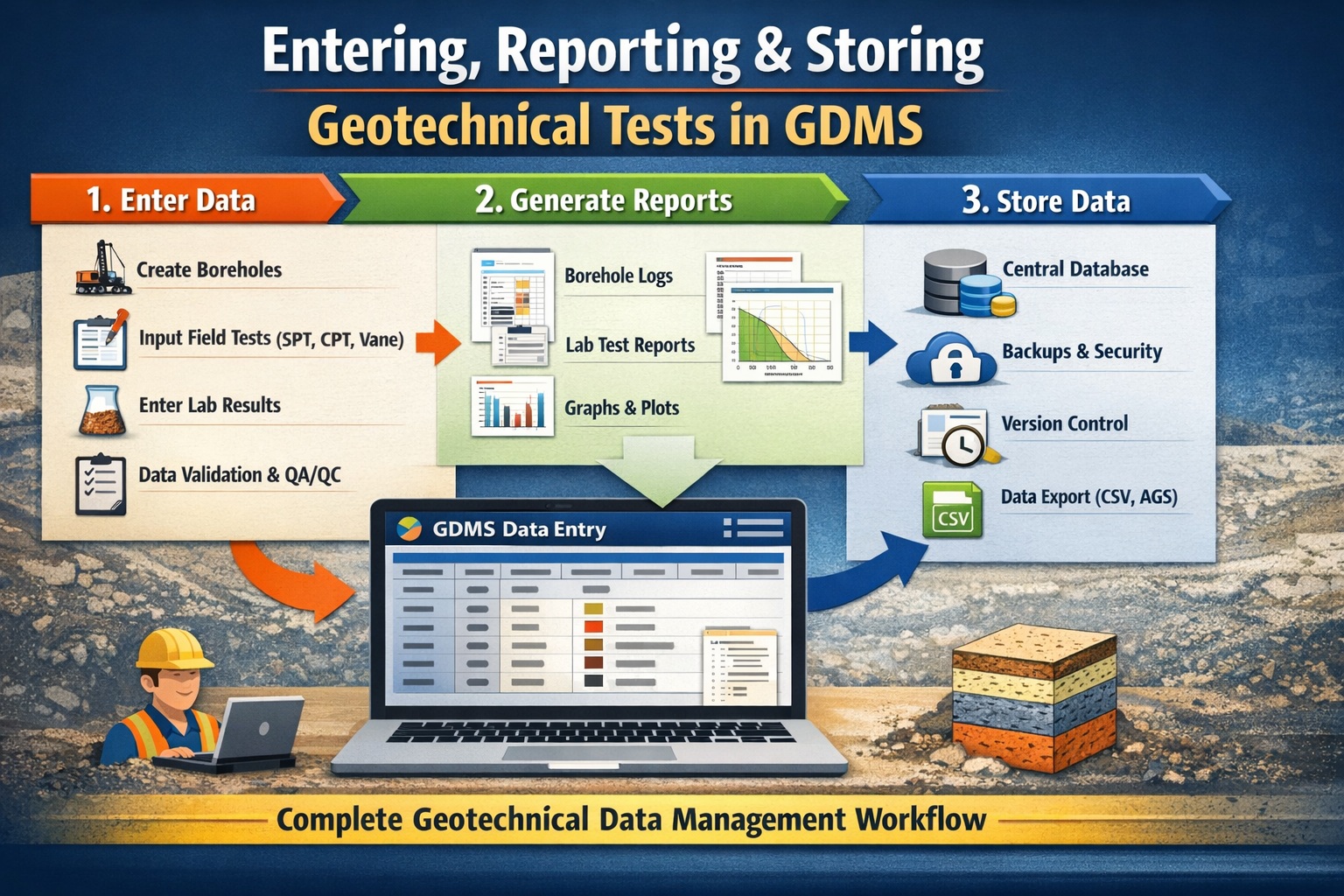
Managing geotechnical test data efficiently is critical for ensuring accuracy, consistency, and long-term usability across projects. Whether you’re working with borehole logs, laboratory testing, or in-situ measurements, having a structured workflow inside a Geotechnical Data Management System (GDMS) can dramatically improve productivity and reduce errors.
In this comprehensive tutorial, we’ll walk through how to enter, report, and store geotechnical tests in GDMS, covering best practices, real-world workflows, and practical tips to help you get the most out of your system.
What is GDMS and Why It Matters
The Geotechnical Data Management System (GDMS) integrates geotechnical testing and quality control with a laboratory information management system. GDMS is used to perform a wide variety of geotechnical tests and store the data and results in a managed database. It is a major upgrade to our WinSieve program and can easily import all of your WinSieve data and templates.
Key Benefits of Using GDMS
- Capture and store geotechnical data in a managed database.
- Conduct a variety of geotechnical tests and report the results.
- Standardize the procedures for collection and reporting of geotechnical data within and across projects.
- Provide a secure database system for the storage, retrieval, and backup of all project geotechnical data.
- Fully integrated with other modules within GaeaSynergy for visualization of samples and test results.
- Includes all of the licensing, security, and auditing features provided by GaeaSynergy.
Geotechnical Tests in GDMS
A wide variety of geotechnical tests are supported for soil & aggregates, concrete, asphalt, and rock. These tests include:
Asphalt Tests
- Absolute Viscosity
- Bitumen Content
- Bulk Specific Gravity and Density
- Kinematic Viscosity
- Marshal Stability
- Maximum Specific Gravity and Density
- Nuclear Density
Concrete Tests
- Concrete Compressive Strength
- Concrete Flexural Strength
- Concrete Tensile Strength
- Grout Compressive Strength
- Mortar Compressive Strength
Rock Tests
- Point Load Strength
- Triaxial Compressive Strength
- Unconfined Compressive Strength
- Water Content
Soil & Aggregate Tests
- California Bearing Ratio
- Classification (Atterberg Limits)
- Compaction
- Consolidation
- Constant Head Permeability
- Direct Shear
- Falling Head Permeability
- Los Angeles Abrasion
- Nuclear Density
- Organic Matter
- R-Value
- Shrinkage Bar
- Shrinkage Mercury
- Shrinkage Wax
- Sieve Analysis
- Soil Density
- Specific Gravity
- Triaxial – Consolidated Drained
- Triaxial – Consolidated Undrained
- Triaxial – Unconsolidated Undrained
- Unconfined Compressive Strength
- Water Content
Entering Geotechnical Test Data in GDMS
Accurate data entry is the foundation of any successful geotechnical workflow. GDMS is designed to enforce structure and consistency at this stage. All tests are stored in projects.
Step 1: Creating a New Test
After a project has been opened a new geotechnical test can be created either by adding it to an existing sample or Selecting File then New and Geotechnical Test.
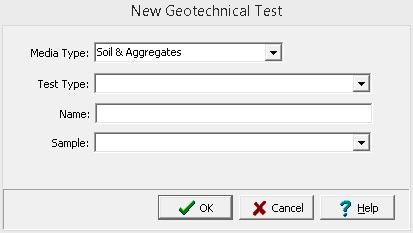
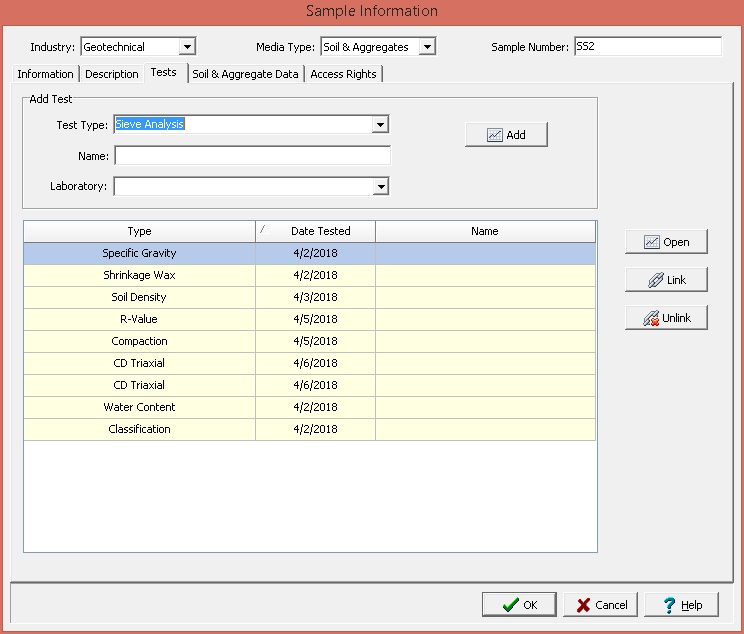
It is recommended that the test be created by adding it to an existing sample so that it is associated with this sample.
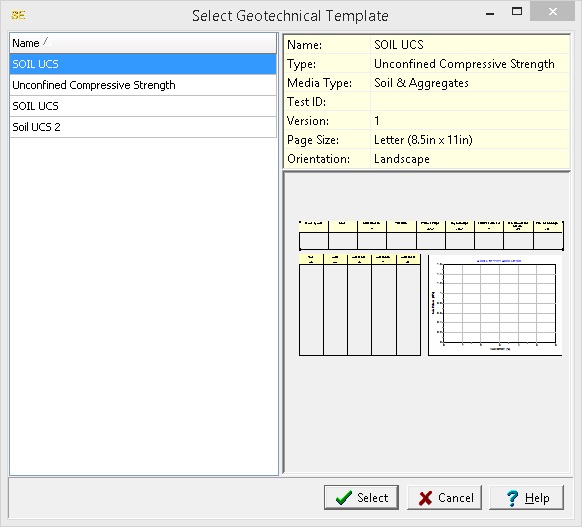
After the information for the new test is specified, the geotechnical template for the test must be selected. Templates are used to control the layout and formatting of test data. The program comes with numerous easily customized templates for a variety of test types. New templates can also be created by specifying the desired layout. Templates can be customized to display different title blocks, legends, tables, graphs, etc.
Step 2: Entering Test Data
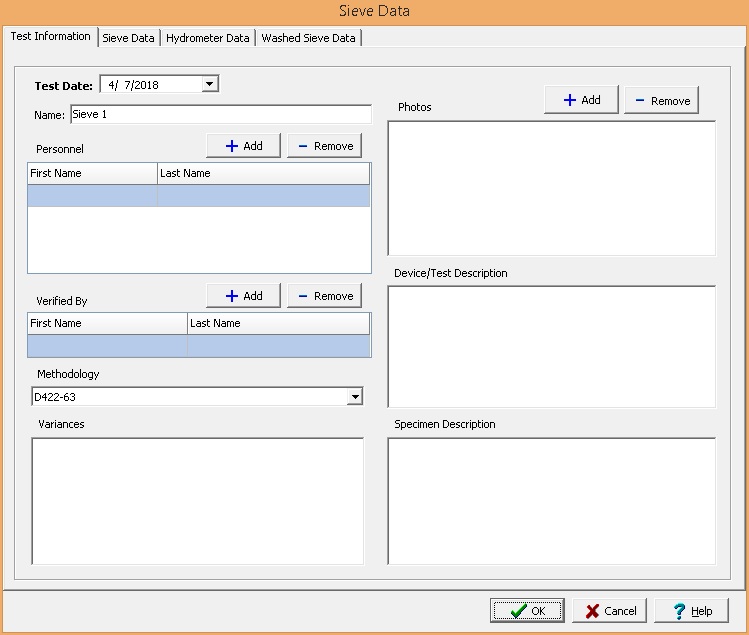
When a new test is created the data entry form for that test will be displayed. The data entry form will be different for each type of test.
Step 3: Reporting Geotechnical Tests
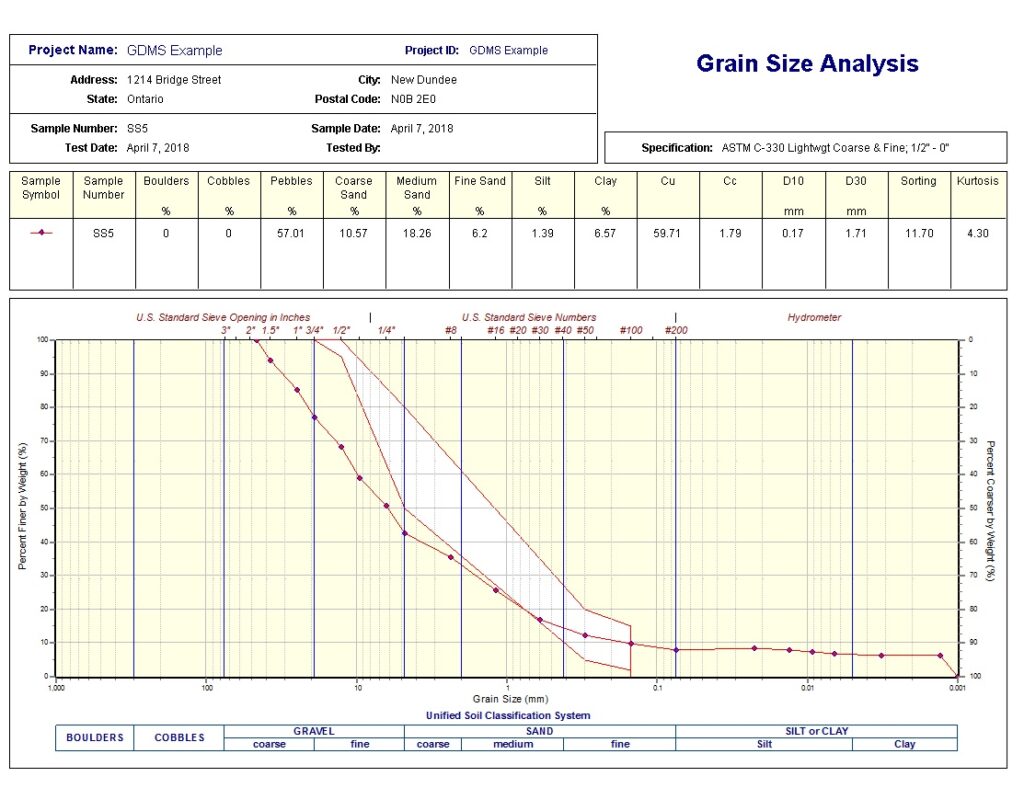
Once your data is entered and validated, GDMS enables powerful reporting capabilities. The format and layout of this report is defined by the template that was selected when the test was created. Depending on the template, a report can have one or more elements consisting of title blocks, legends, tables, graphs, etc.
Storing Geotechnical Data in GDMS
Data storage is where GDMS truly shines, providing structured, secure, and scalable solutions.
Centralized Database Storage
All data is stored in a relational database:
- Boreholes linked to samples
- Samples linked to tests
- Tests linked to results
This eliminates duplication and ensures data integrity.
Backup and Security
Best practices include:
- Automated daily backups
- Cloud storage integration
- User access controls
- Role-based permissions
Never rely on a single copy of your data.
Common Challenges and Solutions
Inconsistent Data Entry
Solution: Use templates and controlled vocabularies
Missing Test Data
Solution: Enforce required fields in GDMS
Unit Errors
Solution: Standardize units and enable auto-conversion
Data Duplication
Solution: Use relational database structure
Poor Report Formatting
Solution: Develop standardized templates
Best Practices for GDMS Success
- Standardize your workflows early
- Train staff on data entry protocols
- Use automation wherever possible
- Regularly audit your data
- Keep templates consistent across projects
Conclusion
Using GDMS for entering, reporting, and storing geotechnical tests transforms how you manage subsurface data. Instead of fragmented spreadsheets and manual reports, you gain a streamlined, reliable, and scalable system.
By following this workflow, you can:
- Improve data accuracy and consistency
- Reduce reporting time
- Enhance collaboration across teams
- Build a valuable long-term data repository
A well-implemented GDMS doesn’t just manage data—it empowers better engineering decisions.
Related Articles
- Geoscience Software Tutorials: Complete Workflow Guide
- How Can I Use Project Views in GDMS to Display Geotechnical Test Tables and Charts?
- How Do I Create a Constant Head Permeability Test (ASTM D2434) in GDMS?
- How Do I Create a Proctor Compaction Test (ASTM D698/D1557) in GDMS?
- How Can I Create an Atterberg Limits (ASTM D2487) Test in GDMS?
- How Can I Perform a Sieve Analysis Using GDMS?