

Introduction
Environmental Site Assessment (ESA) reports are a cornerstone of environmental due diligence, regulatory compliance, and risk management. However, preparing these reports manually can be time-consuming, repetitive, and prone to inconsistencies—especially when dealing with large datasets, multiple boreholes, and complex contaminant evaluations.
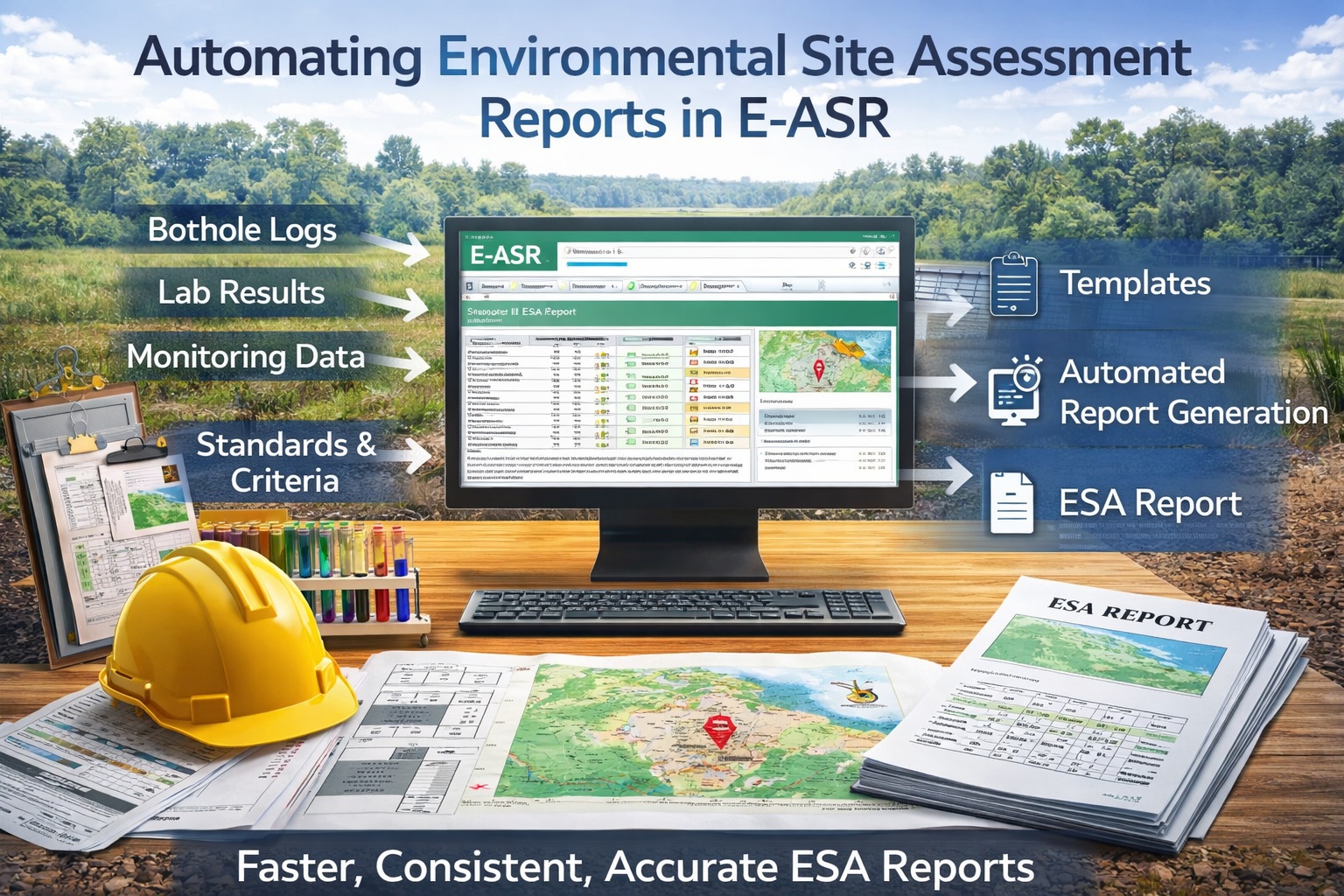
This is where E-ASR (Environmental Automated Site Reporting) come into play. E-ASR platforms are designed to streamline the creation of ESA reports by integrating data, templates, and automation workflows into a single, efficient process.
In this tutorial, you’ll learn how to automate Environmental Site Assessment reports using E-ASR—from data preparation and template configuration to report generation and quality control. Whether you’re working on Phase I or Phase II ESAs, this guide will help you dramatically improve efficiency and consistency.
Understanding E-ASR and Report Automation
E-ASR automates the generation of standardized environmental reports by linking structured data from questionnaires with predefined templates.
Key Capabilities
- Automated report generation
- Integration with borehole and laboratory data
- Template-driven formatting
- Consistent regulatory language
- Batch processing of multiple reports
Benefits
- Reduced report preparation time
- Improved consistency and accuracy
- Easier updates and revisions
- Scalable workflows for large projects
Automation transforms report writing from a manual task into a repeatable process.
Types of Reports You Can Automate
E-ASR can be used to generate a wide range of environmental reports:
Common ESA Reports
- Phase I Environmental Site Assessments
- Phase II Environmental Site Assessments
- Remediation and Risk Assessment Reports
- Monitoring Reports
- Borehole and Soil Logging Reports
Standard Report Templates and Questionnaires Provided
Standard questionnaires and report templates are the backbone of automation. E-ASR comes with several questionnaires and report templates for ESAs:
- ASTM E1527-21 Phase I ESA
- ASTM E1903-19 Phase II ESA
- CSA Z768-01 Phase I ESA
- CSA Z769-00 Phase II ESA
- Ontario Reg. 153/04 Phase I ESA
- Ontario Reg. 153/04 Phase II ESA
Methodology and Data Flow
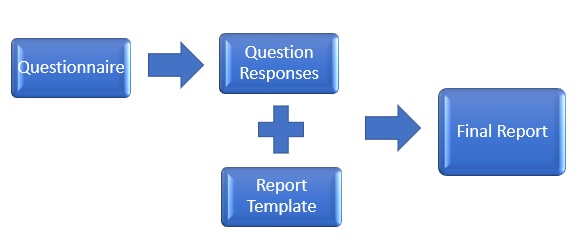
E-ASR has been designed to minimize the amount of time required to generate a standard report and to maximize the flexibility of the final report. To accomplish this, the process has been divided into four steps. The first two steps only need to be performed once for each type of questionnaire and report. The last two steps are performed for each report.
Step 1. Create or Select a Report Templates
The first step is to create a report template using Microsoft Word or use one of the standard ones provided. This template is later merged with the specific responses to create a final report. The template is a generic form of the final report and contains keywords where the specific responses to the questionnaire are to be merged into the report. These keywords are highlighted in the report template using a unique style.
The responses to be merged into the report are not necessarily the direct answers to the questions, but are the text responses associated with the answer. For example, if the answer to the question “Are there any ACMs suspected?” is “No” the text merged into the final report is not necessarily “No” but could be a paragraph of text that has been associated with this answer; such as, “There are no asbestos containing materials suspected on the subject property.” These associations are defined as part of the questionnaire and are entered during the creation of the questionnaire.
Report Template Components
- Title page
- Executive summary
- Site description
- Methodology
- Results and discussion
- Conclusions and recommendations
- Appendices
Step 2: Create or Select a Questionnaire
The next step is to create or select a questionnaire that is used to collect the response data for a report. Typically, the questionnaire will adhere to a national standard such as the CSA or ASTM standards. However, abbreviated questionnaires may be created and used in some situations.
Questionnaires are divided into sections and subsections which can contain any number of questions. For every question a question type is selected. The question type determines the format of the question and allowable answers that are used to collect the data. There are numerous question types that can be selected and additional question types can be created. After the question type has been selected and the question entered, the text associated with each allowable answer is entered. This is the text that will actually be merged into the final report.
When the questionnaire is created it is associated with a report template that is used to create the merged report. Each question is associated with a keyword from the report template. These keywords are used as placeholders in the final report for the text associated with the question response. Depending upon the length of the report and number of questions, these first two steps can be very labor intensive. But after they have been completed, the resulting questionnaires can be used to generate thousands of reports.
Step 3: Enter Questionnaire Responses
After the questionnaire has been created, it can be used to collect the responses for a report. The response data is collected by answering each of the questions in the questionnaire. The form used and allowable answers for the question are specified when the questionnaire is created. All of the data is automatically saved as it is entered. After the data has been collected it is merged with the report template to create a final report. Prior to merging the data with the report template, the answers can be modified and edited.
Step 4: Merge Questionnaire Responses with the Report Template
The final step is to create a report by merging the questionnaire responses with the report template. During the merging process the keywords in the report template are replaced by the text associated with each of the answers to the questions. After the survey data has been merged a final report will be created in Microsoft Word format. This report can then be edited in Word to include additional information.
Reviewing and Editing Reports
Automation does not eliminate the need for review.
Review Checklist
- Verify data accuracy
- Check formatting
- Confirm interpretation text
- Ensure regulatory compliance
Best Practice
Use a standardized QA/QC process before finalizing reports.
Customizing Report Templates
Templates can be customized for:
- Different clients
- Regulatory jurisdictions
- Project types
Customization Options
- Branding (logos, colors)
- Section structure
- Language and terminology
Managing Revisions and Updates
Environmental data often changes.
With E-ASR
- Update dataset
- Regenerate report
- Automatically reflect changes
No need to manually edit entire documents.
Best Practices for Automation
- Start with a pilot project
- Build reusable templates
- Standardize data entry
- Document workflows
- Train team members
Benefits of Automating ESA Reports
- Faster turnaround times
- Improved consistency
- Reduced human error
- Scalable workflows
- Better data integration
Limitations to Consider
- Requires structured data
- Initial setup effort
- Not a replacement for professional judgment
Future of Environmental Reporting Automation
Automation is evolving with:
- AI-assisted interpretation
- Real-time data integration
- Cloud-based collaboration
- Advanced visualization tools
E-ASR systems will continue to transform environmental workflows.
Conclusion
Automating Environmental Site Assessment reports using E-ASR can dramatically improve efficiency, consistency, and quality. By structuring your data, designing effective templates, and implementing automation rules, you can transform report generation from a manual bottleneck into a streamlined, scalable process.
While automation enhances productivity, expert review remains essential to ensure accurate interpretation and compliance. When used correctly, E-ASR becomes a powerful tool for modern environmental professionals.