

Environmental reporting is one of the most time-consuming and error-prone aspects of environmental consulting. Whether you’re preparing Phase I/II ESAs, groundwater monitoring reports, or regulatory submissions, the process often involves repetitive formatting, manual data entry, and constant revisions.
Automation is transforming this workflow.
This FAQ-style guide explains how to automate environmental reporting using E-ASR, reduce errors, improve efficiency, and standardize outputs across your organization.
What Is Environmental Reporting Automation?
Environmental reporting automation refers to the use of software to:
- Automatically generate reports from structured data
- Eliminate manual copy-paste workflows
- Standardize formatting and outputs
- Integrate field, lab, and analytical data
Instead of building reports manually in Word or Excel, automation tools pull data directly from a centralized database and generate complete, formatted reports in minutes.
What Is E-ASR?
E-ASR (Environmental Automated Site Reporting) is a specialized tool designed to automate environmental reporting workflows.
It integrates with:
- Laboratory data imports
- Field data collection tools
E-ASR transforms raw environmental data into:
- Professional reports
- Regulatory-compliant outputs
- Consistent, repeatable deliverables
Why Is Automating Environmental Reporting Important?
1. Reduces Time Spent on Reports
Manual reporting can take:
- Hours for simple reports
- Days for complex projects
Automation reduces this to minutes, freeing up engineers and scientists for higher-value work.
2. Minimizes Human Error
Manual processes introduce risks such as:
- Copy-paste mistakes
- Incorrect units
- Missing data
Automation ensures:
- Data is pulled directly from validated sources
- Calculations are consistent
- Reports are complete
3. Improves Consistency Across Projects
Without automation:
- Reports vary between staff
- Formatting is inconsistent
With E-ASR:
- Templates standardize outputs
- Branding and formatting are uniform
4. Enhances Compliance and QA/QC
Environmental reports must meet strict regulatory requirements.
Automation helps by:
- Enforcing required fields
- Ensuring correct units and standards
- Reducing omissions
How Does E-ASR Work?
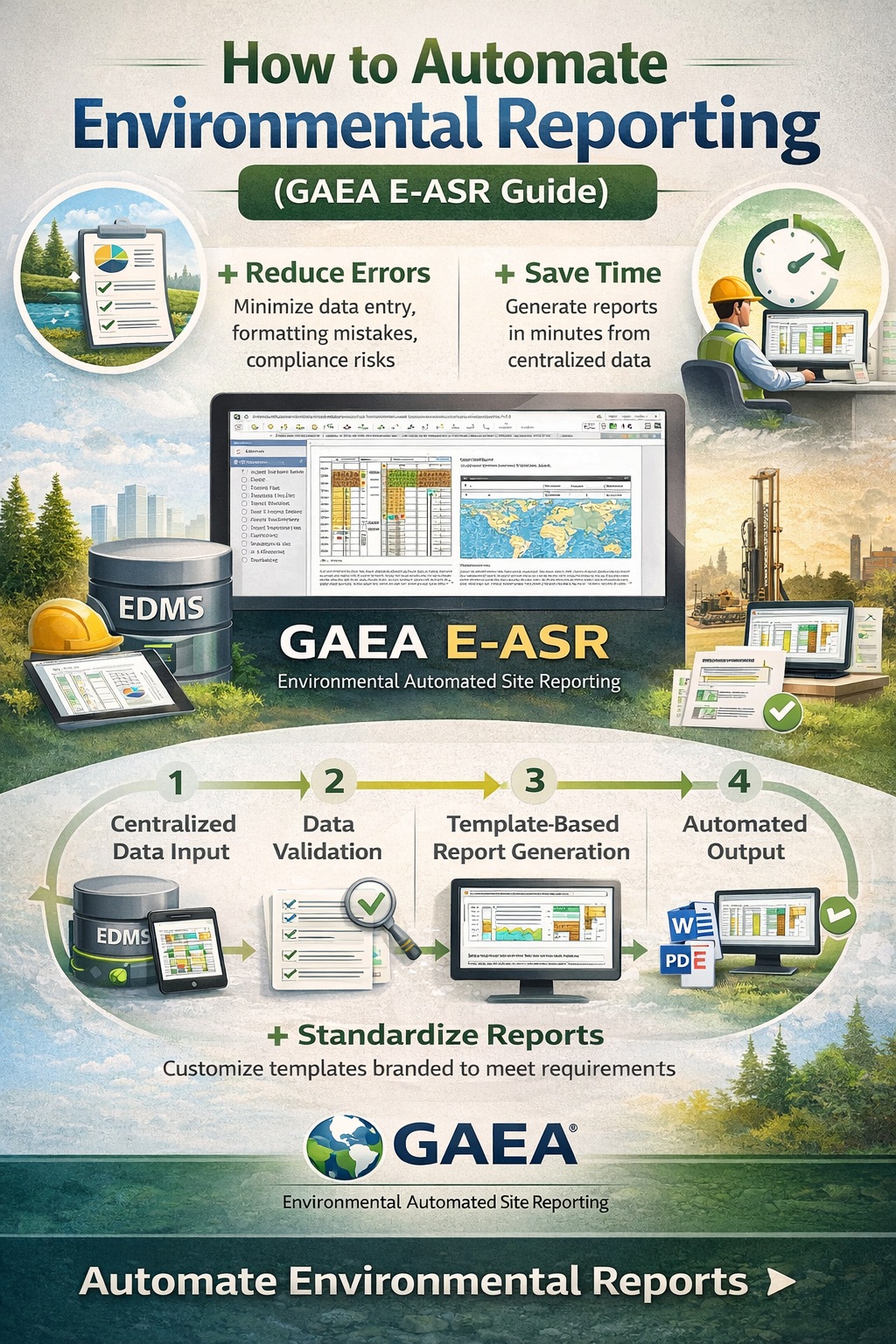
Step 1: Centralized Data Input
All project data is stored in a central database.
Step 2: Data Validation
Before reporting:
- Data is checked for completeness
- Units and formats are standardized
This ensures high-quality outputs.
Step 3: Template-Based Report Generation
E-ASR uses customizable templates to generate reports automatically.
Templates can include:
- Tables
- Charts
- Figures
- Interpretations
Step 4: Automated Output
Reports are generated in:
- Microsoft Word
- Regulatory formats
All content is populated dynamically from the database.
What Types of Reports Can Be Automated?
GAEA E-ASR supports a wide range of environmental reports:
Phase I Environmental Site Assessments
- Site descriptions
- Historical data summaries
- Environmental concerns
Phase II Environmental Site Assessments
- Soil and groundwater data
- Laboratory results
- Contaminant exceedances
Groundwater Monitoring Reports
- Time-series data
- Trend analysis
- Compliance reporting
Remediation and Risk Assessment Reports
- Contaminant plume analysis
- Remediation progress
- Risk evaluation
Regulatory Submissions
- Standardized government formats
- Compliance documentation
What Are the Key Features of E-ASR?
1. Dynamic Report Templates
Templates are fully customizable to match:
- Company branding
- Regulatory requirements
- Client preferences
2. Automated Tables and Figures
E-ASR can automatically generate:
- Analytical tables
- Summary statistics
What Are the Benefits of Using E-ASR?
🚀 Efficiency Gains
- Reduce report generation time by 70–90%
- Eliminate repetitive manual tasks
📊 Improved Data Accuracy
- Direct database integration
- Reduced transcription errors
🧾 Standardized Reporting
- Consistent formatting across all projects
- Easier training for new staff
🔄 Scalability
- Handle large datasets and multiple projects
- Generate reports in bulk
💼 Increased Profitability
- More reports delivered in less time
- Reduced labor costs
How Does E-ASR Compare to Manual Reporting?
| Feature | Manual Reporting | GAEA E-ASR |
|---|---|---|
| Time Required | Hours to days | Minutes |
| Error Risk | High | Low |
| Consistency | Variable | Standardized |
| Data Integration | Manual | Automated |
| Scalability | Limited | High |
What Are the Common Challenges Without Automation?
1. Duplicate Data Entry
Data is entered multiple times across systems.
2. Version Control Issues
Multiple versions of reports create confusion.
3. Inconsistent Formatting
Different staff produce different outputs.
4. Time Constraints
Deadlines become harder to meet.
Automation with E-ASR addresses all of these challenges.
What Are Best Practices for Environmental Reporting Automation?
1. Standardize Data Entry
Ensure:
- Consistent naming conventions
- Correct units
- Complete datasets
2. Use Structured Templates
Templates should:
- Reflect regulatory requirements
- Include all necessary sections
3. Implement QA/QC Processes
Even with automation:
- Review outputs
- Validate data
4. Maintain Centralized Data
Avoid:
- Spreadsheets
- Disconnected systems
5. Continuously Improve Templates
Update templates based on:
- Feedback
- Regulatory changes
Frequently Asked Questions (FAQ)
Can E-ASR fully replace manual reporting?
E-ASR automates most of the process, but expert review is still essential for interpretation and conclusions.
Is E-ASR customizable?
Yes. Templates can be tailored to:
- Specific report types
- Client requirements
- Regulatory standards
How long does implementation take?
Depending on complexity:
- Basic setup: a few days
- Full implementation: a few weeks
Can E-ASR handle large datasets?
Yes. It is designed for:
- Large monitoring programs
- Multi-site projects
What formats can reports be generated in?
- Microsoft Word
- Custom regulatory formats
What Is the ROI of Automating Environmental Reporting?
Time Savings
- Reduce reporting time by up to 90%
Cost Reduction
- Lower labor costs
- Fewer errors and rework
Increased Capacity
- Handle more projects without increasing staff
Improved Client Satisfaction
- Faster delivery
- Consistent quality
Future of Environmental Reporting
The future is moving toward:
- Fully integrated data ecosystems
- Real-time reporting
- Cloud-enabled workflows
- AI-assisted analysis
E-ASR positions firms to stay ahead by:
- Automating repetitive tasks
- Improving data quality
- Enhancing scalability
Final Thoughts
Environmental reporting doesn’t have to be a bottleneck.
With E-ASR, organizations can transform reporting from a manual, time-consuming task into a streamlined, automated process.
The result is:
- Faster turnaround
- Higher accuracy
- Better consistency
- Increased profitability
For firms looking to modernize their workflows, automation is no longer optional—it’s essential.