

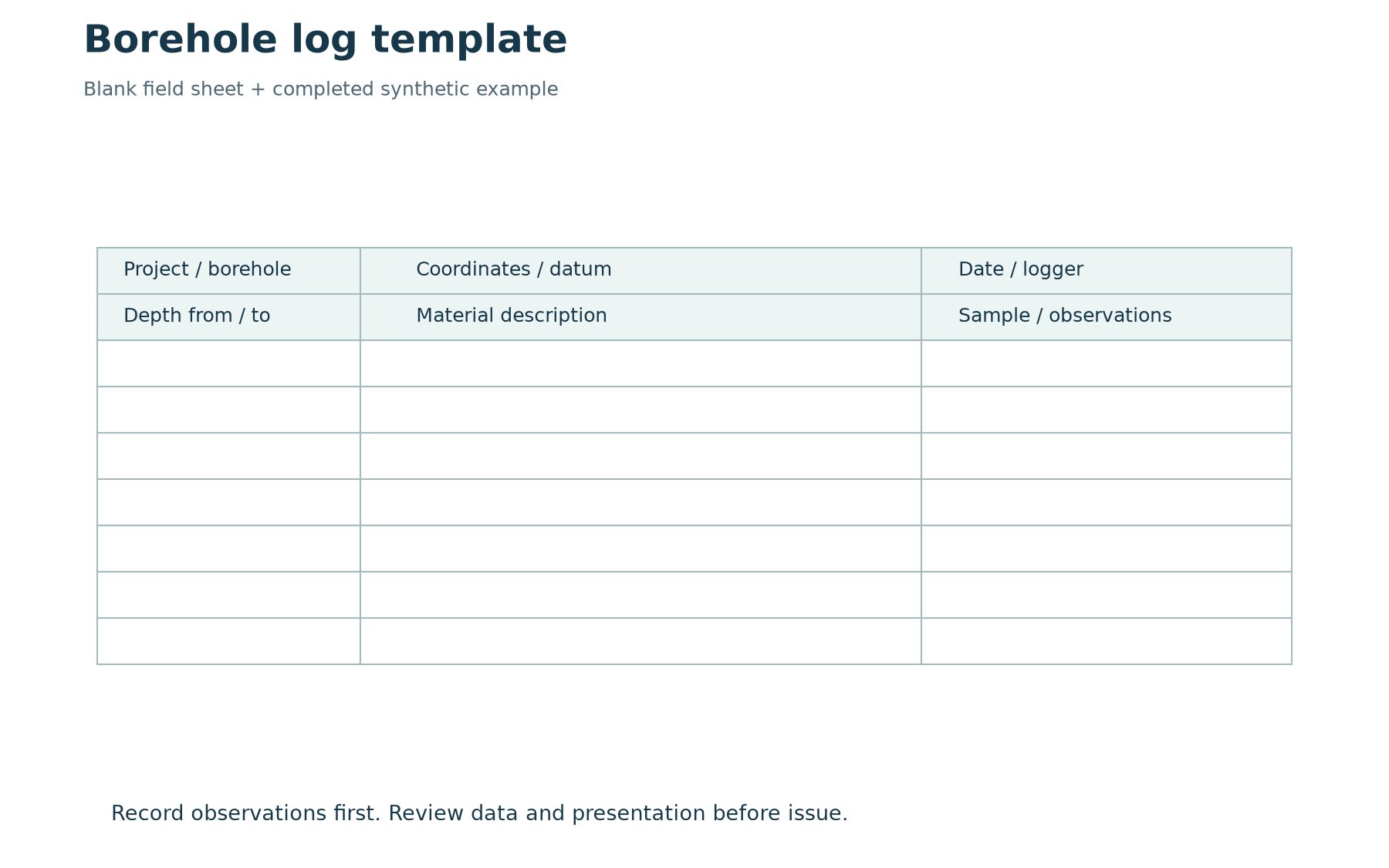
A useful borehole log template makes observations easier to record and review without forcing the geology into an unsuitable format. It should identify the project and hole, state the depth reference and units, and provide enough space for material descriptions, samples and relevant measurements. The template is a framework for evidence; it cannot supply observations that were never collected.
This guide includes a downloadable blank field sheet and a completed synthetic example. It also explains how to move from a generic observation sheet to a controlled software template. Use the downloads for learning or adapt them to the approved investigation procedure. They are not regulatory forms or native WinLoG template files.
Download the field sheet and example
Download the two-page borehole log template and example (PDF). Page one is a printable field sheet. Page two shows synthetic BH-01, with fill, sand and clay intervals, a sample reference and a dated water observation. The learning examples pack includes a generic CSV header sheet that can be adapted for structured data capture.
For actual WinLoG application examples and available template resources, use the WinLoG product and example links. Confirm that a chosen template suits the installed version and intended log type. A PDF field sheet, a spreadsheet data table and a software layout template serve different purposes and should be labelled accordingly.
Choose the record before choosing the layout
Decide whether you are preparing a field observation sheet, an office data-entry format or a client-facing log. The field sheet needs to capture observations efficiently under real site conditions. The office format must preserve relationships between records. The issued log needs a clear, consistent presentation that reviewers and clients can interpret. One document can support more than one purpose, but the requirements should be explicit.
Begin with an accepted example from the intended application. Identify every required data field and its source. Separate measured values from calculations and interpreted descriptions. Then decide how the information should be displayed. Starting with page decoration before establishing the record structure often leads to missing fields or repeated manual annotations later.
Include a complete header
At minimum, consider project and borehole identifiers, location, coordinate reference, ground elevation and datum, drilling dates, methods, logger and reviewer information. The exact requirements depend on the investigation. Record units beside the relevant values. A numeric coordinate without a reference system or an elevation without a datum is difficult to reuse reliably.
Make room for revisions and limitations where needed. If a location is estimated rather than surveyed, preserve that distinction. Do not let an empty header field silently become an assumption. The person preparing the final log should be able to identify what is known, what needs clarification and which original record supports each value.
Design the depth and interval fields
Use an explicit depth reference, such as metres below ground level for the synthetic example. Maintain separate from and to values for intervals. Decide how zero-depth observations, uncertain contacts and end-of-hole information will be recorded. A displayed depth scale is helpful, but it does not replace structured interval values.
Keep material intervals, sample intervals and point measurements distinct. A sample collected within a material layer does not define the full extent of that layer. The template should allow each record to retain its own depth or interval. If several types of information share one crowded remarks cell, later extraction and checking become unnecessarily difficult.
Preserve descriptive observations
Controlled terminology can improve consistency, but the template must retain space for relevant observations and uncertainty. Select the descriptors needed for the project and explain how staff should use them. Avoid making a default material description appear automatically as if it were observed. Blank, unknown, not assessed and not applicable may need different treatment.
A consistent legend helps readers interpret symbols and abbreviations. Review the legend whenever a template changes. Graphic patterns should support the written record, not substitute for it. In the synthetic example, the word clay identifies a teaching interval; it does not assign a laboratory classification or an engineering design property.
Add samples, tests and water observations
Sample records should preserve identifiers and intervals, together with the type and supporting information required by the investigation. Measurements need units and a defined reporting convention. If a calculation or correction is displayed, distinguish it from the original observation and retain the source values. Keep links to laboratory records traceable.
Water observations should retain the date, time, reference point and relevant drilling or installation context. The example records water at 2.2 m below ground during drilling. That is deliberately different from claiming an equilibrium groundwater level. A template with only one undated water-level box can conceal important differences between observations.
Build the software template around these records
WinLoG uses configurable presentation elements for depth-based logs. Establish the header, footer, columns, symbols, scales and data selections required by the project, then test the output. Use current documentation for the installed version when performing specific editing steps. Avoid assuming that every generic spreadsheet field maps automatically to a particular application object.
GAEA’s lithology-descriptor tutorial explains a related standardization workflow. For external spreadsheets, review the supported import process and validate the field mapping. A successful import message does not establish that units, identifiers and intervals were interpreted correctly.
Test the awkward cases
Test a short hole, a deep hole spanning multiple pages and a hole with long descriptions or closely spaced records. Inspect the final exported page size. Check column widths, text wrapping, page breaks and whether symbols remain understandable in grayscale. A template that works on a simple demonstration can still fail on the longest record in a real project.
Review data and appearance separately. Correct source errors in the source record, and fix layout problems in the controlled template. Avoid making the exported PDF the only place where an important correction exists. The objective is an output that can be reproduced after the project is reopened.
Control template changes
Give an approved template an identifiable version and an owner. Record what changed and which projects should use it. Retain the version needed to reproduce earlier issued work. Before replacing a shared template, test its effect on representative records and confirm that the people using it understand any new requirements.
The downloadable sheet is a starting point. The value comes from adapting it to the work, training the team and checking that observations survive the full field-to-report process. For a broader workflow discussion, see reducing borehole logging time with digital workflows.