

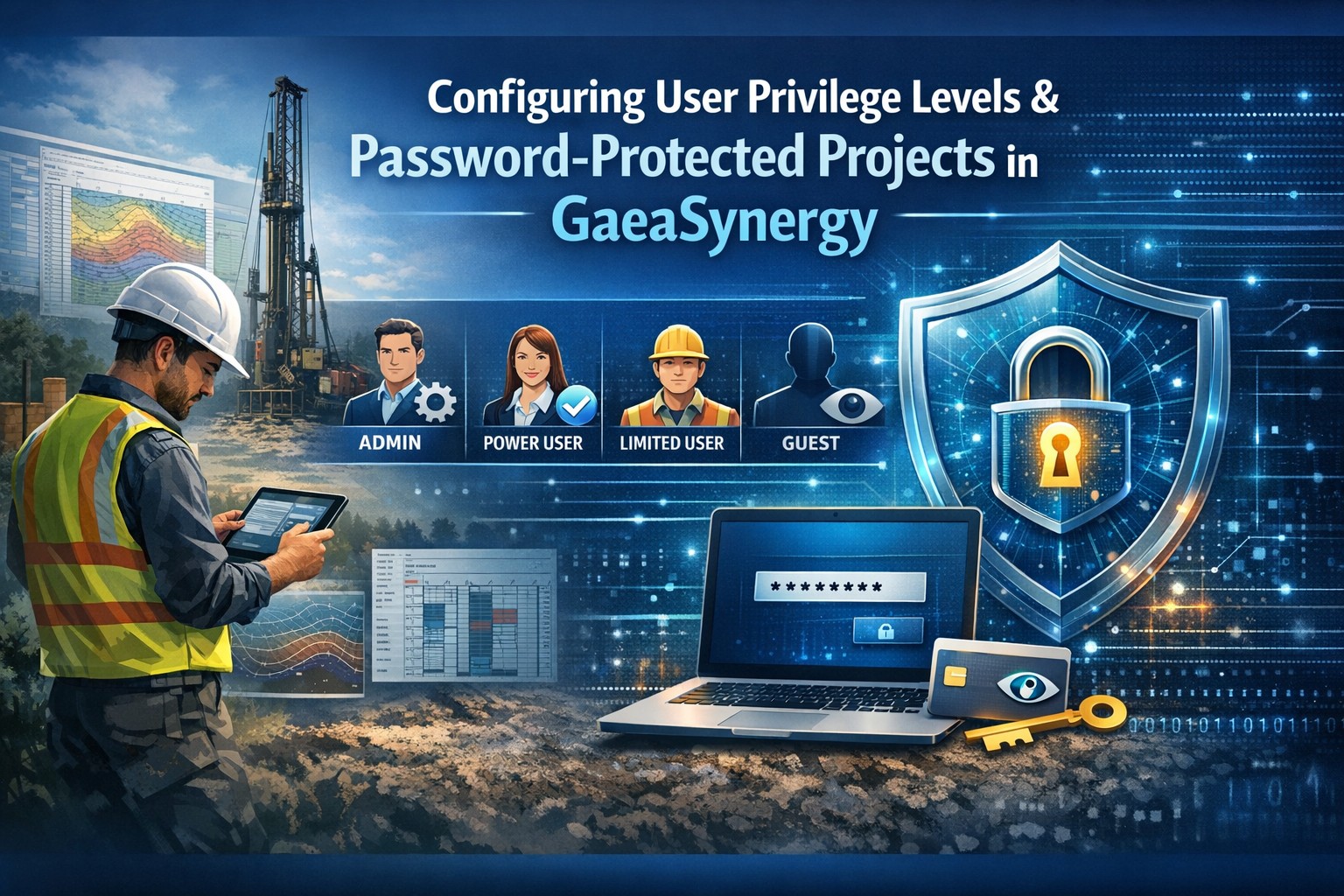
Secure Collaboration for Geotechnical & Environmental Data Teams
Data security and structured collaboration are essential in modern engineering environments. Whether you’re managing borehole logs, groundwater monitoring datasets, or environmental analyses, the right user privilege configuration ensures accuracy, accountability, and compliance.
In GaeaSynergy, user access is structured around clearly defined privilege levels and optional password-protected project controls — allowing firms to balance security with productivity.
If it is a network version, the user must login as a network user that is setup in the Network License Manager program. If it is a local single user computer version of the application, local users can be setup by the administrator by going to Tools then Manage Local Users in GaeaSynergy.
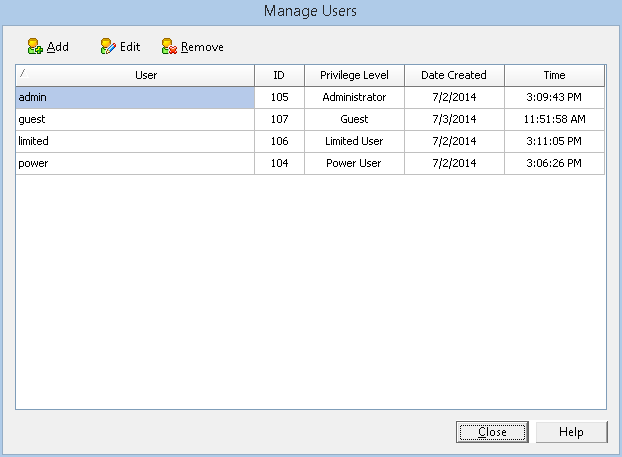
This guide explains how to configure:
- Administrator, Power User, Limited User, and Guest privilege levels
- Password-protected projects
- Secure collaboration workflows across modules
Why User Privilege Levels Matter
Engineering datasets often contain:
- Regulatory-sensitive environmental data
- Proprietary geotechnical investigations
- Legal documentation
- Client-confidential reports
Improper access can result in:
- Accidental data edits
- Unauthorized exports
- Compliance risks
- Workflow bottlenecks
GaeaSynergy’s structured privilege hierarchy ensures users only access what they need — nothing more.
Understanding GaeaSynergy User Privilege Levels
These modules inherit user permissions from the GaeaSynergy core platform.
1. Administrator
Full system control
Administrators can:
- Create and manage users
- Assign privilege levels
- Configure system-wide settings
- Manage licensing
- Backup and restore main and project databases
- Access all projects (including protected ones)
- Lock and unlock projects (locked projects are read-only)
Best For: IT managers, senior data administrators, corporate leadership.
Security Tip: Limit the number of Administrators. Use multi-factor authentication where possible.
2. Power User
Advanced operational control
Power Users typically:
- Create, edit, and delete projects
- Import and export projects
- Import and edit environmental regulations
- Create, edit and delete tasks
- Create, edit and delete templates
- Create, edit and delete macros
They cannot:
- Manage user accounts
- Modify system-wide configurations
Best For: Project managers, senior engineers, modeling specialists.
3. Limited User
Task-focused contributor
Limited Users can:
- Create and edit projects
- Create, edit and delete data within projects
- Import and export data within projects
- View tasks
They cannot:
- Delete major datasets
- Access restricted projects
- Change system configurations
Best For: Field technicians, junior engineers, lab personnel.
4. Guest
Read-only, restricted visibility
Guests can:
- View selected approved reports
- Access limited dashboards
- Review shared documents
They cannot:
- Edit or create records
- Export raw datasets
- Access system settings
Best For: Clients, subcontractors, regulatory reviewers.
Password-Protected Projects in GaeaSynergy
Beyond privilege levels, GaeaSynergy allows administrators and Power Users to apply project-level password protection for sensitive work.
When to Use Password-Protected Projects
- Legal investigations
- Contaminated site litigation
- M&A due diligence
- High-profile infrastructure projects
- Confidential client data
Password-protected projects require:
- Valid user credentials
- Additional project-specific password
Only users with administrator access can enter the project without using the password.
How Password Protection Enhances Security
1. Double-Layer Authentication
User login + project password.
2. Segmented Confidential Data
Sensitive investigations remain isolated from general company projects.
3. Controlled Client Access
Guests may receive temporary project credentials without exposing unrelated data.
4. Audit Logging
All project access attempts are recorded for compliance tracking.
Best Practices for Managing Privilege Levels
Assign by Role, Not Individual
Create standard profiles:
- Corporate Admin
- Project Lead
- Field Staff
- External Reviewer
Review Privileges Quarterly
Ensure:
- Former employees removed
- Temporary guests removed
- Role changes updated
Limit Administrator Access
Too many admins increase risk.
Use Password Protection Strategically
Not every project requires it — reserve it for high-sensitivity work.
Common Mistakes to Avoid
- Giving Power User access to all employees
- Sharing project passwords informally
- Leaving Guest accounts active indefinitely
- Not auditing login activity
- Using shared logins instead of named users
Accountability requires individual credentials.
Privilege Comparison Matrix
| Capability | Administrator | Power User | Limited User | Guest |
|---|---|---|---|---|
| Manage Users | ✔ | ✖ | ✖ | ✖ |
| Create Projects | ✔ | ✔ | ✖ | ✖ |
| Edit Data | ✔ | ✔ | ✔ | ✖ |
| Delete Data | ✔ | ✔ | ✖ | ✖ |
| Export Reports | ✔ | ✔ | Limited | ✖ |
| Access Password Projects | ✔ | ✔* | ✖ | Restricted |
*If authorized by Administrator
Final Thoughts: Secure Data Drives Better Decisions
Configuring privilege levels and password-protected projects in GaeaSynergy ensures:
- Stronger regulatory compliance
- Reduced risk of data loss
- Clear accountability
- Faster, more structured collaboration
In engineering environments where data integrity is critical, security and workflow discipline aren’t optional — they’re foundational.
Related Topics
- Security & Governance in Geoscience Data
- How to Secure Geotechnical Databases from Unauthorized Access
- AI Governance for Geoscience Data
- Data Loss in Subsurface Engineering Projects
- Best Practices for Environmental Data Security and Compliance
- Secure Data Sharing Across Organizations
- Preventing Data Loss in Subsurface Engineering Projects
- Data Ethics in Environmental and Geotechnical Engineering
- Managing Multi-User Collaboration in Subsurface Databases
- Data Ownership and Responsibility in Engineering Firms
- Cloud vs On-Premise Security for Geoscience Data
- The Ultimate Guide to Engineering Data Security
- Securing Your Subsurface Data: A Master Guide to User Management in GaeaSynergy
- Smart Licensing for Modern Geosciences: Managing GaeaSynergy with Ease