

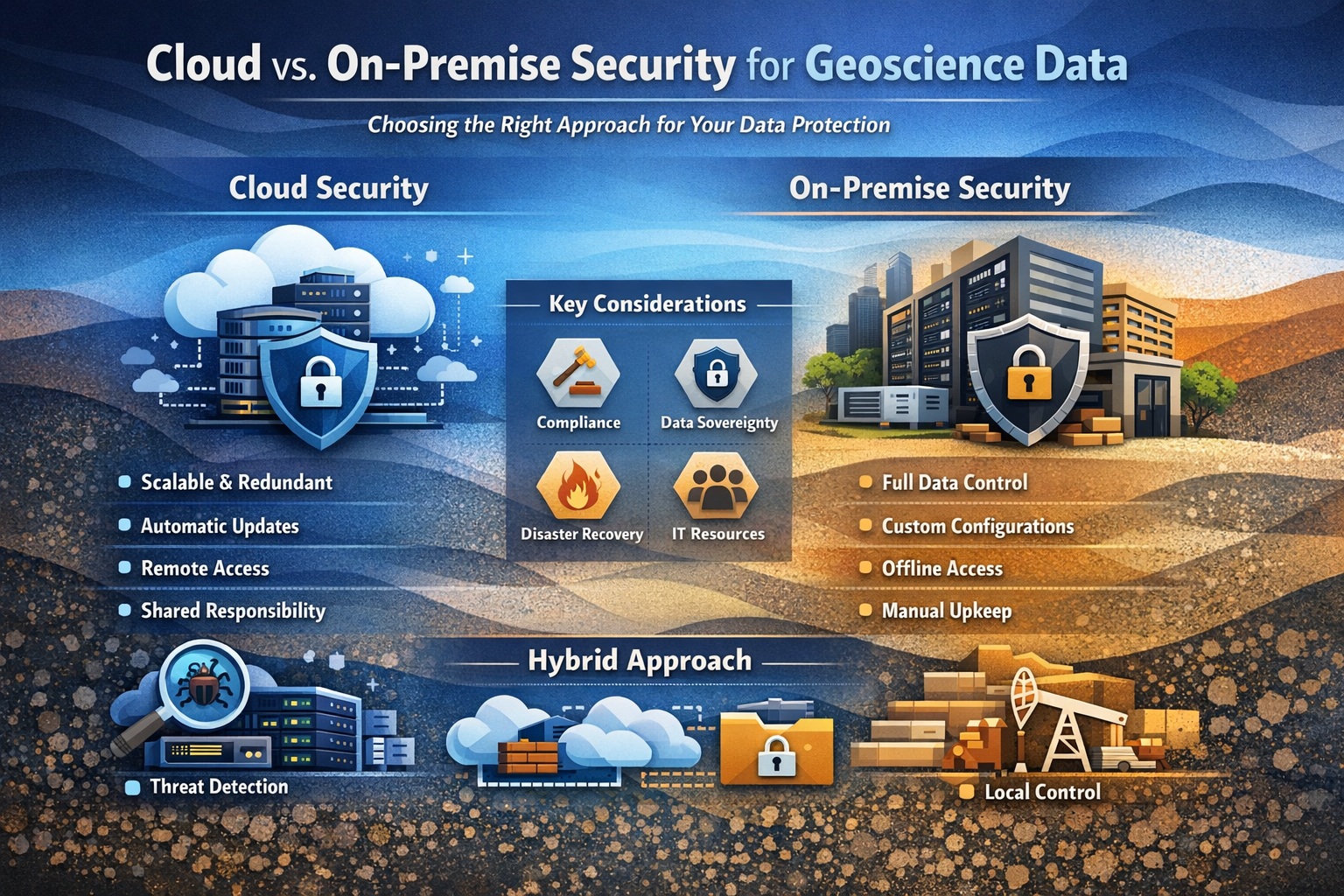
Introduction
As geoscience organizations accelerate their digital transformation, one question continues to surface:
Should we store and manage our data in the cloud or keep it on-premise?
For companies dealing with geotechnical, environmental, and subsurface datasets, this decision is not just about IT infrastructure—it’s about security, compliance, data integrity, and long-term operational efficiency.
From borehole logs and groundwater monitoring data to seismic interpretations and environmental reports, geoscience data is often:
- highly valuable
- legally sensitive
- difficult (or impossible) to recreate
This makes data security architecture a critical strategic decision.
In this guide, we’ll break down:
- the security differences between cloud and on-premise systems
- the risks and benefits of each approach
- real-world considerations for engineering and environmental firms
- how to choose the right model for your organization
What Is Cloud vs On-Premise?
Before diving into security, let’s clarify the two models.
Cloud-Based Systems
Cloud systems store data on remote servers managed by providers like:
- AWS
- Microsoft Azure
- Google Cloud
Users access data via the internet, enabling:
- remote collaboration
- centralized data management
- scalable infrastructure
On-Premise Systems
On-premise systems store data on:
- local servers
- company-controlled infrastructure
- internal networks
This gives organizations:
- full control over hardware and data
- isolated environments
- customized configurations
Why Security Matters More in Geoscience
Unlike many industries, geoscience data carries unique risks:
🔹 Irreplaceable Data
Historical borehole logs, seismic data, and site investigations may be impossible to reproduce.
🔹 Regulatory Exposure
Environmental and geotechnical data may be subject to:
- regulatory audits
- legal disputes
- compliance requirements
🔹 Intellectual Property
Subsurface data is often a company’s most valuable asset.
🔹 Multi-Stakeholder Access
Data is frequently shared across:
- engineers
- consultants
- clients
- regulators
This creates complex access control challenges.
Cloud Security: Strengths and Risks
✅ Strengths of Cloud Security
1. Enterprise-Grade Infrastructure
Cloud providers invest billions in:
- physical data center security
- network protection
- intrusion detection systems
In most cases, cloud environments are more secure than typical in-house setups.
2. Advanced Security Features
Cloud platforms offer built-in tools such as:
- encryption at rest and in transit
- identity and access management (IAM)
- multi-factor authentication (MFA)
- automated threat detection
These features are often difficult to replicate on-premise.
3. Automatic Updates & Patching
Security vulnerabilities are continuously patched by the provider.
👉 This reduces risk from:
- outdated software
- missed updates
- human error
4. Scalability & Redundancy
Cloud systems provide:
- automatic backups
- geographic redundancy
- disaster recovery
This is critical for protecting subsurface data from:
- hardware failure
- natural disasters
- ransomware attacks
⚠️ Risks of Cloud Security
1. Shared Responsibility Model
Cloud providers secure the infrastructure—but:
👉 you are responsible for configuring it correctly
Misconfigurations are one of the biggest risks.
2. Data Sovereignty
Data may be stored in different regions, raising concerns about:
- jurisdiction
- regulatory compliance
- data residency laws
3. Internet Dependency
Cloud systems require reliable internet access.
Outages can impact:
- field operations
- remote access
- real-time workflows
4. Vendor Lock-In
Switching providers can be complex and costly.
On-Premise Security: Strengths and Risks
✅ Strengths of On-Premise Security
1. Full Control Over Data
Organizations control:
- storage location
- access policies
- network configuration
This is ideal for:
- highly sensitive projects
- strict regulatory environments
2. Air-Gapped Security (Optional)
Systems can be isolated from the internet, reducing exposure to:
- cyberattacks
- external breaches
3. Custom Security Configurations
On-premise systems can be tailored to:
- specific workflows
- proprietary systems
- legacy integrations
4. Predictable Compliance
Data never leaves your infrastructure, simplifying compliance with:
- client requirements
- legal frameworks
⚠️ Risks of On-Premise Security
1. Resource Limitations
Most organizations cannot match the security investment of cloud providers.
This leads to:
- weaker defenses
- outdated systems
- inconsistent monitoring
2. Manual Maintenance
Security depends on internal teams to:
- apply patches
- monitor threats
- manage backups
👉 Human error is a major risk.
3. Disaster Recovery Challenges
Without proper setup, on-premise systems are vulnerable to:
- hardware failure
- fire or flooding
- ransomware
4. Scalability Constraints
Expanding infrastructure requires:
- hardware purchases
- IT resources
- downtime planning
Key Security Comparison
| Factor | Cloud | On-Premise |
|---|---|---|
| Infrastructure Security | Very High | Varies |
| Control | Moderate | Full |
| Maintenance | Managed | Internal |
| Disaster Recovery | Built-in | Manual |
| Scalability | High | Limited |
| Compliance | Shared | Direct |
| Risk of Misconfiguration | Medium | Medium–High |
Hybrid Approach: The Best of Both Worlds?
Many geoscience organizations are moving toward hybrid models, combining:
- Cloud for:
- collaboration
- backups
- analytics
- On-premise for:
- sensitive datasets
- legacy systems
- high-security environments
This approach allows organizations to:
- balance security and flexibility
- reduce risk exposure
- modernize gradually
Security Best Practices (Regardless of Model)
No matter which system you choose, these practices are essential:
🔐 Role-Based Access Control (RBAC)
Ensure users only access what they need.
🔐 Encryption Everywhere
- Data at rest
- Data in transit
🔐 Audit Trails
Track:
- who accessed data
- what changes were made
- when
🔐 Regular Backups
Use:
- automated backups
- offsite storage
🔐 Multi-Factor Authentication (MFA)
Protect against credential theft.
🔐 Security Audits
Conduct regular:
- penetration testing
- vulnerability assessments
Choosing the Right Model
Choose Cloud if you need:
- remote collaboration
- scalability
- lower IT overhead
- built-in disaster recovery
Choose On-Premise if you need:
- strict data control
- isolated environments
- compliance with specific regulations
- offline access
Choose Hybrid if you need:
- flexibility
- phased digital transformation
- risk balancing
Real-World Use Cases
🔹 Environmental Consulting Firm
Uses cloud systems to:
- share reports
- manage field data
But stores sensitive regulatory data on-premise.
🔹 Geotechnical Engineering Firm
Uses on-premise systems for:
- core project databases
And cloud for:
- backups and visualization
🔹 Energy Company
Uses hybrid architecture:
- cloud for seismic processing
- on-premise for proprietary datasets
Future Trends in Data Security
☁️ Cloud Adoption Is Increasing
More organizations are moving to cloud-first strategies.
🤖 AI-Driven Security
Machine learning is being used to:
- detect anomalies
- prevent breaches
🔗 Zero Trust Architecture
“Trust nothing, verify everything” is becoming the standard.
🌍 Regulatory Expansion
Data privacy and environmental regulations are increasing globally.
Conclusion
There is no one-size-fits-all answer to cloud vs on-premise security.
The right choice depends on:
- your risk tolerance
- regulatory requirements
- operational needs
- technical capabilities
However, one thing is clear:
👉 Security and governance must be designed intentionally—not added later.
Whether you choose cloud, on-premise, or hybrid, success depends on:
- strong access control
- consistent data governance
- proactive security practices
In a world where data drives decisions, protecting your geoscience data is protecting your business.
Related Articles
- Security & Governance in Geoscience Data
- How to Secure Geotechnical Databases from Unauthorized Access
- AI Governance for Geoscience Data
- Data Loss in Subsurface Engineering Projects
- Best Practices for Environmental Data Security and Compliance
- Secure Data Sharing Across Organizations
- Preventing Data Loss in Subsurface Engineering Projects
- Data Ethics in Environmental and Geotechnical Engineering
- Managing Multi-User Collaboration in Subsurface Databases
- Data Ownership and Responsibility in Engineering Firms
- The Ultimate Guide to Engineering Data Security
- Configuring User Privilege Levels & Password-Protected Projects in GaeaSynergy
- Securing Your Subsurface Data: A Master Guide to User Management in GaeaSynergy
- Smart Licensing for Modern Geosciences: Managing GaeaSynergy with Ease