

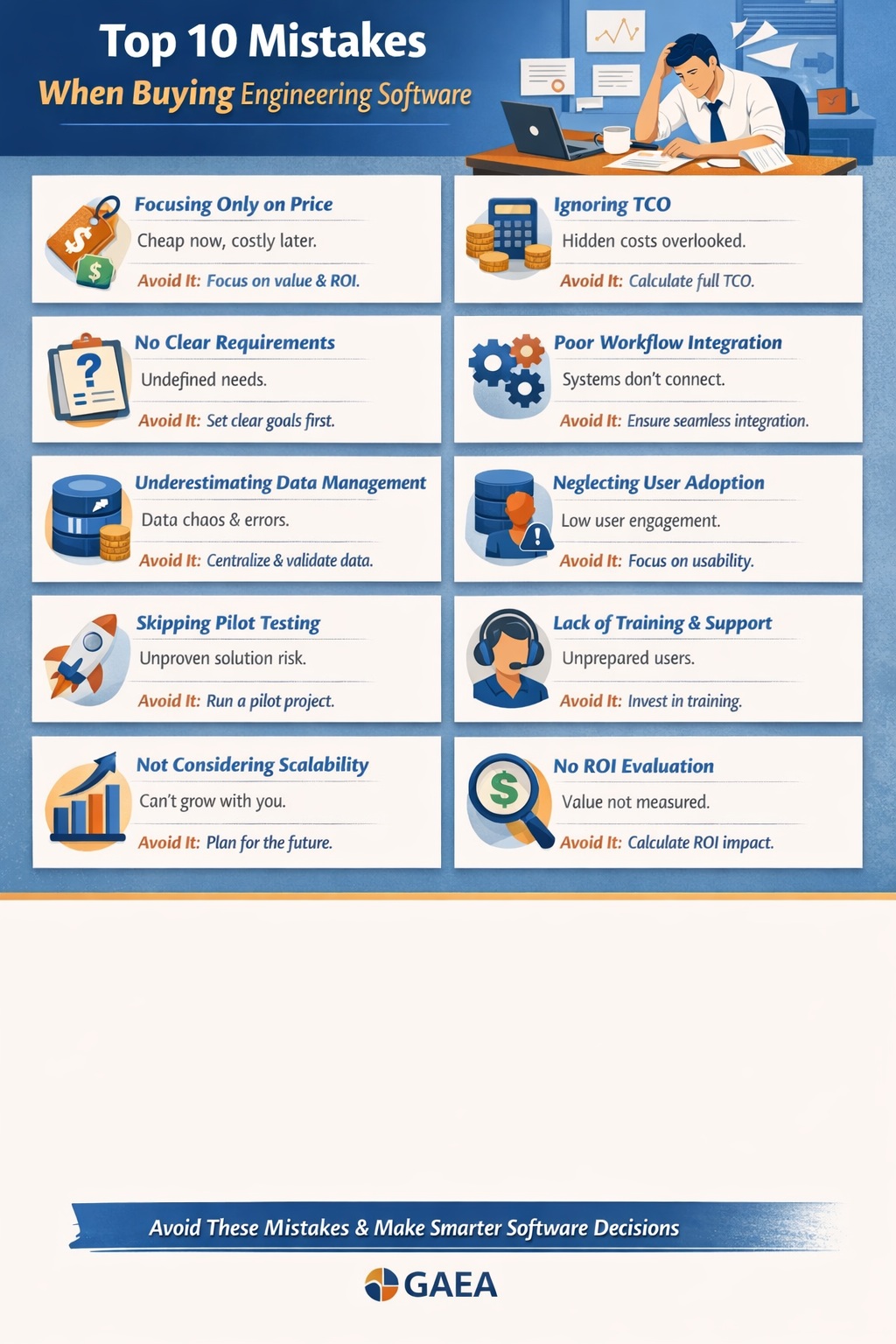
Selecting engineering software—whether for geotechnical data management, environmental reporting, or borehole logging—is one of the most important decisions your organization will make.
The right software can:
- Increase efficiency
- Improve data accuracy
- Reduce reporting time
- Drive profitability
The wrong choice can lead to:
- Cost overruns
- Low adoption
- Workflow inefficiencies
- Long-term frustration
Unfortunately, many firms make the same avoidable mistakes during the selection process.
This FAQ-style guide explores the top 10 mistakes when buying engineering software, along with practical strategies to avoid them.
Why Do Engineering Software Purchases Often Fail?
Software projects fail not because of technology—but because of poor evaluation, planning, and alignment with business needs.
Common root causes include:
- Focusing on price instead of value
- Ignoring workflows
- Underestimating implementation complexity
Understanding these pitfalls is the first step toward making a better decision.
Mistake #1: Focusing Only on Price
What Happens?
Many firms choose software based on:
- Lowest upfront cost
- Cheapest licensing
Why It’s a Problem
Low-cost software often comes with:
- Limited functionality
- High maintenance costs
- Poor scalability
This leads to higher total cost of ownership (TCO) over time.
How to Avoid It
- Evaluate long-term value, not just price
- Consider TCO and ROI
- Compare productivity gains
Mistake #2: Ignoring Total Cost of Ownership (TCO)
What Happens?
Firms overlook hidden costs such as:
- Implementation
- Training
- Support
- Infrastructure
Why It’s a Problem
The true cost of software can be 2–5× higher than the purchase price.
How to Avoid It
- Calculate TCO over 3–5 years
- Include all direct and indirect costs
- Use a structured evaluation framework
Mistake #3: Not Defining Clear Requirements
What Happens?
Organizations jump into demos without:
- Defined workflows
- Clear objectives
Why It’s a Problem
You end up choosing software that:
- Doesn’t fit your processes
- Requires major adjustments
How to Avoid It
- Document workflows
- Identify must-have features
- Define success criteria
Mistake #4: Overlooking Workflow Integration
What Happens?
Software is evaluated in isolation instead of as part of a system.
Why It’s a Problem
Disconnected tools lead to:
- Duplicate data entry
- Increased errors
- Inefficiencies
How to Avoid It
- Evaluate how software integrates with:
- Field data collection
- Lab systems
- Reporting tools
- Prioritize end-to-end workflows
Mistake #5: Underestimating Data Management Needs
What Happens?
Firms focus on outputs (reports, logs) instead of data structure.
Why It’s a Problem
Poor data management leads to:
- Inconsistent datasets
- Difficult reporting
- Compliance risks
How to Avoid It
- Choose software with:
- Centralized databases
- Strong validation tools
- Treat data as a strategic asset
Mistake #6: Ignoring User Experience and Adoption
What Happens?
Software is selected based on features—not usability.
Why It’s a Problem
If users don’t adopt the system:
- ROI drops significantly
- Old workflows persist
How to Avoid It
- Involve end users in evaluation
- Test usability during demos
- Prioritize intuitive interfaces
Mistake #7: Skipping a Pilot Project
What Happens?
Organizations go straight to full implementation.
Why It’s a Problem
Unvalidated software can lead to:
- Workflow mismatches
- Unexpected issues
How to Avoid It
- Run a pilot project
- Test real workflows
- Gather user feedback
Mistake #8: Overlooking Training and Support
What Happens?
Training is treated as an afterthought.
Why It’s a Problem
Results include:
- Slow adoption
- Increased errors
- Frustrated users
How to Avoid It
- Evaluate vendor support
- Plan structured training
- Provide ongoing learning resources
Mistake #9: Not Considering Scalability
What Happens?
Software is chosen for current needs only.
Why It’s a Problem
As your firm grows:
- System limitations appear
- Upgrades become costly
How to Avoid It
- Choose scalable solutions
- Ensure flexibility for future needs
- Consider multi-project capabilities
Mistake #10: Failing to Evaluate ROI
What Happens?
Decisions are made without quantifying value.
Why It’s a Problem
You can’t determine:
- Payback period
- Business impact
How to Avoid It
- Calculate ROI based on:
- Time savings
- Cost reductions
- Increased capacity
How Do These Mistakes Impact Your Business?
Financial Impact
- Higher costs
- Lower ROI
Operational Impact
- Inefficient workflows
- Increased workload
Strategic Impact
- Reduced competitiveness
- Slower growth
What Should a Good Software Evaluation Process Look Like?
Step 1: Define Requirements
- Identify workflows
- Set objectives
Step 2: Evaluate Solutions
- Compare features
- Assess integration
Step 3: Calculate TCO and ROI
- Include all costs
- Estimate benefits
Step 4: Run a Pilot
- Test real scenarios
Step 5: Make Data-Driven Decision
- Use measurable results
What Features Should You Prioritize?
1. Integration
- Seamless data flow
2. Automation
- Reduce manual tasks
3. Data Management
- Centralized systems
4. Usability
- Easy to learn and use
5. Scalability
- Supports growth
Frequently Asked Questions (FAQ)
What is the biggest mistake when buying engineering software?
Focusing only on price instead of long-term value.
How important is integration?
Critical. Poor integration leads to inefficiency and errors.
Should we always run a pilot?
Yes. It significantly reduces risk.
How do we ensure good ROI?
- Choose software that improves workflows
- Measure time savings
What role does data management play?
It’s foundational. Poor data management undermines all other benefits.
How Can GAEA Software Help Avoid These Mistakes?
GAEA solutions are designed to address these common pitfalls:
Integrated Workflows
- Seamless connection between field, data, and reporting
Automation
- Reduces manual tasks
- Improves efficiency
Centralized Data Management
- Improves accuracy
- Supports compliance
Flexible Deployment
- Cloud, on-premise, or hybrid
Scalable Solutions
- Supports growth and expansion
Final Thoughts
Buying engineering software is not just a technical decision—it’s a strategic investment.
Avoiding these common mistakes can mean the difference between:
- A system that transforms your workflows
vs. - A system that creates frustration and inefficiency
By focusing on:
- TCO and ROI
- Workflow integration
- User adoption
- Scalability
You can make a confident, informed decision that delivers long-term value.
Learn more about our Software Solutions
- GaeaSynergy Platform for Geoscientific Analysis and Visualization
- WinLoG: Borehole and Well Logs
- WinFence: Cross-sections and Fence Diagrams
- GDMS: Geotechnical Data Management System
- EDMS: Environmental Data Management System
- POLLUTEv8: Contaminant Transport Modeling and Landfill Design
- E-ASR: Automated Environmental Reporting
Related Articles
- How to Evaluate Geotechnical & Environmental Software (Buyer’s Guide)
- GaeaSynergy: Integrated Geological, Geotechnical, and Environmental Data Management Platform
- Integrated vs Standalone Geotechnical Software: Which Is Better?
- Top Features to Look for in Geotechnical & Environmental Software
- Why Centralized Data Management Is Critical for Geotechnical Projects
- How to Streamline Geotechnical Workflows from Field to Report
- How Automation Improves Efficiency in Environmental Data Management
- Cloud vs Desktop Geotechnical Software: Pros and Cons
- How to Automate Environmental Reporting
- How Environmental Software Helps with Regulatory Compliance
- How to Run a Successful Software Pilot Project
- Understanding Total Cost of Ownership for Engineering Software
- How to Calculate ROI for Geotechnical and Environmental Software Investments
- Future Trends in Geotechnical and Environmental Software
- Step-by-Step Guide to Selecting Engineering Software