

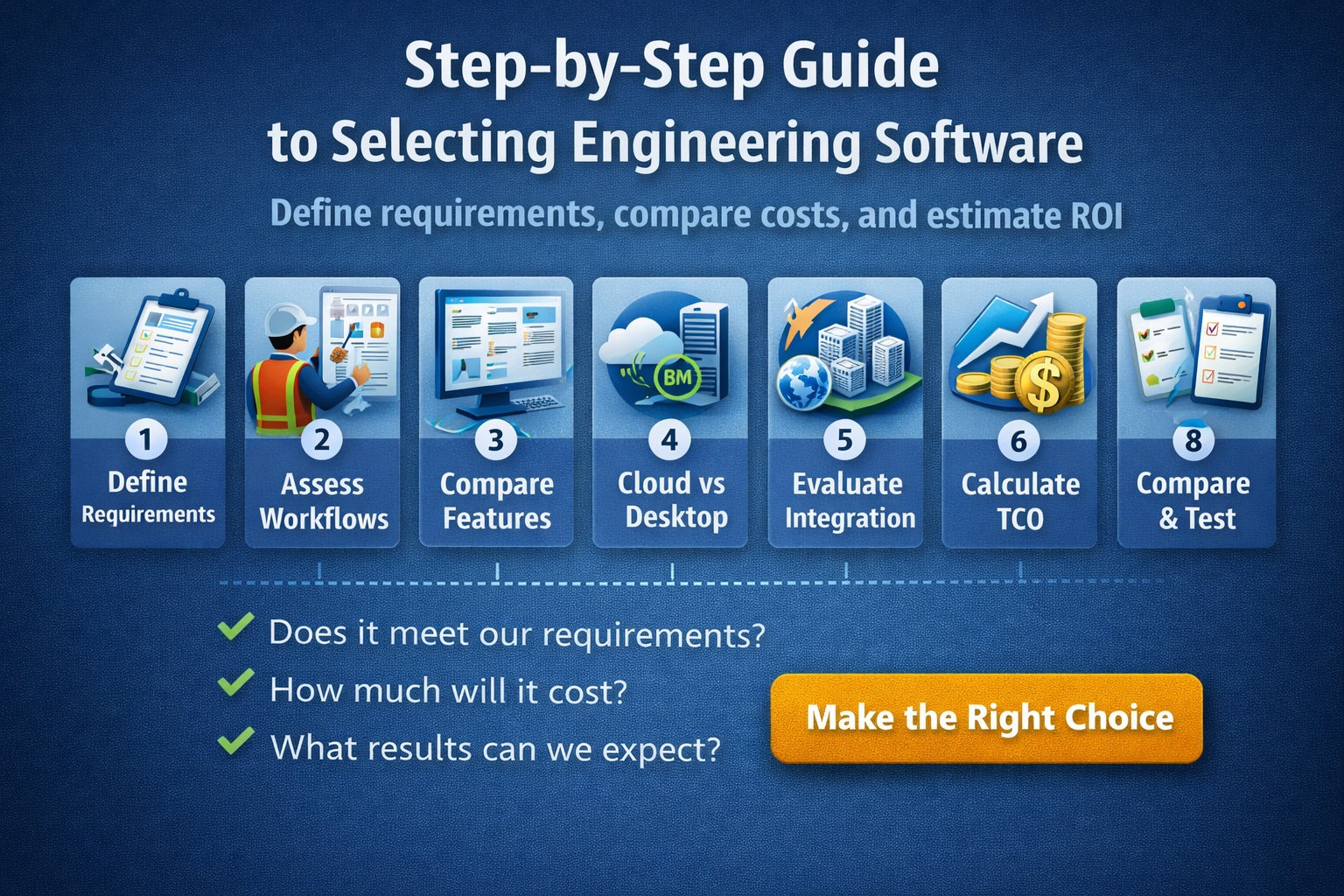
Choosing the right engineering software—especially for geotechnical and environmental workflows—is a high-impact decision. The tools you select will directly affect productivity, data quality, compliance, and long-term profitability. With dozens of options on the market, selecting the right solution requires a structured, methodical approach.
Why is selecting the right engineering software so important?
Engineering software is not just a tool—it’s the backbone of your workflows.
A poor choice can lead to:
- Inefficient processes
- Data silos
- Increased errors
- Compliance risks
- High long-term costs
A well-chosen solution, on the other hand, enables:
- Streamlined workflows
- Centralized data management
- Automation and efficiency
- Better collaboration
- Scalable growth
In geotechnical and environmental projects, where data accuracy and traceability are critical, software selection becomes even more important.
What types of engineering software should be considered?
Depending on your discipline, you may need:
- Geotechnical data management systems
- Environmental data management software (EDMS)
- CAD and modeling tools
- GIS platforms
- Reporting and visualization tools
- Field data collection applications
Most modern organizations are moving toward integrated platforms that combine multiple capabilities into a single ecosystem.
What is the first step in selecting engineering software?
Step 1: Define Your Objectives
Before evaluating vendors, clearly define:
- Business goals
- Project requirements
- Workflow challenges
- Compliance needs
Key Questions:
- What problems are we trying to solve?
- What inefficiencies exist today?
- What outcomes do we want to improve?
Without clear objectives, it’s easy to choose software based on features rather than actual needs.
How do you assess your current workflows?
Step 2: Map Existing Workflows
Document your current processes:
- Data collection
- Data entry and validation
- Analysis and modeling
- Reporting and deliverables
Identify:
- Bottlenecks
- Redundant steps
- Manual processes
- Data duplication
This step highlights where software can deliver the most value.
How do you define software requirements?
Step 3: Create a Requirements List
Break requirements into categories:
Core Requirements:
- Data management capabilities
- Reporting tools
- Integration with other systems
- User access and permissions
Advanced Requirements:
- Automation features
- AI capabilities
- Cloud access
- Mobile functionality
Technical Requirements:
- Database structure
- API availability
- Security standards
A structured requirements list ensures consistent evaluation across vendors.
How important is data management in software selection?
Data management is the most critical factor.
Look for:
- Centralized database
- Data validation and QA/QC
- Version control
- Audit trails
Poor data management leads to:
- Inconsistent reporting
- Compliance issues
- Lost or duplicated data
Future-ready systems act as a single source of truth.
Should you choose cloud-based or desktop software?
Step 4: Evaluate Deployment Options
Cloud-Based Software:
Pros:
- Remote access
- Real-time collaboration
- Automatic updates
- Scalability
Cons:
- Internet dependency
- Ongoing subscription costs
Desktop Software:
Pros:
- Offline access
- Full control over data
Cons:
- Limited collaboration
- Manual updates
Most organizations are moving toward cloud or hybrid solutions.
How do you evaluate integration capabilities?
Step 5: Assess Integration Needs
Your software should integrate with:
- GIS platforms
- CAD tools
- Laboratory systems
- Field data collection tools
Key Features:
- API support
- Data import/export formats
- Compatibility with industry standards
Integration reduces duplication and improves workflow efficiency.
What role does reporting and visualization play?
Step 6: Evaluate Reporting Capabilities
Strong reporting tools should offer:
- Automated report generation
- Customizable templates
- Graphs and visualizations
- Regulatory-compliant outputs
For geotechnical and environmental projects, reporting is often a core deliverable, making this a critical evaluation factor.
How do you evaluate usability and user experience?
Step 7: Assess User Experience (UX)
Look for:
- Intuitive interface
- Minimal training requirements
- Logical workflows
- Dashboard-driven insights
Poor usability leads to:
- Low adoption
- Increased training costs
- Workflow inefficiencies
Always involve end users in the evaluation process.
How important is automation?
Step 8: Identify Automation Opportunities
Automation can significantly improve efficiency.
Examples:
- Auto-generated logs and reports
- Data validation rules
- Workflow triggers
Automation reduces manual work and ensures consistency.
How do you evaluate vendor support and reliability?
Step 9: Assess the Vendor
Evaluate:
- Industry experience
- Customer support
- Training resources
- Product roadmap
- Financial stability
Questions to Ask:
- How often is the software updated?
- What support options are available?
- Is training included?
A strong vendor partnership is critical for long-term success.
What is Total Cost of Ownership (TCO)?
Step 10: Calculate Total Cost of Ownership
TCO includes:
- Licensing fees
- Implementation costs
- Training
- Maintenance and support
- Infrastructure costs
Avoid focusing only on upfront costs—long-term expenses often matter more.
How do you calculate ROI for engineering software?
Step 11: Estimate Return on Investment
ROI is based on:
- Time savings
- Reduced errors
- Increased productivity
- Faster project delivery
Example:
If software saves 10 hours/week per engineer, the annual savings can be substantial.
How should you compare different software options?
Step 12: Create a Comparison Matrix
Evaluate each vendor based on:
- Features
- Cost
- Integration
- Usability
- Support
Assign weighted scores to prioritize what matters most.
Should you request demos and trials?
Step 13: Conduct Demos and Pilot Testing
Always:
- Request live demos
- Test real workflows
- Involve end users
During testing:
- Use real project data
- Evaluate performance
- Identify limitations
Hands-on testing is essential before making a decision.
How do you ensure stakeholder buy-in?
Step 14: Engage Stakeholders
Include:
- Engineers
- IT teams
- Management
Benefits:
- Better decision-making
- Smoother implementation
- Higher adoption rates
What are common mistakes to avoid?
Common Pitfalls:
- Choosing based on price alone
- Ignoring integration needs
- Overlooking scalability
- Not involving end users
- Skipping pilot testing
Avoiding these mistakes can save significant time and cost.
How do you plan for implementation?
Step 15: Develop an Implementation Plan
Include:
- Data migration strategy
- Training schedule
- Rollout timeline
- Support structure
A phased rollout often works best.
What does the future of engineering software selection look like?
Software selection is becoming more strategic.
Future Trends:
- AI-assisted software evaluation
- Greater emphasis on integration
- Cloud-first adoption
- Data-driven decision-making
Organizations will increasingly choose platforms that support long-term digital transformation, not just immediate needs.
Final Thoughts
Selecting engineering software is a complex but critical process. By following a structured, step-by-step approach, organizations can:
- Reduce risk
- Improve efficiency
- Ensure scalability
- Maximize return on investment
The key is to focus on your workflows, your data, and your long-term goals—not just software features.
Learn more about our Software Solutions
- GaeaSynergy Platform for Geoscientific Analysis and Visualization
- WinLoG: Borehole and Well Logs
- WinFence: Cross-sections and Fence Diagrams
- GDMS: Geotechnical Data Management System
- EDMS: Environmental Data Management System
- POLLUTEv8: Contaminant Transport Modeling and Landfill Design
- E-ASR: Automated Environmental Reporting
Related Articles
- How to Evaluate Geotechnical & Environmental Software (Buyer’s Guide)
- GaeaSynergy: Integrated Geological, Geotechnical, and Environmental Data Management Platform
- Integrated vs Standalone Geotechnical Software: Which Is Better?
- Top Features to Look for in Geotechnical & Environmental Software
- Why Centralized Data Management Is Critical for Geotechnical Projects
- How to Streamline Geotechnical Workflows from Field to Report
- How Automation Improves Efficiency in Environmental Data Management
- Cloud vs Desktop Geotechnical Software: Pros and Cons
- How to Automate Environmental Reporting
- How Environmental Software Helps with Regulatory Compliance
- How to Run a Successful Software Pilot Project
- Understanding Total Cost of Ownership for Engineering Software
- How to Calculate ROI for Geotechnical and Environmental Software Investments
- Top 10 Mistakes When Buying Engineering Software (And How to Avoid Them)
- Future Trends in Geotechnical and Environmental Software