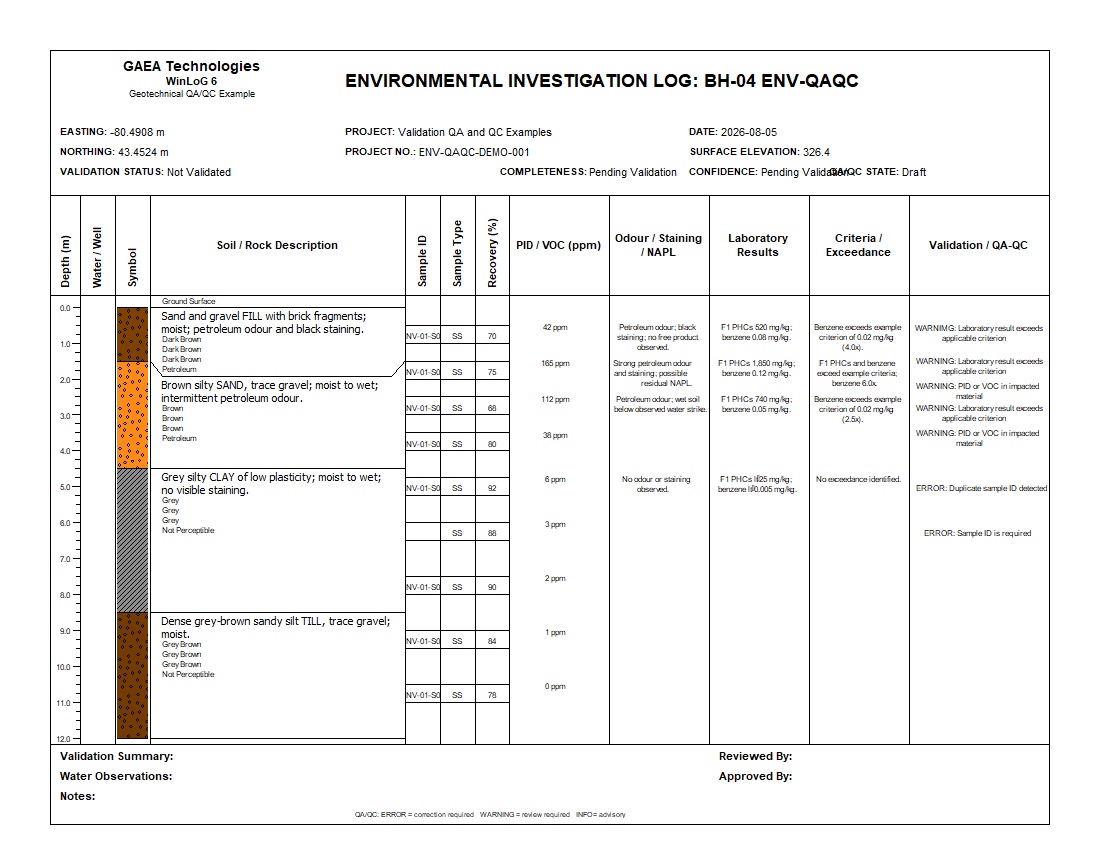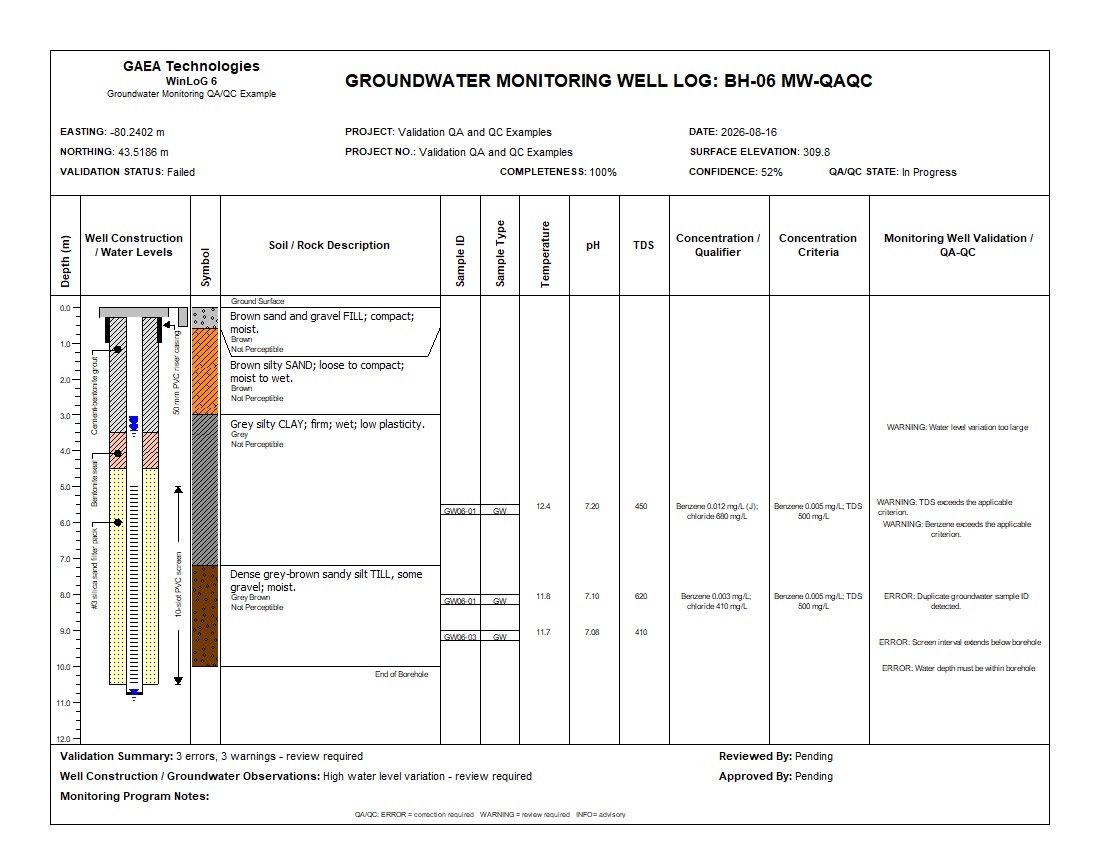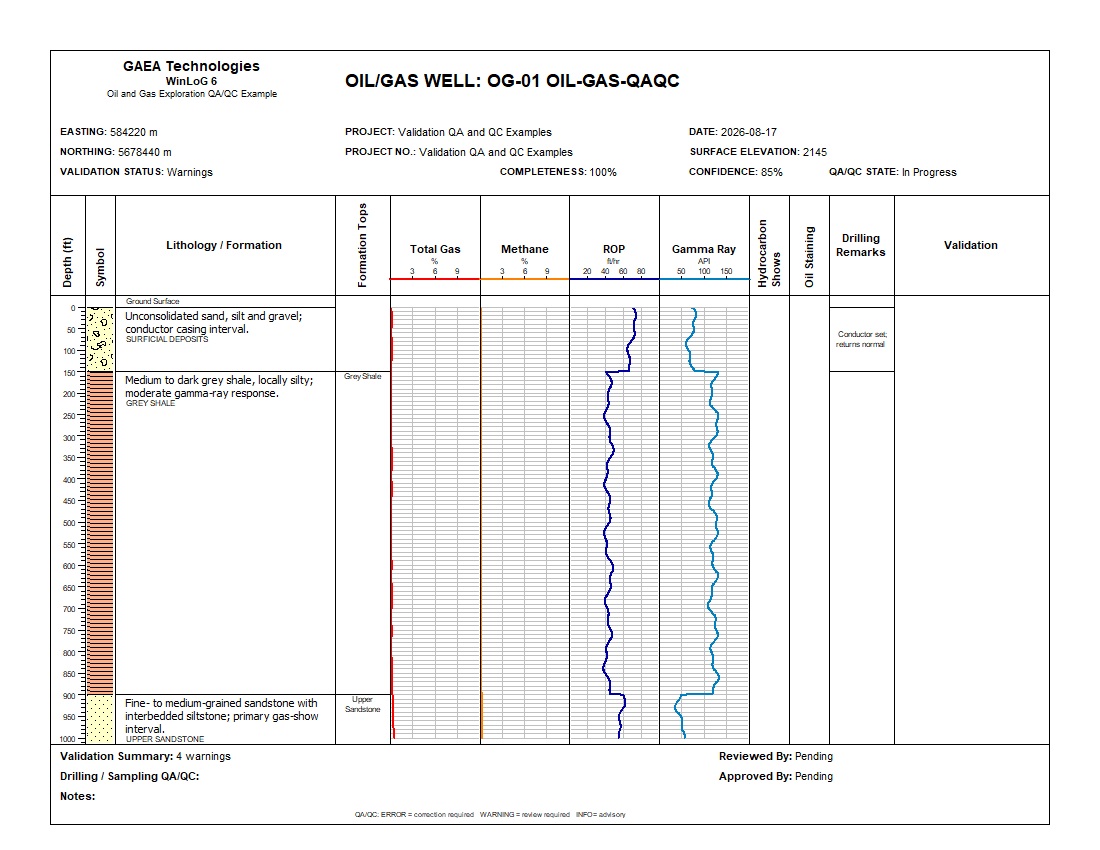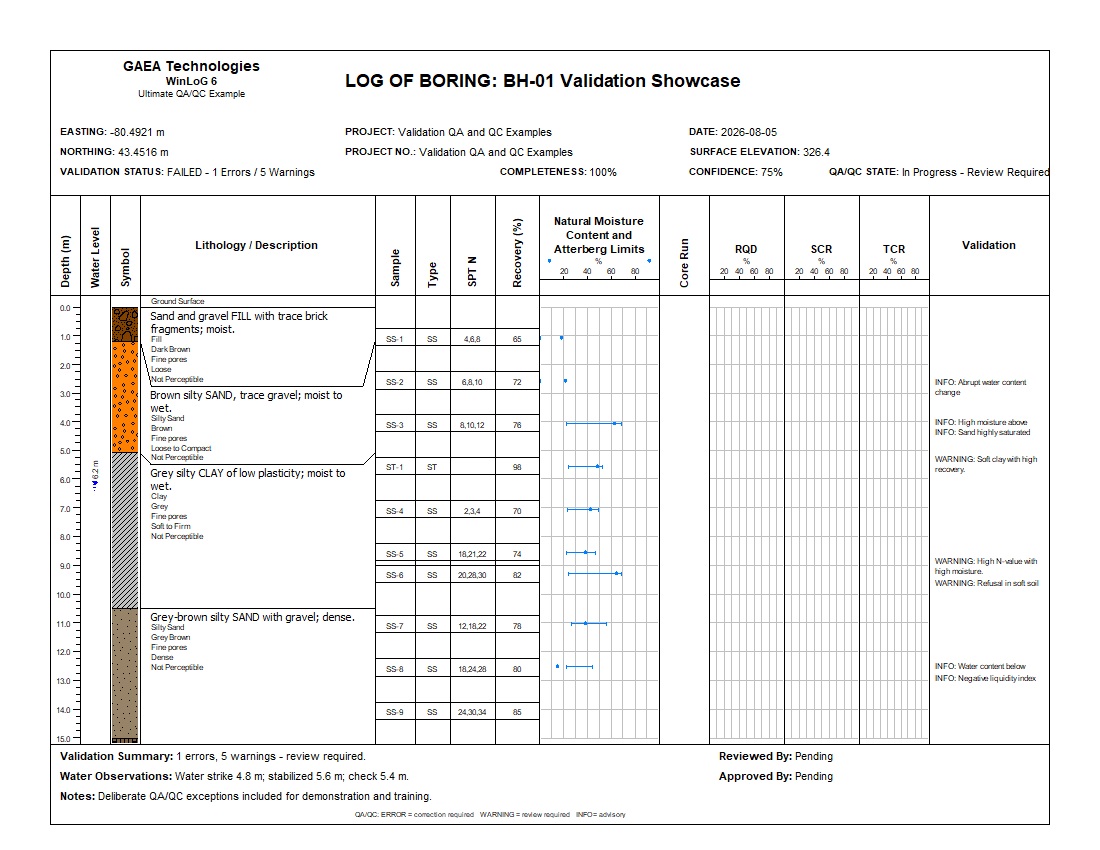
QA/QC Showcase
Domain, completeness and cross-dataset findings in one comprehensive example.


WinLoG Validation & QA/QC applies domain-specific and cross-dataset rules to borehole and well information, then documents the results in a detailed validation report.
Use errors, warnings, completeness, quality and confidence indicators to focus professional review on the fields and depth intervals that require attention.
WinLoG keeps the validation result connected to the underlying borehole record and the rule that produced it.
Identify the template, application, datasets, fields and depth intervals present in the log.
Run only the checks whose data and applicability conditions are satisfied.
Record severity, rule, affected dataset, field, actual value and depth context.
Calculate validation status, completeness, quality and confidence indicators.
Correct invalid data, assess warnings and retain the validation report with the deliverable.
Validation evaluates individual values and the relationships between lithology, samples, laboratory results, groundwater, construction and application-specific datasets.
Detect invalid values, impossible relationships and measurements outside configured limits.
Identify expected identifiers, descriptions, results and supporting fields that are missing.
Compare related evidence such as lithology, recovery, samples, laboratory results and groundwater.
Check sample identity, field screening, laboratory relationships, qualifiers and applicable criteria.
Evaluate water levels, monitoring data, component depths and sampling relationships.
Use relevant checks for geotechnical, transportation, mining, environmental, groundwater and oil-and-gas logs.
Severity helps the reviewer prioritize the result; it does not determine the engineering interpretation by itself.
A required relationship has failed or essential data is invalid. Correct the data or document why the rule does not apply before issue.
The condition may be valid, but it is unusual, incomplete or inconsistent enough to require review and possible explanation.
The finding provides context, confirms an observed condition or identifies an item that may improve the record.
The indicators answer different questions and should be interpreted together.
Summarizes whether the run passed, contains warnings or contains errors.
Measures the presence of expected data for the applicable template and datasets.
Classifies the overall condition of the data using the validation findings and available evidence.
Expresses how strongly the available and internally consistent evidence supports the assessment.
A rule should run only when its required dataset, field, template context and application conditions are present. This prevents unrelated checks from being applied to the wrong type of log.
Rule coverage is selected according to the log’s application, template and available datasets.
Lithology, USCS, SPT, recovery, RQD, water content, Atterberg limits, density, strength, CBR and pavement-related data.
Sample identification, field screening, odour and staining, laboratory results, qualifiers and criteria relationships.
Water levels, component depths, screens, seals, sampling information, field parameters and laboratory results.
Core runs, recovery, RQD, SCR, TCR, rock descriptions, mineralization, samples and assay information.
Formation tops, drilling curves, hydrocarbon shows, staining, lithology and cross-dataset formation relationships.
Rules can evaluate relevant data in water-supply, geophysical, vapour, landfill-gas, recovery-well and sediment-core workflows.
Each example combines a professional log, underlying data and a validation report showing how findings relate to the project context.
Yes. Standard WinLoG Validation & QA/QC has been released and is available now.
No. It identifies conditions requiring correction or review. Qualified professionals remain responsible for interpretation and acceptance.
No. A warning can identify an unusual but valid condition. Review applicability and supporting evidence before deciding whether a correction is required.
Existing structured WinLoG records can be evaluated when the applicable data, fields and template context are available.
Yes. The validation report records the rule, severity, dataset, field, depth context, expected condition and actual value.
Governed QA/QC is a planned future capability and is not currently available. The features described on this page apply only to the released WinLoG Validation & QA/QC functionality.
Use detailed examples and Knowledge Center articles to understand specific rules and QA/QC practices.
Learn how borehole rules identify missing, invalid and inconsistent data.
Read the rule guideReview common SPT consistency, completeness and cross-dataset checks.
Read the SPT guideUnderstand recovery, RQD, SCR and TCR relationships used in core validation.
Read the core guideUse the demonstration and validation examples to compare rule coverage, findings and reports with your borehole and well workflows.

GAEA Technologies develops and distributes geoscience and engineering solutions worldwide. Our solutions have been used for over 30 years by companies and organizations around the world.
© 2026 GAEA Technologies. All Rights Reserved.